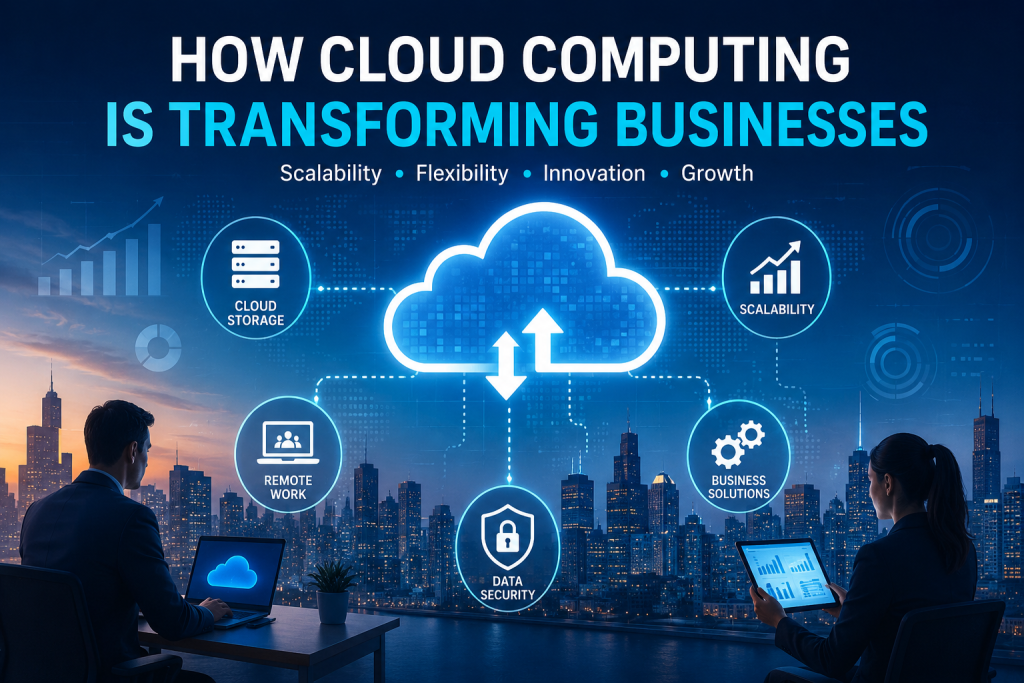
Digital Transformation

Cloud computing technology helping businesses with scalability, flexibility and digital transformation
Technology

How Cloud Computing Is Transforming Businesses

Introduction Cloud computing is transforming the way businesses store data, manage applications, and access technology. Instead of relying only on physical servers and local infrastructure, organizations can use cloud-based services to access computing resources through the internet. Cloud computing for businesses can provide greater flexibility, scalability, and accessibility. Companies can use cloud services to support remote work, improve collaboration, manage data, and adapt technology resources according to changing business needs. As digital transformation continues to influence modern industries, cloud computing has become an important technology for businesses of different sizes. When implemented effectively, cloud solutions can help organizations improve efficiency while supporting innovation and future growth. What Is Cloud Computing? Cloud computing refers to the delivery of computing services through the internet. Instead of owning and maintaining all technology infrastructure locally, businesses can access services such as storage, servers, databases, software, and computing power through cloud providers. Cloud Storage Cloud storage allows businesses to store and access data through online services rather than relying only on local devices or physical storage systems. This can make important files and information easier to access from different locations. Cloud-Based Software Cloud-based software allows users to access applications through the internet. Businesses can use these tools for communication, project management, customer relationships, accounting, and many other daily operations. Cloud Infrastructure Cloud infrastructure provides computing resources such as servers, networking, and processing power through online services. Businesses can use these resources without managing all physical hardware themselves. By providing technology resources on demand, cloud computing can give businesses more flexibility in how they use, manage, and scale their digital systems. How Cloud Computing Benefits Businesses Cloud computing can provide businesses with greater flexibility and access to technology resources without requiring every system to be managed through local infrastructure. Cloud-based services can support changing business needs and make digital tools more accessible. 1. Scalability and Flexibility Cloud computing allows businesses to adjust technology resources according to their needs. Organizations can increase or reduce storage, computing power, and other services as their requirements change. 2. Improved Collaboration Cloud-based tools can help employees access shared files, communicate, and work together from different locations. This can support collaboration between teams and make remote or hybrid work more flexible. 3. Easier Access to Data Cloud services can allow authorized users to access important files and business information through the internet. This can make data more accessible while supporting employees who work from different locations. 4. Reduced Infrastructure Management Using cloud services can reduce the need for businesses to manage every physical server and technology resource internally. This can allow organizations to focus more on their business operations and strategic technology goals. Key Business Uses of Cloud Computing Cloud computing supports many different business activities by providing access to digital tools, storage, computing resources, and online services. Organizations can use cloud technology to improve daily operations and support long-term digital transformation. Cloud Storage and Data Management Businesses can use cloud storage to organize, store, and access important files and information. Centralized cloud-based systems can make it easier for authorized teams to work with shared business data. Remote and Hybrid Work Cloud-based applications can support employees who work from different locations. Teams can access shared documents, communication tools, and business systems through secure online platforms. Business Software and Applications Many organizations use cloud-based software for activities such as customer management, accounting, communication, project management, and data analysis. Online software services can provide businesses with flexible access to important tools. Backup and Disaster Recovery Cloud services can support data backup and recovery planning by storing copies of important information in separate digital environments. Effective backup strategies can help businesses recover information after certain technical problems or unexpected disruptions. Supporting Business Growth Cloud computing can help businesses scale their technology resources as their operations grow. Instead of making major infrastructure changes for every increase in demand, organizations can often adjust cloud services according to changing requirements. Challenges of Cloud Computing for Businesses Although cloud computing offers many advantages, businesses should also understand the challenges involved in moving systems and data to cloud-based environments. Successful cloud adoption requires careful planning, security practices, and effective management. Data Security and Privacy Businesses need to protect sensitive information when using cloud services. Strong access controls, secure configurations, and responsible data management can help reduce security and privacy risks. Internet Dependency Many cloud-based services depend on reliable internet access. Connectivity problems can affect access to important applications, files, and business systems. Managing Cloud Costs Cloud services can provide flexible pricing, but costs may increase if resources are not monitored and managed carefully. Businesses should understand how they use cloud services and review their technology expenses regularly. Migration and Integration Challenges Moving existing applications, data, and business processes to the cloud can require careful planning. Organizations may need to ensure that cloud services work effectively with their existing systems and workflows. Vendor Dependence Businesses can become dependent on specific cloud providers and their services. Understanding service agreements, data portability, and backup options can help organizations make more informed technology decisions. The Future of Cloud Computing in Business Cloud computing is expected to remain an important part of digital transformation as businesses continue to adopt more flexible and connected technologies. Future cloud services may provide greater automation, improved scalability, and more advanced tools for managing business operations. Technologies such as artificial intelligence, data analytics, automation, and edge computing may become more closely connected with cloud platforms. This can help businesses process information more efficiently and develop new digital services. Smarter Cloud Services Future cloud platforms may use artificial intelligence and automation to help businesses manage resources, analyze data, and identify opportunities for improving operations. These technologies could make cloud environments more intelligent and responsive. Greater Flexibility and Innovation Cloud computing can continue to support innovation by giving businesses access to technology resources without requiring every organization to build and manage complex infrastructure. This flexibility can help companies experiment with new ideas and adapt to changing market needs. Conclusion Cloud computing
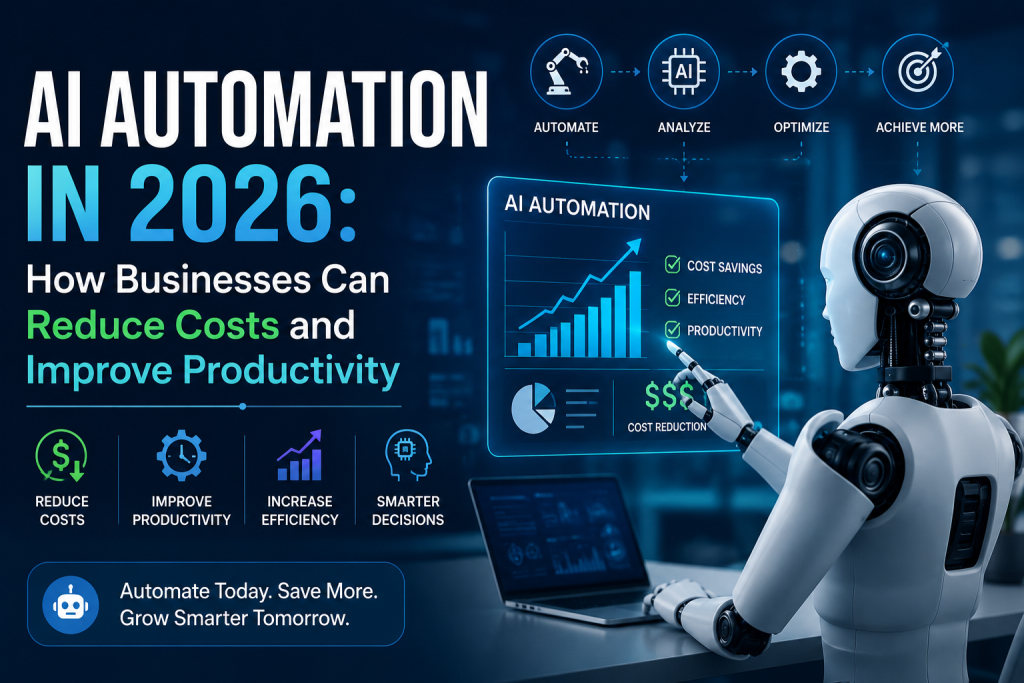
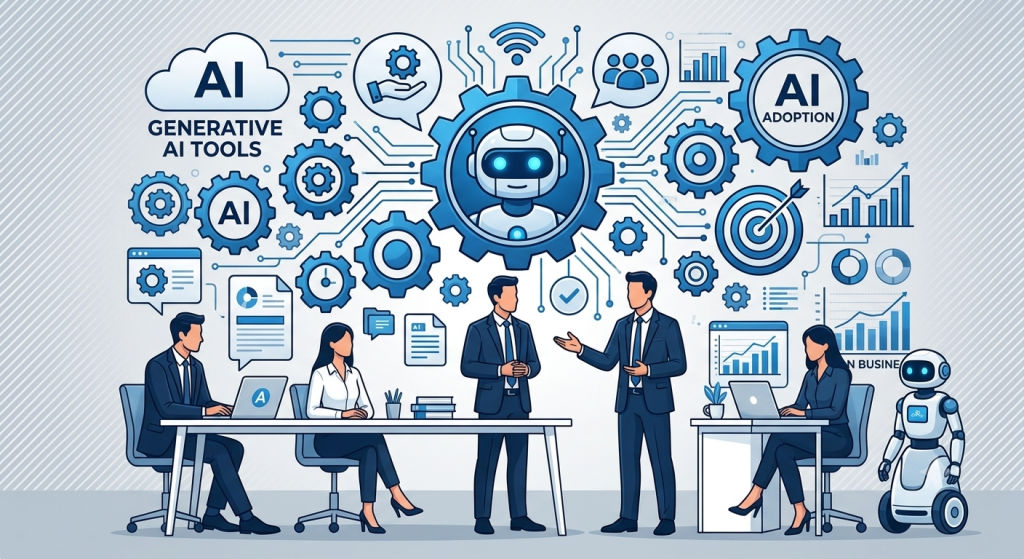
AI automation in 2026 helping businesses reduce costs and improve productivity
AI + Digital Transformation

AI Automation in 2026: How Businesses Can Reduce Costs and Improve Productivity

Artificial Intelligence is rapidly changing the way businesses operate. In 2026, AI automation is moving beyond simple chatbots and repetitive task automation. Businesses are increasingly using AI-powered systems to analyze information, automate workflows, assist employees, improve customer experiences, and make faster decisions. For organizations dealing with increasing operational costs, large amounts of data, and repetitive processes, AI automation can provide a practical way to improve efficiency without continuously increasing manual workloads. From customer support and sales to finance, human resources, software development, and business analytics, AI automation is becoming an important part of modern digital transformation. What Is AI Automation? AI automation combines artificial intelligence with automated workflows to perform tasks that traditionally require human intervention. Traditional automation usually follows predefined rules: Input → Rule → Action → Result AI automation can work with more flexible processes: Data → AI Analysis → Decision → Automated Action → Evaluation This allows automated systems to handle information, identify patterns, make recommendations, and trigger appropriate actions based on changing situations. For example, a traditional workflow might automatically send the same email to every new customer. An AI-powered workflow could analyze customer information, identify their interests, personalize the message, update the CRM, and schedule a follow-up automatically. This makes AI automation more adaptable to modern business processes. Why AI Automation Matters in 2026 Businesses are under constant pressure to improve productivity while controlling operational costs. Employees often spend significant amounts of time performing repetitive activities such as: Entering data Responding to routine emails Updating CRM systems Preparing reports Scheduling meetings Processing documents Answering common customer questions Monitoring business metrics Managing repetitive administrative workflows AI automation can reduce the amount of manual work involved in these processes. The goal is not simply to automate everything. Instead, businesses can use AI to automate suitable tasks while allowing employees to focus on activities that require creativity, strategic thinking, communication, and human judgment. Some major benefits include: Reduced repetitive work Improved employee productivity Faster business processes Lower operational overhead Faster customer responses Better data utilization Improved decision-making Scalable workflows 24/7 automated operations How AI Automation Helps Businesses Reduce Costs Reducing costs does not always mean reducing employees. In many cases, businesses can reduce operational costs by improving how existing resources are used. AI automation can help organizations achieve this in several ways. 1. Reduce Repetitive Manual Work Employees can spend hours performing repetitive tasks that follow predictable patterns. AI automation can handle many of these processes automatically. For example: Manual Process: Employee receives request → Reads information → Updates system → Sends response → Creates follow-up task Automated Process: Request received → AI analyzes request → System updated → Personalized response sent → Follow-up created This allows employees to spend more time on higher-value work. 2. Improve Operational Efficiency Manual processes often involve multiple systems and departments. For example, processing a new customer may require information to be entered into: CRM Email platform Accounting system Project management software Customer support platform Analytics system AI automation can coordinate these systems and reduce unnecessary manual data entry. 3. Reduce Errors Manual data entry and repetitive processing can result in mistakes. AI-powered workflows can validate information, identify inconsistencies, and trigger alerts when something requires human attention. This can help reduce the operational cost associated with avoidable errors and rework. 4. Improve Resource Utilization Businesses can use automation to handle routine processes while employees focus on more complex responsibilities. Instead of hiring additional resources for every increase in workload, organizations can automate suitable processes and scale operations more efficiently. 5. Provide 24/7 Support AI-powered systems can operate outside normal business hours. Customer questions, internal requests, monitoring activities, and other automated processes can continue even when employees are unavailable. This can improve service availability without requiring a larger support team to work around the clock. How AI Automation Improves Productivity Cost reduction is only one side of AI automation. The larger opportunity is improving productivity. Faster Task Completion AI systems can process large amounts of information quickly and automate workflows that previously required multiple manual steps. Less Administrative Work Employees can spend less time on repetitive activities such as documentation, scheduling, reporting, and data entry. Better Access to Information AI-powered systems can help employees search internal information and retrieve relevant data using natural language. Faster Decision Support AI automation can analyze business information and highlight trends, anomalies, and important changes. This gives teams faster access to information needed for decision-making. Improved Collaboration Automated workflows can notify the right team members, create tasks, update systems, and share information automatically. This reduces delays caused by manual communication between departments. AI Automation in Customer Support Customer support is one of the most practical areas for AI automation. Businesses can use AI-powered systems to handle routine customer interactions and automate support workflows. Common applications include: Answering frequently asked questions Tracking orders Checking account information Creating support tickets Categorizing customer requests Routing issues to the appropriate department Scheduling appointments Providing personalized responses Escalating complex issues to human agents For example, when a customer submits a support request, an AI system can understand the request, retrieve relevant information, categorize the issue, and either provide an answer or route the request to a human support professional. This can reduce response times while allowing support teams to focus on more complex customer problems. AI Automation in Sales and Marketing Sales and marketing teams manage large amounts of customer and prospect information. AI automation can help reduce administrative workloads across the sales process. A sales automation workflow can: Identify potential leads. Collect relevant customer information. Qualify prospects. Update CRM records. Generate personalized outreach. Schedule follow-ups. Notify sales representatives. Track engagement. Generate performance reports. Marketing teams can also use AI automation for: Content planning Audience segmentation Campaign analysis Lead scoring Customer research Trend identification Personalized communication Performance reporting The objective is not to remove human involvement from sales and marketing. Instead, automation can handle administrative tasks so professionals can focus on relationships, creativity, and strategy. AI Automation in Finance and Accounting Finance

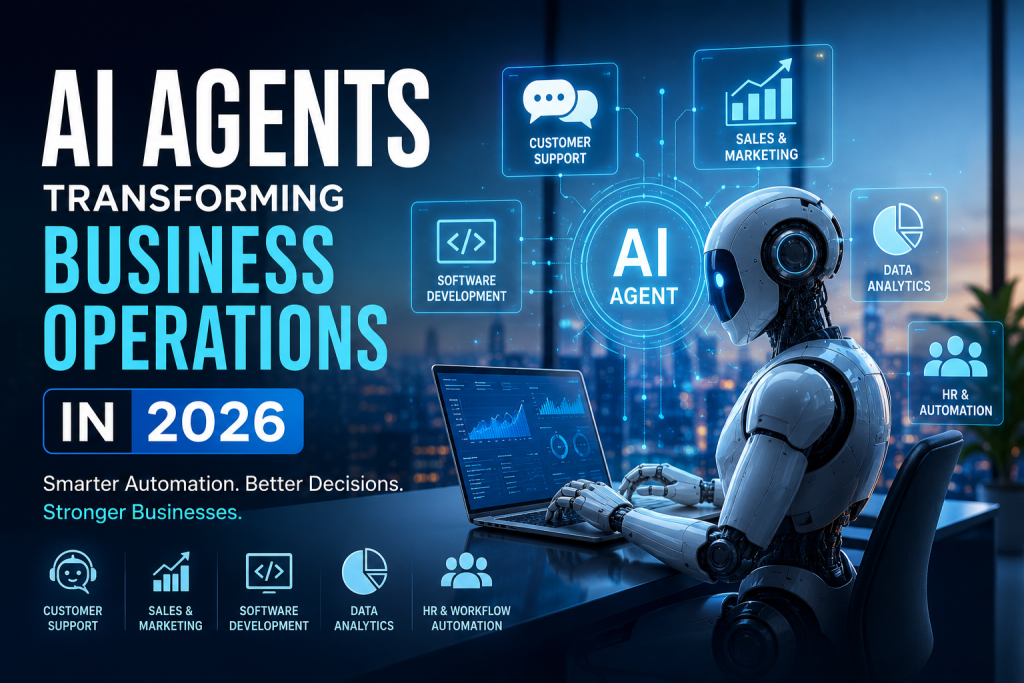
AI Agents Transforming Business Operations in 2026
Artificial Intelligence

How AI Agents Are Transforming Business Operations in 2026

Artificial Intelligence has moved far beyond chatbots and simple automation. In 2026, businesses are increasingly adopting AI agents that can understand goals, make decisions, use digital tools, and complete multi-step tasks with minimal human intervention. Unlike traditional software automation, which generally follows predefined rules, AI agents can analyze information, determine the next action, interact with different systems, and adapt their approach based on the situation. From customer service and sales to software development, finance, human resources, and data analysis, AI agents are changing how organizations operate and make decisions. For businesses looking to improve productivity, reduce operational costs, and deliver better customer experiences, AI agents are becoming an important part of the modern digital transformation strategy. What Are AI Agents? AI agents are intelligent software systems designed to achieve specific goals by combining artificial intelligence with reasoning, decision-making, and tool usage. Traditional automation generally follows a fixed sequence: Input → Rule → Action → Result AI agents can operate more dynamically: Goal → Analyze → Plan → Use Tools → Take Action → Evaluate → Adapt For example, instead of simply responding to a customer’s question, an AI-powered customer service agent could: Understand the customer’s request. Retrieve relevant customer information. Check an order or account status. Determine the appropriate solution. Update the required system. Respond to the customer. Escalate the issue to a human when necessary. This ability to perform multiple connected tasks makes AI agents particularly valuable for modern businesses. Why AI Agents Matter for Businesses in 2026 Businesses generate enormous amounts of data and perform thousands of repetitive processes every day. Employees often spend valuable time searching for information, updating systems, preparing reports, responding to routine queries, and managing repetitive workflows. AI agents can help automate many of these processes while allowing employees to focus on more strategic and creative work. Some of the biggest advantages include: Higher productivity Faster business processes Reduced repetitive work 24/7 operational support Improved customer experiences Faster decision-making Better utilization of business data Scalable automation The biggest shift is that businesses are moving from simply using AI as an assistant to using AI as an active participant in business workflows. AI Agents in Customer Support Customer support is one of the most practical applications of AI agents. Traditional chatbots usually provide answers based on predefined flows or a limited knowledge base. Modern AI agents can understand context and interact with business systems to resolve more complex requests. An AI customer service agent can: Answer product-related questions Track orders Check account information Handle appointment scheduling Create support tickets Recommend relevant solutions Escalate complex issues to human agents This allows businesses to provide faster support without requiring employees to manually handle every routine request. AI Agents for Sales and Marketing Sales teams spend significant amounts of time researching prospects, updating CRM records, writing emails, and following up with leads. AI agents can automate many of these activities. A sales AI agent can help: Identify potential leads Analyze customer information Qualify prospects Generate personalized outreach Schedule meetings Update CRM systems Track follow-ups Analyze sales performance Marketing teams can also use AI agents to analyze campaigns, generate content ideas, segment audiences, and identify trends. Instead of replacing sales and marketing professionals, AI agents can act as intelligent assistants that reduce administrative work and allow teams to focus on relationships and strategy. AI Agents in Software Development Software development is another area experiencing rapid AI adoption. AI coding assistants are already helping developers generate code, explain existing code, identify bugs, write tests, and improve documentation. AI agents take this concept further by supporting multi-step development workflows. For example, an AI development agent could: Analyze a development requirement. Create an implementation plan. Generate or modify code. Run tests. Identify errors. Suggest fixes. Update documentation. This does not eliminate the need for developers. Instead, it allows development teams to spend more time on architecture, product decisions, security, and complex engineering problems. AI Agents for Data Analysis and Business Intelligence Modern businesses collect data from websites, applications, CRM platforms, financial systems, marketing platforms, and other sources. The challenge is turning this data into actionable insights. AI agents can help business teams interact with their data using natural language. For example, a business manager could ask: “Why did our sales decrease this month?” An AI-powered system could analyze sales data, compare it with previous periods, identify unusual patterns, and present possible reasons. AI agents can support: Automated reporting Data exploration Trend detection Forecasting KPI monitoring Anomaly detection Business recommendations This can make data-driven decision-making more accessible to non-technical teams. AI Agents in Human Resources HR departments handle many repetitive processes, including employee queries, onboarding, documentation, scheduling, and internal requests. AI agents can provide employees with instant access to company information and automate administrative workflows. Common applications include: Employee onboarding Leave and policy queries Internal knowledge management Interview scheduling Candidate screening assistance HR document management Employee support With appropriate security and human oversight, AI agents can help HR teams reduce administrative workloads while improving employee experiences. AI Agents for Business Process Automation One of the most important applications of AI agents is connecting different business systems. A business may use separate platforms for CRM, accounting, email, customer support, project management, inventory, and analytics. AI agents can potentially coordinate workflows across these systems. For example, when a new customer signs up, an automated workflow could: Create CRM record → Send welcome email → Create onboarding task → Notify sales team → Update analytics This type of intelligent workflow automation can reduce manual data entry and improve operational efficiency. AI Agents vs Traditional Automation Traditional automation remains extremely useful, especially when processes are predictable and rules are clearly defined. However, AI agents provide additional flexibility when workflows involve changing information or require reasoning. Traditional Automation AI Agents Rule-based Goal-oriented Fixed workflows Dynamic workflows Predictable inputs Can handle variable inputs Limited decision-making AI-assisted reasoning Usually predefined actions Can select tools and actions Best for repetitive rules Best for complex workflows The two approaches are not

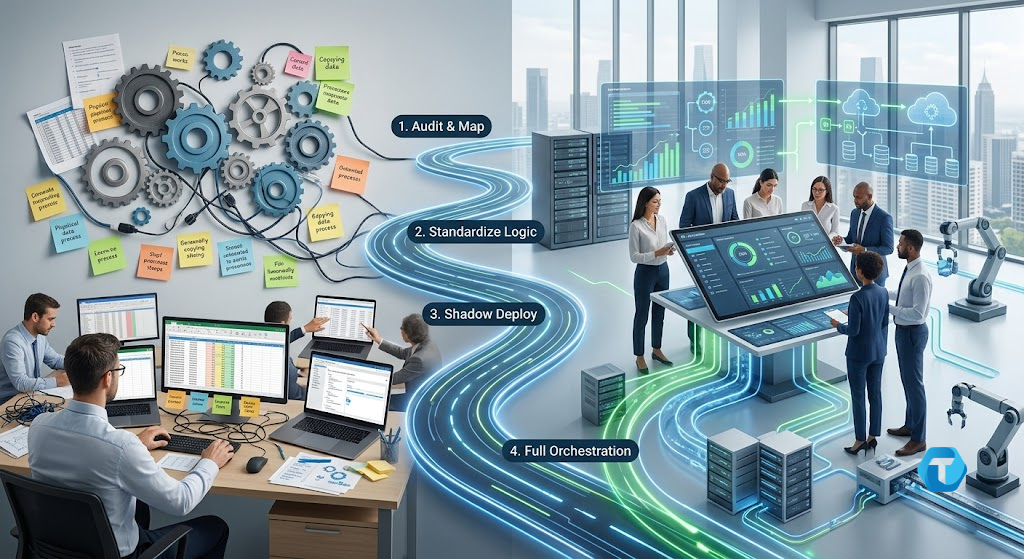
Enterprise Workflow Automation 4-Phase Roadmap Diagram
Business Intelligence, Digital Transformation

Beyond the Patchwork: A Phased Roadmap to Enterprise Workflow Automation

Beyond the Patchwork: A Phased Roadmap to Enterprise Workflow Automation Modern organizations often struggle with fragmented processes that drain valuable time and human energy. Implementing enterprise workflow automation allows businesses to replace manual tasks with streamlined, resilient software pipelines, ensuring operational velocity, accuracy, and enterprise scalability. Imagine hiring a world-class architect, handing them a hard hat, and then ordering them to spend eight hours a day carrying individual bricks back and forth across a muddy construction site. Sounds absurd, right? Yet, inside almost every modern enterprise, a remarkably similar tragedy unfolds every single day. Behind multi-million-dollar tech stacks lies an unspoken corporate secret: our highest-paid knowledge workers are routinely forced to act as expensive human APIs. Senior engineers, financial analysts, operations leads, and HR managers log in every morning not to innovate, but to act as digital couriers. They manually copy data from Spreadsheet A, reformat it for Database B, cross-reference it against PDF Invoice C, and broadcast a Slack alert to Manager D. We hire brilliant minds for their strategic judgment, yet we consume their bandwidth with low-cognitive, high-friction administrative glue. How many hours did your best talent spend playing “digital courier” this week? And more importantly, what is this invisible waste costing your business? The Trap of the “Duct-Tape” Quick Fix When leaders finally recognize this operational drain, the initial impulse usually triggers a secondary disaster: brittle, hasty automation. An eager manager writes a custom Python script, wires up an unmonitored webhook, or deploys a quick point-solution to bridge the gap. For a few months, everyone celebrates. But then the inevitable happens: The script’s author leaves the company. An upstream software vendor silently updates its API schema. An unexpected edge case slips through undetected. The result? The duct tape snaps. The automation breaks silently, leaving the organization with catastrophic data drift, missed financial reconciliations, or severe compliance failures. Automating enterprise operations is not an impulse software purchasing decision—it is an architectural discipline. To transition from fragile manual interventions to resilient, enterprise-grade operations, organizations must abandon ad-hoc patches in favor of a structured, phased modernization roadmap. Part 1: The Spectrum of Process Maturity Before building a bridge, an engineer must assess the terrain. Automating a process before it is understood or standardized does not eliminate operational friction—it merely accelerates chaos at machine speed. Where do your core operations sit on the maturity scale? Maturity Level Phase Name How Data & Logic Flow Human Role Level 0 Ad-Hoc Manual Fragmented across spreadsheets, emails, and notes. The human is the data conduit. Level 1 Standardized Documented rules and repeatable sequences. Human executes steps predictably. Level 2 Assisted Scripted macros or local triggers handle routine sub-tasks. Human manually triggers and verifies execution. Level 3 Orchestrated End-to-end API workflows with automated state management. Human acts as a system governor (HITL). Level 4 Adaptive Event-driven, telemetry-monitored, self-healing pipelines. Human focuses purely on strategy and continuous tuning. The Four Pillars of Sustainable Automation To build an automated system that survives real-world chaos, your architecture must rest on four fundamental pillars: Deterministic Boundaries: Identical inputs must yield identical, predictable outputs every single time, without silent variance. Auditability: Every transaction, data transformation, and state change must leave a persistent, timestamped audit trail. Graceful Degradation: When an upstream dependency fails, the workflow must safely freeze, isolate the infected record, and alert stakeholders—never corrupt downstream databases. Decoupled Architecture: Business logic must remain independent of specific software tools. Swapping out your CRM should never collapse your financial reconciliation backbone. Part 2: Enterprise Workflow Automation — A 4-Phase Roadmap Attempting a high-risk “big bang” overhaul of enterprise workflows is a recipe for operational failure. Mature organizations progress methodically through four distinct execution phases: ┌────────────────────────────────────────────────────────┐ │ Enterprise Modernization Roadmap │ ├────────────────────────────────────────────────────────┤ │ Phase 1: Friction Audit & Mapping ──> Uncover debt │ │ │ │ │ ▼ │ │ Phase 2: Process Standardization ──> Refine logic │ │ │ │ │ ▼ │ │ Phase 3: Low-Risk Shadow Deploy ──> Parallel runs │ │ │ │ │ ▼ │ │ Phase 4: Full Orchestration ──> Scale & monitor │ └────────────────────────────────────────────────────────┘ Part 3: Auditing Friction and Standardizing Logic Phase 1: The Friction Audit & Value Mapping Not every manual task deserves to be automated. High-variability tasks that occur twice a year are often best left to human judgment. To pinpoint high-impact targets, evaluate internal workflows across three criteria: [ Workflow Evaluation Matrix ] High Candidates ──> High Volume + Strict Rules + Structured Data (e.g., Daily Invoice Processing) Low Candidates ──> Low Volume + Subjective Logic + Unstructured Data (e.g., Quarterly Custom Contract Reviews) Before writing a single line of code, quantify the damage using the Total Process Friction Cost (TPFC) formula: TPFC = (Monthly Volume × AHT) × Hourly Rate + Error Overhead Where AHT is the Average Handling Time in hours, Hourly Rate is the blended hourly cost of staff, and Error Overhead accounts for the financial cost of manual remediation. Rule of Thumb: Prioritize processes where the calculated TPFC is high and the rule determinism is absolute. Phase 2: Process Standardization The Golden Rule of Automation: Never automate a process you haven’t first simplified on paper. Stripping a process down to its raw data mechanics requires mapping three vital elements: The Exact Trigger: What event initiates execution? (e.g., A webhook firing on a closed-won CRM deal, or a CSV file landing in an S3 bucket). Input-to-Output Schema: What fields are strictly mandatory? What happens when a field is missing? Edge-Case Isolation: Document every historic anomaly. If 5% of incoming invoices lack a tax ID, map explicit programmatic fallback rules before building the pipeline. Part 4: Shadow Execution and Full Orchestration Phase 3: Low-Risk Shadow Deployment What is the safest way to test a commercial aircraft’s new autopilot system? You don’t remove the pilots on day one. You run the autopilot in parallel, comparing its decisions against the human captain’s actions in real time. In process modernization, this is called Shadow Execution. Trigger Event ───► [ Human Operator ] ────►

Artificial Intelligence, Cloud Computing and Technology, Software development

The Shift to Autonomous Ecosystems: Why Static Software is Dying in 2026

The Shift to Autonomous Ecosystems: Why Static Software is Dying in 2026 Remember when we used to log into an application, click five different buttons to generate a report, download a CSV file, and then manually upload it into another software system? For decades, human-computer interaction followed a strict, predictable script. Software was a passive tool. It sat there, waiting for a human to input data, trigger a command, or click a button. If you wanted to automate something, you had to build rigid, brittle API connections or rely on brittle Robotic Process Automation (RPA) scripts that broke the second a user interface changed by a single pixel. Welcome to 2026. The era of the static, passive software application is officially drawing to a close. We are currently living through the most profound shift in computer science since the migration from desktop mainframes to the cloud. We are moving away from traditional software applications and moving toward Autonomous Ecosystems—self-healing, self-optimizing networks of cognitive AI agents, decentralized edge nodes, and fluid data architectures that adapt to human intent in real time. In this deep dive, we will unpack exactly what this paradigm shift looks like, how it’s rewriting the rules of software development, the infrastructure powering it, and what it means for businesses striving to stay relevant. 1. The Anatomy of Static vs. Autonomous Software To understand where we are going, we must first look at where we’ve been. Traditional software is inherently deterministic. You write code that says: If User Executes Action A, Trigger Event B. Autonomous software, by contrast, is probabilistic and goal-oriented. You don’t tell the software how to do a task; you tell it what goal to achieve, establish the boundaries (guardrails), and let the system determine the optimal path to get there. A Side-by-Side Comparison Feature Traditional (Static) Software Autonomous Ecosystems Logic Execution Hardcoded, deterministic rules and conditional branches. Probabilistic reasoning via Cognitive Architectures & LLMs. Integration Rigid, pre-built API integrations or webhook chains. Dynamic, on-the-fly tool discovery and negotiation. User Interface Fixed graphical user interfaces (GUIs) with static dashboards. Generative User Interfaces (GUIs) that adapt to the user’s immediate context. Maintenance Requires manual debugging, patching, and code updates. Self-healing codebases with automated telemetry-driven optimization. Data Interaction Structured relational databases or rigid NoSQL storage. Vector spaces, semantic graphs, and streaming real-time memory. When software transitions from a tool you use to a partner that collaborates with you, the entire friction point of enterprise operations disappears. 2. The Rise of Agentic Workflows: Beyond the Chatbot When Large Language Models (LLMs) exploded onto the scene a few years ago, everyone thought the future of tech was a simple text box. You ask a question, you get an answer. It was impressive, but it was still fundamentally a static interaction model: Prompt $\rightarrow$ Response. Today, we have moved squarely into the era of Agentic Workflows. An AI Agent isn’t just a chatbot; it’s an autonomous software entity equipped with reasoning capabilities, long-term memory, access to external tools, and the ability to execute multi-step plans without human intervention. [User Goal Input] │ ▼ ┌────────────────────────────────────────┐ │ Cognitive Planning Layer │ │ (Breaks goal into sequential tasks) │ └──────────────────┬─────────────────────┘ │ ▼ ┌────────────────────────────────────────┐ │ Execution & Tool Discovery │ │ (APIs, Web Browsing, Databases) │ └──────────────────┬─────────────────────┘ │ ▼ ┌────────────────────────────────────────┐ │ Self-Reflection & Audit │ │ (Evaluates if results match the goal) │ └──────────────────┬─────────────────────┘ │ ▼ [Final Achieved Outcome] The Three Pillars of Modern Agentic Systems Reasoning and Planning (The Brain): Instead of executing code line by line, modern systems leverage advanced cognitive architectures like Tree-of-Thoughts (ToT) or Graph-of-Thoughts (GoT). This allows software to simulate multiple paths to a solution, evaluate the drawbacks of each, and pick the path with the highest probability of success. Dynamic Tool Utilization: If an autonomous system needs information it doesn’t possess, it doesn’t throw an error. It searches for available web APIs, reads the documentation documentation dynamically, authenticates itself, and pulls the required data payload. Reflection and Self-Correction: When a human software engineer writes code, they test it. Autonomous agents do the same. If an action fails or returns a bad payload, the agent reflects on the failure, adjusts its strategy, and tries an alternative route. 3. Deconstructing the Architecture: How it Works Under the Hood Building an autonomous ecosystem requires a fundamentally different tech stack than building a traditional React-Node-PostgreSQL application. Let’s break down the core components driving modern autonomous architectures. The Semantic Memory Layer In traditional apps, memory is state management (like Redux) or a fast cache database (like Redis). In autonomous ecosystems, memory is divided into three tiers: Sensory Memory: Immediate, in-context information processing (the current token window). Short-Term Memory: The trace logs of the current session or task workflow sequence. Long-Term Memory: A vector database combined with a Knowledge Graph. This allows the system to store embeddings of past interactions, organizational policies, and historical context that can be fetched via semantic similarity searches. Dynamic API Generation and Graph Orchestration Instead of hardcoding an integration between your CRM (like Salesforce) and your marketing tool (like Hubspot), autonomous ecosystems treat external software suites as nodes in a dynamic graph. Using protocols like JSON-RPC or semantic OpenAPI schemas, an orchestrator evaluates the capabilities of different platforms on the fly. If you migrate from one vendor to another, you no longer need to spend months rewriting your integration pipeline. The autonomous system auto-discovers the new endpoints, maps the data schemas, and continues operation seamless. 4. Real-World Applications: Where the Paradigm Shift is Happening Now This isn’t theoretical science fiction. Businesses across sectors are actively dismantling their legacy, static software suites to make room for fluid ecosystems. Supply Chain and Logistics Autonomy In traditional supply chain software, an alert flags a delay in shipping. A human manager logs in, views the delay, calls alternative suppliers, creates a new purchase order, updates the inventory tracker, and emails the logistics coordinator. In an autonomous supply chain ecosystem: The system monitors global weather patterns, port telemetry, and shipping data streams. The

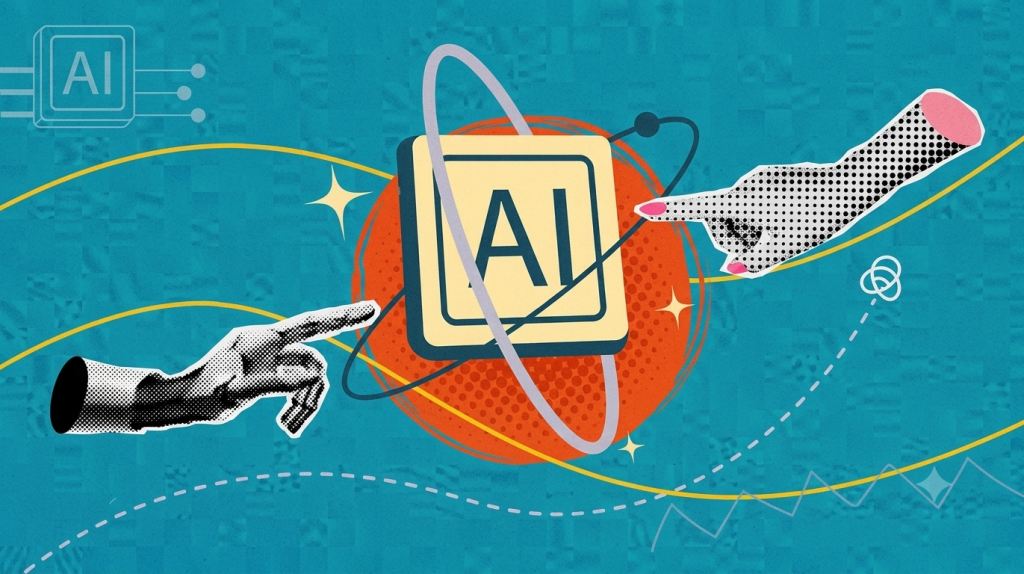
Business team using AI tools to improve productivity, automate tasks, analyze data, and support faster company growth.
Business Intelligence

How AI Can Help Companies Grow Faster

Introduction Artificial intelligence has moved from being a future-facing concept to a practical growth tool for businesses of all sizes. Companies are using AI to automate repetitive work, analyze large volumes of data, personalize customer experiences, and uncover opportunities that would be difficult to spot manually. This makes AI valuable not only for tech companies, but also for retail, finance, healthcare, service businesses, and startups that want to scale more efficiently. AI can help companies grow faster by improving efficiency, boosting customer engagement, and supporting better decisions. When used strategically, it can increase revenue, reduce costs, and shorten the time it takes to move from idea to execution. One of the biggest ways AI helps companies grow faster is by saving time. Tasks like sorting leads, generating reports, responding to common customer questions, and analyzing trends can be handled much more quickly with AI-powered tools. That gives teams more time to focus on strategy, creativity, and high-value work instead of routine operations. AI also improves decision-making by turning raw data into useful insights. Businesses can use predictive analytics to forecast demand, identify customer behavior patterns, and make more informed decisions about pricing, marketing, hiring, and product planning. Instead of relying only on intuition, leaders can act with greater confidence because they have better information at the right time. Another major advantage is customer growth. AI can help companies deliver more relevant recommendations, targeted marketing, faster support, and more personalized communication. When customers feel understood and get faster service, they are more likely to buy again, stay loyal, and recommend the brand to others. AI also supports faster scaling. As companies grow, it becomes harder to manage more customers, more data, and more operations without adding extra strain to the team. AI helps businesses expand without increasing headcount at the same pace by improving productivity and making processes more efficient. At the same time, companies need to use AI carefully. It works best when it supports people rather than replacing judgment, and when leaders pay attention to accuracy, privacy, and ethical use. Businesses that start with clear goals and measurable outcomes are more likely to see real growth from AI. Key benefits Faster automation of repetitive tasks. Better customer targeting and personalization. Smarter forecasting and planning. Improved productivity across teams. More efficient scaling with lower operational strain. Conclusion AI can help companies grow faster by making work more efficient, decisions more accurate, and customer experiences more personalized. The businesses that benefit most are the ones that use AI with a clear purpose and track the results carefully. In the long run, AI is not just a tool for saving time. It is a growth engine that can help companies compete better, respond faster, and scale smarter. FAQ How does AI help a company grow? AI helps companies grow by automating tasks, improving decisions, increasing productivity, and creating better customer experiences. Which business areas benefit most from AI? Marketing, sales, customer service, operations, hiring, and forecasting often see strong benefits from AI. Can small businesses use AI for growth? Yes, small businesses can use AI for content creation, customer support, marketing analytics, and workflow automation. Does AI replace employees? Usually no. AI is more effective when it supports employees and removes repetitive work so they can focus on higher-value tasks. What is the biggest advantage of AI for growth? The biggest advantage is that AI helps companies do more with less time, less waste, and better data. Should businesses start with one AI use case? Yes, starting with one clear business problem is the best way to measure value and reduce risk.

Artificial Intelligence, Digital Transformation, Software development, Technology

Navigating the Next Tech Horizon: A Human Guide to the Innovations Reshaping Our Digital World

Introduction:- Remember when “the future” meant having a computer in your pocket? Today, we carry the processing power of a mid-90s supercomputer in our jeans, and yet we find ourselves standing on the precipice of an even more radical shift. The tech world isn’t just evolving; it’s rewriting its foundational code. As we navigate through 2026, the conversations around technology have shifted from basic automation to deep, systemic intelligence. We are no longer just building better tools; we are co-authoring a new reality with our machines. From the way developers write software to how global enterprises secure their data in the cloud, the digital landscape is undergoing a massive paradigm shift. Let’s pull back the curtain on the massive shifts defining the tech world today—broken down not just in code, but in human terms. 1. The Future of AI: Beyond the Chatbot Hype For a couple of years, the world was obsessed with generative AI that could write poems or generate quirky images. But the honeymoon phase is over. The future of AI isn’t about chatbots that mimic human speech; it’s about Agentic AI—autonomous systems capable of reasoning, planning, and executing complex workflows without constant human hand-holding. From Prompting to Partnering Early AI required meticulous prompting. If you didn’t phrase your question perfectly, the output was useless. Today, AI has developed contextual awareness. We are moving from a “command-and-control” dynamic to a truly collaborative partnership. Autonomous Agents: Imagine an AI assistant that doesn’t just book a flight when asked, but monitors your calendar, anticipates a business conflict, negotiates a rescheduled meeting with a client’s AI assistant, and books the optimal flight based on your historical preferences—all in the background. Multimodal Maturity: AI now naturally processes voice, video, text, and physical gestures simultaneously. This has broken down the barriers between digital intent and physical execution. The Human Element: Emotional Intelligence (EQ) Meets AI As AI handles the heavy analytical lifting, the premium on human emotional intelligence has skyrocketed. The most successful implementations of AI aren’t those that replace humans, but those that augment human empathy, creativity, and ethical judgment. We are the directors; AI is the ultimate crew. 2. Next-Gen Software Development: The Democratization of Code The software engineering landscape is experiencing its most significant disruption since the invention of high-level programming languages. Next-gen software development is defined by a symbiosis between human intuition and AI-driven development engines. The Rise of the “Architect” Mindset Writing syntax—the actual typing of loops, brackets, and boilerplate code—is increasingly being handled by AI co-pilots. Does this mean software engineers are obsolete? Absolutely not. Instead, their role has elevated. [Traditional Development] ──> Focus on Syntax, Debugging, & Boilerplate [Next-Gen Development] ──> Focus on Architecture, System Design, & Security Developers are transitioning from code writers to system architects. The value shifts from knowing how to write a function to understanding how systems interact, scale, and remain secure. Low-Code, No-Code, and the Citizen Developer We are seeing a massive democratization of technology. Business analysts, healthcare professionals, and educators are now building sophisticated enterprise applications using natural language interfaces. By bridging the gap between an idea and a working application, innovation is no longer bottlenecked by the availability of software engineering teams. 3. Cloud Computing Trends: The Distributed Cloud and Edge Renaissance The cloud is no longer a distant, centralized data center owned by a tech giant. Current cloud computing trends point toward a hyper-distributed model where data processing happens exactly where it makes the most sense. Edge Computing Comes of Age With the proliferation of IoT devices, smart cities, and autonomous vehicles, sending data back to a central cloud server introduces unacceptable latency. Example: An autonomous vehicle traveling at 60 mph cannot wait 200 milliseconds for a cloud server to process a “stop” command. The decision must happen at the “edge”—directly within the vehicle’s onboard processing unit. Sovereign Clouds and Data Privacy Geopolitics has firmly entered the cloud space. Nations and regions are demanding that their citizens’ data remain within geographical boundaries, governed by local laws. This has led to the rise of sovereign clouds, forcing global enterprises to rethink their infrastructure to ensure compliance without sacrificing performance. 4. Cyber Resilience: Shifting from Defense to Survival In the modern tech ecosystem, a data breach is no longer a matter of if, but when. Because of this harsh reality, the conversation has shifted from traditional cybersecurity (building taller walls) to cyber resilience (how well you can take a punch and keep standing). The Zero Trust Imperative The old security model assumed that everything inside a corporate network was safe. Today’s decentralized workforce has thoroughly shattered that perimeter. “Zero Trust” operates on a simple, human-like skepticism: Never trust, always verify. Every user, device, and connection must continuously prove its identity and authorization. Preparing for the Quantum Leap While practical quantum computers are still on the horizon, the cryptographic threat they pose is already reshaping current security strategies. Bad actors are actively harvesting encrypted data today, intending to decrypt it years later when quantum computing matures. Progressive organizations are already implementing Post-Quantum Cryptography (PQC) to ensure their data remains secure tomorrow. 5. Digital Transformation 2026: The Cultural Revolution True digital transformation 2026 isn’t about buying new software or migrating to the cloud just to tick a box. It is fundamentally a cultural shift that requires organizations to fundamentally reimagine how they deliver value to humans. Breaking Down Silos For decades, IT departments lived in isolation, speaking a language the rest of the business couldn’t comprehend. True digital transformation breaks these walls down. Technology is now deeply woven into every department—from HR using predictive analytics for talent retention, to marketing utilizing real-time AI generation for hyper-personalized campaigns. The Sustainability Metric Modern digital transformation is no longer just measured in ROI (Return on Investment), but also in its environmental impact. Data centers consume massive amounts of electricity and water. Forward-thinking companies are auditing their “digital carbon footprint,” optimizing their code for energy efficiency, and choosing cloud providers that run entirely on renewable

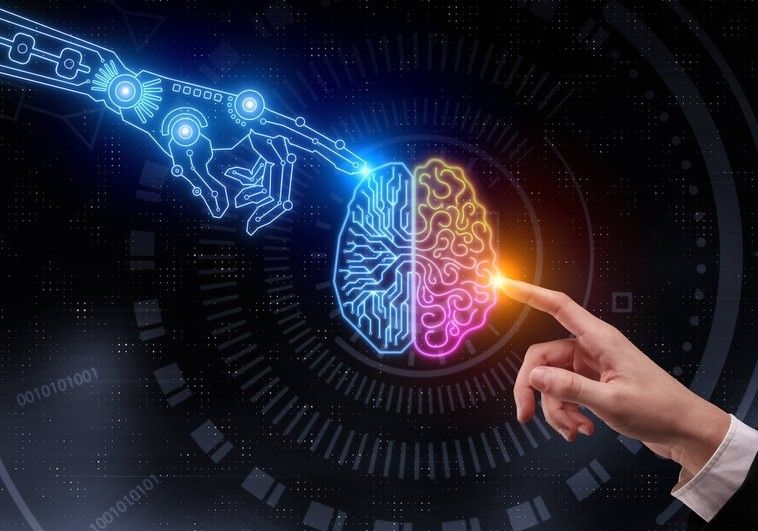
Business team using artificial intelligence tools to improve productivity, automate tasks, and analyze data for better decision-making.
Artificial Intelligence

What Businesses Need to Know About AI

Introduction Businesses today are operating in a world where data is growing faster than teams can manually process it. AI helps bridge that gap by automating repetitive tasks, analyzing large volumes of information, and surfacing patterns that are difficult to spot by hand. This makes AI valuable across departments such as customer service, marketing, operations, finance, and product development. Artificial intelligence is no longer just a tech trend; it is a practical business tool that can improve efficiency, support decision-making, and create new growth opportunities. For most companies, the real question is not whether to use AI, but how to use it responsibly and effectively. One of the biggest reasons businesses are adopting AI is speed. Tasks that once took hours, like sorting customer requests, summarizing reports, or identifying trends, can now be handled much faster with AI-assisted systems. That speed can lead to lower costs, better productivity, and quicker responses to market changes. AI also helps companies make better decisions. Predictive analytics, machine learning, and natural language tools can turn raw data into insights that guide planning and strategy. For example, businesses can use AI to forecast demand, detect unusual patterns, improve customer targeting, or personalize services. At the same time, businesses need to understand that AI is not a magic solution. It works best when people supervise it, review its output, and apply judgment where needed. If a company uses AI without clear policies, it can run into issues involving privacy, security, bias, misinformation, or over-automation. That is why business leaders should think about AI in a balanced way. The companies that benefit most will be the ones that choose the right use cases, train their teams, protect sensitive data, and treat AI as a support system rather than a replacement for human expertise. In practice, this means starting small, measuring results, and building trust as adoption grows. What to know AI can automate repetitive work and save time. AI is most useful when it helps people make faster, better decisions. Human oversight is still essential for accuracy and trust. Data privacy, security, and compliance must be planned from the start. The best AI projects begin with a clear business problem, not just the desire to use AI. Conclusion Businesses need to know that AI can create real value, but only when it is used thoughtfully. The strongest results come from using AI to support people, improve processes, and make data more useful. Companies that invest in training, governance, and the right use cases will be better prepared for the future. In simple terms, AI is not just about technology; it is about building a smarter, more adaptable business. FAQ What is AI in business? AI in business means using artificial intelligence tools to automate tasks, improve operations, analyze data, and support decision-making. Why should businesses care about AI? Businesses should care because AI can reduce costs, improve efficiency, and help teams work with data more effectively. Does AI replace employees? Not usually. AI is best used to support employees by handling repetitive work so people can focus on higher-value tasks. What are the biggest risks of AI for businesses? The main risks include poor data security, privacy issues, biased outputs, over-reliance on automation, and inaccurate results. Where should a business start with AI? Start with one clear problem, such as customer support, reporting, scheduling, or data analysis, and test AI in a controlled way. Is AI only useful for large companies? No, small businesses can also benefit from AI tools for marketing, productivity, customer service, and analysis.

Artificial Intelligence

AI Agents vs Traditional Automation: What’s Changing in 2026?

Introduction:- Automation has been a cornerstone of digital transformation for decades. Businesses have long relied on software to eliminate repetitive tasks, reduce operational costs, and improve efficiency. From manufacturing lines to customer relationship management systems, traditional automation has helped organizations streamline workflows and maintain consistency. However, the technological landscape in 2026 is undergoing a significant shift. Organizations are no longer satisfied with systems that simply follow predefined rules. They increasingly require software that can understand context, adapt to changing situations, make informed decisions, and collaborate with humans. This demand has accelerated the adoption of AI agents, one of the most influential developments in modern artificial intelligence. Unlike traditional automation, AI agents are designed to reason, plan, and act toward specific goals. They can analyze large amounts of information, interact with multiple applications, learn from feedback, and even coordinate with other AI systems. Rather than replacing simple automation, AI agents expand what automation can achieve by handling more dynamic and complex tasks. This article explores how AI agents differ from traditional automation, why organizations are investing in intelligent systems, and how businesses can prepare for the next generation of digital operations. Understanding Traditional Automation Traditional automation refers to software that performs predefined actions based on fixed rules. These systems execute workflows exactly as they were programmed, making them highly reliable for repetitive processes. Examples include: Automated invoice generation Payroll processing Scheduled email campaigns Data backups Manufacturing assembly lines Basic customer support chatbots Rule-based approval workflows The primary advantage of traditional automation is consistency. Once configured correctly, it performs the same task repeatedly with minimal errors. It is ideal for environments where processes rarely change. However, these systems have clear limitations. They cannot interpret ambiguous information, adapt to unexpected scenarios, or make decisions beyond their programmed rules. If the business process changes, developers often need to redesign or update the automation. What Are AI Agents? AI agents are intelligent software systems capable of perceiving information, reasoning about it, making decisions, and taking actions to achieve defined objectives. Unlike conventional automation tools, AI agents do not rely solely on fixed rules. They use technologies such as large language models, machine learning, natural language processing, retrieval systems, and external tools to solve problems dynamically. For example, an AI customer support agent can: Read a customer’s email. Identify the issue and urgency. Search internal documentation. Check order status. Draft a personalized response. Escalate complex cases when necessary. Learn from user feedback over time. Instead of executing a single scripted workflow, the agent evaluates the situation and chooses the most appropriate action. Traditional Automation vs AI Agents Feature Traditional Automation AI Agents Decision-making Rule-based Context-aware Learning No Yes, through AI models and feedback Flexibility Low High Handles unstructured data Limited Excellent Human-like communication Minimal Advanced Adaptability Requires reprogramming Can adjust to changing inputs Best suited for Repetitive tasks Complex, evolving workflows Why 2026 Marks a Turning Point Several technological trends have converged to make AI agents practical at scale. Large language models have become significantly more capable, enabling agents to understand natural language and generate useful responses. Cloud infrastructure now provides the computing power needed to run advanced AI workloads efficiently. Businesses have also accumulated vast amounts of digital data, creating opportunities for AI systems to deliver meaningful insights and automation. At the same time, organizations are under pressure to improve productivity, reduce costs, and respond faster to customer expectations. AI agents address these needs by automating tasks that previously required human judgment. Real-World Business Applications Customer Service Modern AI agents can resolve support tickets, summarize conversations, translate languages, and personalize responses while maintaining a consistent customer experience. Software Development Development teams use AI agents to generate code, review pull requests, identify bugs, write documentation, and automate testing. These capabilities accelerate delivery while allowing engineers to focus on architecture and innovation. Cybersecurity Security operations centers increasingly deploy AI agents to monitor logs, detect anomalies, investigate suspicious behavior, and recommend remediation steps. This helps analysts respond more quickly to emerging threats. Cloud Operations Cloud management platforms benefit from AI agents that optimize infrastructure, monitor resource utilization, predict outages, and recommend cost-saving opportunities. They can assist administrators in maintaining reliable and scalable environments. Healthcare Hospitals and healthcare providers use intelligent agents to organize patient records, assist with appointment scheduling, summarize clinical notes, and support administrative workflows, enabling staff to spend more time on patient care. Benefits of AI Agents Organizations adopting AI agents are seeing improvements in several areas: Increased productivity through intelligent task automation. Faster decision-making based on real-time data. Improved customer experiences with personalized interactions. Reduced operational costs by minimizing manual work. Better scalability across departments. Continuous learning and optimization through AI-driven feedback loops. These advantages make AI agents an important part of digital transformation strategies across industries. AI Governance in 2026: Balancing Innovation and Regulation  

Artificial Intelligence, Business Analytics, enterprice

The Impact of Agentic AI on Enterprise Productivity

The Impact of Agentic AI on Enterprise Productivity Artificial Intelligence has evolved rapidly over the past few years. What started as chatbots, recommendation engines, and predictive analytics has now entered a new phase known as Agentic AI. Unlike traditional AI systems that primarily respond to commands or analyze data, Agentic AI can independently plan, execute, monitor, and optimize tasks to achieve specific goals. As organizations continue their digital transformation journeys, Agentic AI is emerging as one of the most influential technologies reshaping enterprise productivity. Businesses are no longer looking at AI merely as a tool that assists employees; instead, they are deploying AI agents capable of acting as digital workers that can handle complex workflows with minimal human intervention. From customer service and IT operations to finance, marketing, and supply chain management, Agentic AI is helping enterprises operate more efficiently, reduce costs, improve decision-making, and unlock new levels of productivity. As we move through 2026, companies across industries are recognizing that the future of work will involve close collaboration between humans and autonomous AI agents. Understanding Agentic AI Agentic AI refers to artificial intelligence systems that possess the ability to act autonomously toward achieving predefined objectives. Unlike conventional AI applications that require constant prompts or supervision, Agentic AI can make decisions, initiate actions, adapt to changing environments, and complete multi-step tasks independently. For example, a traditional AI chatbot may answer customer questions based on available information. An Agentic AI system, however, can handle an entire customer support process—from receiving the request and identifying the issue to processing refunds, updating records, and following up with customers. The key capabilities that distinguish Agentic AI include: Goal-oriented decision-making Autonomous workflow execution Continuous learning and adaptation Multi-step task management Context awareness Integration with enterprise systems Proactive problem-solving These characteristics enable Agentic AI to function more like a virtual employee rather than a simple software application. Why Enterprises Are Adopting Agentic AI Organizations are under increasing pressure to improve efficiency, reduce operational expenses, and maintain competitiveness in rapidly changing markets. Traditional automation solutions can handle repetitive tasks, but they often struggle with complex processes that require decision-making and adaptability. Agentic AI fills this gap by bringing intelligence and autonomy to business operations. Several factors are driving enterprise adoption: Growing Operational Complexity Modern businesses manage enormous volumes of data, processes, and interactions. Human teams often struggle to keep up with increasing complexity. Agentic AI can process information at scale and coordinate multiple tasks simultaneously. Demand for Faster Decision-Making Markets move quickly, and delays can be costly. AI agents analyze data in real time and provide immediate actions or recommendations, helping organizations respond more rapidly to opportunities and challenges. Workforce Productivity Challenges Many industries continue to face talent shortages and increasing workloads. Agentic AI helps organizations maximize productivity without significantly expanding headcount. Cost Optimization Businesses are continuously seeking ways to reduce expenses. AI agents can automate labor-intensive processes, reducing operational costs while maintaining service quality. Digital Transformation Initiatives Organizations investing in cloud computing, analytics, and automation increasingly view Agentic AI as a natural extension of their digital transformation strategies. Workflow Automation Beyond Traditional RPA Robotic Process Automation (RPA) has been used for years to automate repetitive tasks. However, RPA systems generally follow predefined rules and struggle when unexpected situations arise. Agentic AI enhances automation by introducing intelligence into workflows. For example, instead of simply processing invoices according to fixed rules, an AI agent can: Identify anomalies Communicate with vendors Request missing information Resolve exceptions Complete approvals automatically This significantly reduces manual intervention and accelerates business processes. Enhanced Employee Productivity One of the most important benefits of Agentic AI is its ability to augment human workers. Employees often spend significant time on administrative tasks such as: Data entry Scheduling Reporting Documentation Research Information retrieval AI agents can handle these responsibilities, allowing employees to focus on strategic, creative, and high-value work. Rather than replacing workers, Agentic AI often acts as a productivity multiplier, enabling teams to accomplish more with the same resources. Faster Decision-Making Data-driven decision-making has become essential for modern enterprises. However, analyzing large datasets can be time-consuming. Agentic AI systems continuously monitor: Market trends Customer behavior Operational performance Financial metrics Supply chain activities They can identify patterns, generate insights, and recommend actions in real time. Executives and managers benefit from faster access to actionable intelligence, improving organizational agility and responsiveness. Improved Customer Service Operations Customer experience has become a major competitive differentiator. Agentic AI is transforming customer support by enabling intelligent automation. AI agents can: Resolve support tickets Handle account updates Process refunds Schedule appointments Escalate complex issues Follow up with customers Because these systems operate around the clock, businesses can provide faster and more consistent service while reducing support costs. Knowledge Management and Information Access Large enterprises often struggle with fragmented information spread across multiple systems. Employees may spend considerable time searching for documents, policies, procedures, and data. Agentic AI can act as an intelligent knowledge assistant that: Retrieves relevant information Summarizes documents Generates reports Provides recommendations Answers internal queries This improves productivity by reducing time spent searching for information. Supply Chain Optimization Supply chain management involves numerous interconnected activities, making it an ideal environment for Agentic AI deployment. AI agents can: Monitor inventory levels Predict demand fluctuations Optimize procurement Coordinate logistics Identify supply chain risks Recommend corrective actions These capabilities help organizations improve efficiency while minimizing disruptions. Financial Operations Efficiency Finance departments often deal with repetitive and time-consuming processes. Agentic AI can streamline activities such as: Invoice processing Expense management Budget forecasting Financial reporting Compliance monitoring Fraud detection As a result, finance teams can focus more on strategic planning and business growth initiatives. IT Operations and Infrastructure Management Enterprise IT environments continue to grow in complexity. Agentic AI is increasingly being used to manage infrastructure and support operations. AI agents can: Detect system anomalies Monitor performance Resolve incidents Apply security updates Allocate resources Predict failures This proactive approach improves system reliability while reducing operational workloads. Marketing and Sales Productivity Marketing and sales teams are

Scroll to Top