Cloud Infrastructure

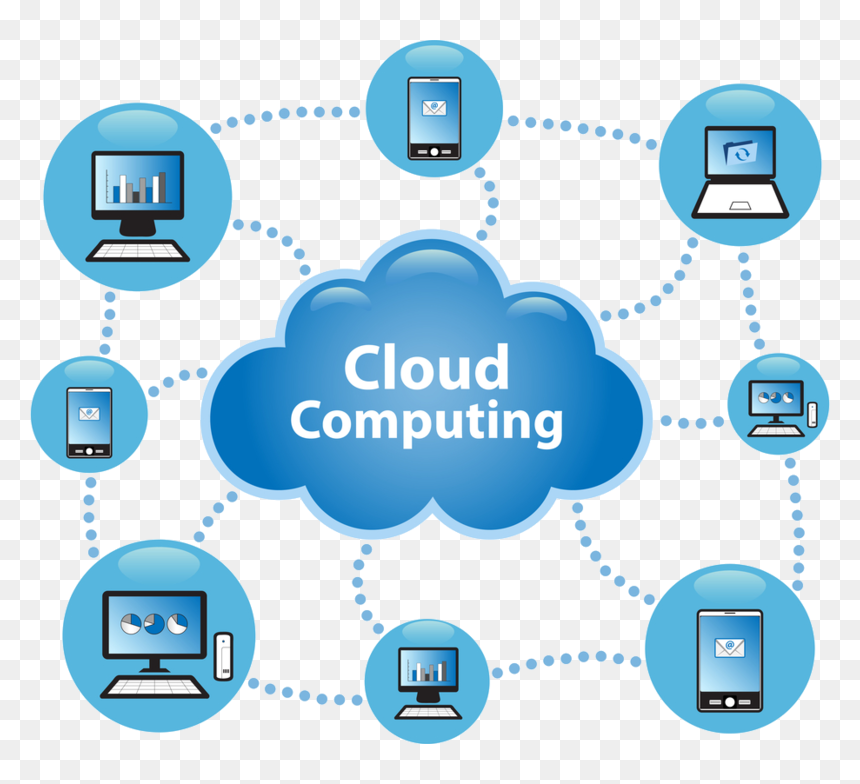
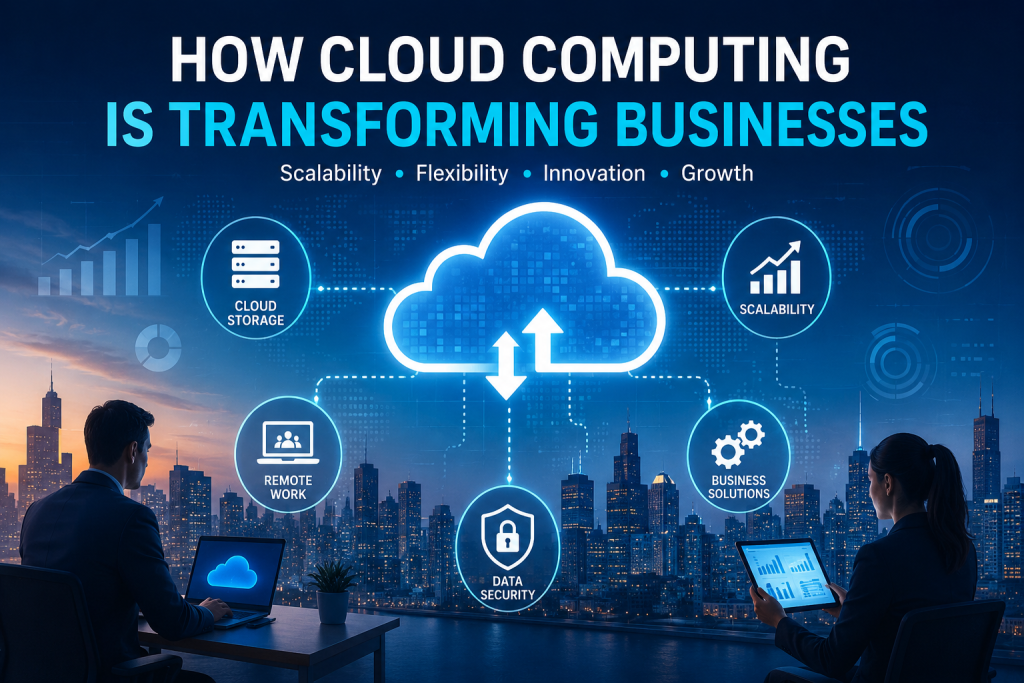
Cloud computing technology helping businesses with scalability, flexibility and digital transformation
Technology

How Cloud Computing Is Transforming Businesses

Introduction Cloud computing is transforming the way businesses store data, manage applications, and access technology. Instead of relying only on physical servers and local infrastructure, organizations can use cloud-based services to access computing resources through the internet. Cloud computing for businesses can provide greater flexibility, scalability, and accessibility. Companies can use cloud services to support remote work, improve collaboration, manage data, and adapt technology resources according to changing business needs. As digital transformation continues to influence modern industries, cloud computing has become an important technology for businesses of different sizes. When implemented effectively, cloud solutions can help organizations improve efficiency while supporting innovation and future growth. What Is Cloud Computing? Cloud computing refers to the delivery of computing services through the internet. Instead of owning and maintaining all technology infrastructure locally, businesses can access services such as storage, servers, databases, software, and computing power through cloud providers. Cloud Storage Cloud storage allows businesses to store and access data through online services rather than relying only on local devices or physical storage systems. This can make important files and information easier to access from different locations. Cloud-Based Software Cloud-based software allows users to access applications through the internet. Businesses can use these tools for communication, project management, customer relationships, accounting, and many other daily operations. Cloud Infrastructure Cloud infrastructure provides computing resources such as servers, networking, and processing power through online services. Businesses can use these resources without managing all physical hardware themselves. By providing technology resources on demand, cloud computing can give businesses more flexibility in how they use, manage, and scale their digital systems. How Cloud Computing Benefits Businesses Cloud computing can provide businesses with greater flexibility and access to technology resources without requiring every system to be managed through local infrastructure. Cloud-based services can support changing business needs and make digital tools more accessible. 1. Scalability and Flexibility Cloud computing allows businesses to adjust technology resources according to their needs. Organizations can increase or reduce storage, computing power, and other services as their requirements change. 2. Improved Collaboration Cloud-based tools can help employees access shared files, communicate, and work together from different locations. This can support collaboration between teams and make remote or hybrid work more flexible. 3. Easier Access to Data Cloud services can allow authorized users to access important files and business information through the internet. This can make data more accessible while supporting employees who work from different locations. 4. Reduced Infrastructure Management Using cloud services can reduce the need for businesses to manage every physical server and technology resource internally. This can allow organizations to focus more on their business operations and strategic technology goals. Key Business Uses of Cloud Computing Cloud computing supports many different business activities by providing access to digital tools, storage, computing resources, and online services. Organizations can use cloud technology to improve daily operations and support long-term digital transformation. Cloud Storage and Data Management Businesses can use cloud storage to organize, store, and access important files and information. Centralized cloud-based systems can make it easier for authorized teams to work with shared business data. Remote and Hybrid Work Cloud-based applications can support employees who work from different locations. Teams can access shared documents, communication tools, and business systems through secure online platforms. Business Software and Applications Many organizations use cloud-based software for activities such as customer management, accounting, communication, project management, and data analysis. Online software services can provide businesses with flexible access to important tools. Backup and Disaster Recovery Cloud services can support data backup and recovery planning by storing copies of important information in separate digital environments. Effective backup strategies can help businesses recover information after certain technical problems or unexpected disruptions. Supporting Business Growth Cloud computing can help businesses scale their technology resources as their operations grow. Instead of making major infrastructure changes for every increase in demand, organizations can often adjust cloud services according to changing requirements. Challenges of Cloud Computing for Businesses Although cloud computing offers many advantages, businesses should also understand the challenges involved in moving systems and data to cloud-based environments. Successful cloud adoption requires careful planning, security practices, and effective management. Data Security and Privacy Businesses need to protect sensitive information when using cloud services. Strong access controls, secure configurations, and responsible data management can help reduce security and privacy risks. Internet Dependency Many cloud-based services depend on reliable internet access. Connectivity problems can affect access to important applications, files, and business systems. Managing Cloud Costs Cloud services can provide flexible pricing, but costs may increase if resources are not monitored and managed carefully. Businesses should understand how they use cloud services and review their technology expenses regularly. Migration and Integration Challenges Moving existing applications, data, and business processes to the cloud can require careful planning. Organizations may need to ensure that cloud services work effectively with their existing systems and workflows. Vendor Dependence Businesses can become dependent on specific cloud providers and their services. Understanding service agreements, data portability, and backup options can help organizations make more informed technology decisions. The Future of Cloud Computing in Business Cloud computing is expected to remain an important part of digital transformation as businesses continue to adopt more flexible and connected technologies. Future cloud services may provide greater automation, improved scalability, and more advanced tools for managing business operations. Technologies such as artificial intelligence, data analytics, automation, and edge computing may become more closely connected with cloud platforms. This can help businesses process information more efficiently and develop new digital services. Smarter Cloud Services Future cloud platforms may use artificial intelligence and automation to help businesses manage resources, analyze data, and identify opportunities for improving operations. These technologies could make cloud environments more intelligent and responsive. Greater Flexibility and Innovation Cloud computing can continue to support innovation by giving businesses access to technology resources without requiring every organization to build and manage complex infrastructure. This flexibility can help companies experiment with new ideas and adapt to changing market needs. Conclusion Cloud computing


Data pipeline optimization and real-time data streaming architecture graphic
Technology & Innovation

Tackling Data Debt: A Strategic Blueprint for Data Pipeline Optimization and Real-Time Decision Making

Tackling Data Debt: A Strategic Blueprint for Data Pipeline Optimization and Real-Time Decision Making Every scaling enterprise eventually reaches a critical tipping point where its most valuable asset becomes its primary operational bottleneck. You see it in executive dashboards that take hours to refresh, cloud infrastructure invoices that balloon without explanation, and data engineering teams spending eighty percent of their week patching broken ETL scripts. This silent accumulation of architectural band-aids, shortcut queries, and unmonitored dependencies is what technical leaders call data debt. For Chief Data Officers, Lead Data Engineers, and BI Managers, data debt is not merely a backend inconvenience—it directly hampers your company’s ability to capitalize on fresh operational signals. When marketing needs immediate insights on campaign conversions, or risk management demands sub-second fraud detection, legacy batch infrastructure collapses under the pressure. Our team at Techotd frequently meets enterprise leaders whose analytics stacks were built for yesterday’s daily batch routines rather than today’s event-driven demands. Eliminating this structural drag requires a comprehensive strategy centered on data pipeline optimization—turning fragile, slow processing flows into resilient, low-latency pipelines that power confident, real-time decision making across the business. The Invisible Drag of Data Debt on Modern Engineering Teams Data debt rarely accumulates overnight during a single catastrophic project failure. Instead, it creeps into enterprise systems through dozens of everyday tactical compromises. A marketing team requests an urgent ad-hoc report, so a developer writes a quick SQL script directly against a production database. Six months later, four downstream dashboards and two financial reporting tools quietly depend on that unmonitored, undocumented script. Multiply this pattern across fifty departments and hundreds of microservices, and you inevitably end up with a tangled “spaghetti architecture” that nobody dares to touch. Historically, enterprise data infrastructure relied heavily on traditional night-time batch processing. Relational databases staged raw records, scheduled cron jobs executed heavy SQL transformations during off-peak hours, and pre-aggregated data marts served static morning reports. That model worked well when business operations moved at a daily or weekly rhythm. Today, however, business operations run continuously, and waiting twelve hours for updated inventory levels or user activity logs creates unacceptable competitive lag. When growing enterprises attempt to force legacy batch systems to support real-time demands without undertaking root-cause refactoring, several severe operational pain points surface: Pervasive Data Latency: Crucial business units are forced to make high-stakes choices using stale information. By the time supply chain anomalies, customer churn triggers, or transaction anomalies appear on executive dashboards, the opportunity to mitigate the issue has already passed. Runaway Cloud Infrastructure Costs: Unoptimized SQL transformations running on modern cloud data warehouses without proper partitioning, clustering, or materialization strategies burn through compute credits at an alarming rate. Schema Drift Instability: When upstream application teams modify database schemas without cross-team coordination, downstream pipelines fail silently. This introduces subtle errors into reporting layers and severely damages leadership’s trust in data accuracy. Engineering Fatigue and Turnover: Senior data engineers spend their time firefighting broken jobs, debugging fragile dependencies, and performing manual backfills instead of architecting innovative machine learning capabilities. A structured initiative focused on data pipeline optimization is the only sustainable path out of this cycle. By decoupling ingestion from heavy transformations and removing redundant computation paths, technical leaders can eliminate historical debt while establishing an agile, real-time analytics baseline. How It Works in Practice: Engineering a High-Throughput Real-Time Pipeline Transforming fragile legacy data flows into robust, continuous pipelines requires moving away from rigid, monolithic batch jobs toward an event-driven, decoupled processing model. When our architects at Techotd evaluate enterprise data platforms, we emphasize modularity, horizontal elasticity, and strict data contracts right at the point of ingestion. Here is how modern high-throughput architectures function in production: 1. Event-Driven Ingestion and Change Data Capture (CDC) Rather than executing resource-intensive polling queries against production transactional databases every night, modern architectures capture record changes in near-real-time. Using  and distributed streaming platforms like Apache Kafka or Redpanda, operational events—such as a completed order or an updated customer profile—are published to dedicated stream topics the moment they occur. This eliminates heavy database locks on operational systems while capturing precise audit histories. 2. Stream Processing and In-Memory Transformations As events flow into the streaming broker, distributed engines like Apache Flink or Spark Streaming transform, validate, and enrich the data on the fly. Instead of landing raw data into storage and running heavy SQL queries later, stream processors compute running aggregates—such as rolling ten-minute transaction totals or dynamic risk scoring—with sub-second latency. 3. Decoupled Storage and Materialization Layers Storage strategies must reflect how downstream applications consume information. Key-value lookups for operational applications should land in ultra-fast caches like Redis or DynamoDB, whereas long-term analytical trends belong in columnar lakehouse storage like Snowflake, BigQuery, or Databricks. Effective data pipeline optimization ensures data is converted into efficient columnar formats like Apache Parquet or Iceberg before hitting storage layers. 4. Idempotency and Pipeline Observability Continuous pipelines must tolerate network blips, late-arriving events, and schema changes without crashing. Building pipelines for idempotency guarantees that processing the exact same event multiple times yields identical final states. Furthermore, incorporating automated data observability into your data pipeline optimization strategy allows engineering teams to track end-to-end data lineage, detect schema drift instantly, and flag quality anomalies before they impact business users. +————————–+ | Operational Databases | +————————–+ | v (CDC / Debezium) +————————–+ | Apache Kafka Topics | +————————–+ | v +————————–+ | Apache Flink Stream Ops | +————————–+ | +——+——+ | | v v +———–+ +————+ | In-Mem | | Columnar | | Cache | | Lakehouse | +———–+ +————+ Strategic Impact & Measurable Value for Executive Leaders Refactoring your core data infrastructure is far more than a technical housekeeping project; it directly transforms enterprise operational economics and market agility. For Chief Data Officers and BI Managers, investing in systematic data pipeline optimization converts back-office engineering improvements into direct financial savings and strategic advantages. Consider the tangible executive value achieved through modernized pipeline architectures: Significant Infrastructure Spend Reduction: By eliminating duplicate data processing routes, optimizing query execution logic,

Cloud Computing and Technology, Software development, Technology & Innovation

Beyond the Cloud: The Definitive Guide to Edge Computing Architecture in 2026

Introduction:- For the past decade, the tech world had a simple answer for every scaling problem: “Put it in the cloud.” Need more storage? Cloud. Running heavy analytics? Cloud. Deploying a new application? Spin up another AWS or Azure instance. Centralization was comfortable. It allowed us to pool resources, standardize security protocols, and manage massive datasets from a single, unified dashboard. But as we move deeper into 2026, the cracks in the completely centralized model are impossible to ignore. Consider this: an autonomous vehicle generates roughly 4 terabytes of data per day. A smart manufacturing facility with thousands of IoT sensors can generate petabytes of telemetry data every week. If every single bit of that data has to travel hundreds of miles to a centralized data center, wait to be processed, and then travel all the way back to trigger an action, the system breaks. In autonomous driving, a 200-millisecond delay in brake activation isn’t a minor performance glitch—it’s a catastrophic safety failure. This is where Edge Computing Architecture comes in. By moving computation and data storage closer to the source of data generation, we are shifting from a centralized cloud model to a highly distributed, hyper-efficient ecosystem. In this comprehensive guide, we will break down the structural mechanics of edge architecture, explore how it interfaces with modern cloud environments, analyze critical design patterns, and provide actionable technical blueprints for deploying edge-native applications. 1. Deconstructing the Edge: A Layered Architecture Edge computing isn’t about replacing the cloud; it’s about extending it. To understand how data flows through an edge system, we need to look at it as a tiered hierarchy rather than a single landing zone. [ Extreme Edge: Sensors, Actuators, Cameras ] │ ▼ [ Far Edge: Smart Gateways, Local Micro-Servers ] │ ▼ [ Near Edge: Regional Data Centers, Telco 5G MEC ] │ ▼ [ Centralized Cloud: AWS, Google Cloud, Azure ] The Extreme Edge (Device Layer) This layer consists of the physical hardware directly interacting with the real world. Examples include IP cameras, industrial vibration sensors, medical monitors, and smartphone hardware. These devices are typically resource-constrained; they run on low-power microcontrollers (like ARM Cortex-M series) and lack the compute power or thermal budget to run complex software stacks. Their primary job is data collection and immediate ingestion. The Far Edge (Gateway Layer) The far edge is the first line of true computational defense. Located on-site—such as a factory floor server rack, a retail store basement, or a smart city utility box—this layer features specialized gateway devices or micro-servers. These units run lightweight container runtimes (like K3s or MicroK8s) and have enough processing power to filter data, normalize protocols (e.g., converting Modbus or MQTT to JSON/HTTPS), and run lightweight machine learning inference models. The Near Edge (Provider/Telco Layer) Operating within regional data centers or 5G Multi-access Edge Computing (MEC) nodes, the near edge fills the gap between local infrastructure and the public cloud. Managed by telecommunication providers or cloud hyperscalers, these nodes sit just a few network hops away from the user, offering substantial bare-metal compute power with single-digit millisecond latency. The Central Cloud (Core Layer) The traditional cloud remains the heavyweight champion for heavy lifting. It handles long-term historical data archiving, global configuration management, deep neural network training, and heavy business intelligence processing. The edge feeds summarized, high-value data into this core, keeping cloud storage costs manageable and compute pipelines optimized. 2. Core Drivers Behind the Edge Revolution Why are engineering teams migrating workloads to the edge? The shift is driven by three inescapable architectural constraints: physics, economics, and law. The Physics of Latency No matter how fast our fiber optic cables become, they cannot breach the speed of light. A round trip from a device in Mumbai to a cloud data center in Northern Virginia takes roughly 150 to 200 milliseconds under ideal conditions. When network congestion, packet loss, and TLS handshakes are factored in, that latency spikes. Edge computing reduces network latency to the sub-10ms range by shortening the physical distance data must travel. For interactive applications like augmented reality (AR), cloud gaming, and high-frequency trading algorithms, this reduction is the defining factor of user experience. Bandwidth Economics Bandwidth is a finite, expensive resource. Uploading raw, high-definition video streams from 500 security cameras continuously to the cloud requires an enormous pipeline. It also results in astronomical egress and ingress fees from cloud providers. Edge architecture implements data triage. An edge gateway can process those video streams locally, run a basic computer vision model to verify that nothing unusual is happening, and completely discard 99% of the empty footage. Only anomalous events (e.g., an unauthorized person entering a restricted area) are packaged and uploaded to the cloud, saving immense bandwidth. Sovereignty, Privacy, and Compliance Data regulations like GDPR, CCPA, and regional healthcare compliance acts place strict boundaries on where sensitive personal information can be transferred and stored. By utilizing an edge architecture, developers can enforce strict data boundaries. Patient data from a medical monitor can be processed, analyzed, and anonymized entirely within the hospital’s local edge server. The data never crosses international borders or lands on a public cloud server in its raw state, completely eliminating a massive compliance attack surface. 3. Designing for the Edge: Protocols and Data Engineering Data engineering at the edge looks vastly different from data engineering in a centralized warehouse. You cannot rely on high-bandwidth REST APIs or continuous connection streams. Instead, architectures must be built around lightweight, asynchronous, event-driven communication protocols. The Protocol Landscape Protocol OSI Layer Transport Best Used For MQTT Application TCP Low-bandwidth, high-latency networks; standard for IoT telemetry. CoAP Application UDP Resource-constrained devices needing REST-like paradigms over UDP. gRPC Application HTTP/2 High-performance, low-latency communication between edge microservices. WebSockets Application TCP Real-time, bi-directional browser or gateway-to-cloud streams. MQTT: The Undisputed King of Edge Telemetry MQTT (Message Queuing Telemetry Transport) operates on a publish/subscribe model, making it ideal for distributed systems. Its minimal packet overhead (as small as 2 bytes) ensures it runs efficiently even over unstable

DEVOPs, Software development

How to Deploy Scalable Applications

The Architecture of Scale: A Practical Guide to Deploying Scalable Applications In the life of every successful application, there comes a defining moment: the traffic surge. Whether it’s a sudden viral mention, a massive marketing campaign, or organic user growth, your software is suddenly put to the ultimate test. If your application isn’t built for scale, this moment of triumph quickly turns into a disaster. Servers freeze, databases choke, error rates spike, and users walk away frustrated. Historically, handling more traffic meant buying a bigger, more expensive server—a strategy known as vertical scaling. But a single machine, no matter how powerful, has a hard physical ceiling. Modern scalability is entirely about horizontal scaling: architectures engineered to distribute the workload seamlessly across tens, hundreds, or thousands of smaller, modular machines. Deploying a truly scalable application isn’t just about throwing code onto a cloud provider; it’s a deliberate orchestration of stateless application design, intelligent traffic routing, database optimization, and automated infrastructure management. Let’s break down the blueprint for deploying an application that can effortlessly grow from one hundred users to millions. 1. The Core Pillar: Designing Stateless Applications Before you can scale out your infrastructure across multiple servers, your application code must be structurally ready for it. The absolute golden rule of horizontal scalability is: Make your application services stateless. In a traditional, stateful application setup, user sessions or local files are saved directly onto the specific server’s hard drive or internal memory. If a user logs into Server A, their session data lives exclusively on Server A. If a load balancer accidentally sends their next request to Server B, the application won’t recognize them, forcing them to log in again. Stateful (Anti-Pattern): User Request ──► [ Load Balancer ] ──► [ Server A (Saves Session Locally) ] Next Request ──► [ Load Balancer ] ──► [ Server B (Session Missing! Error ❌) ] Stateless (Scalable Best Practice): User Request ──► [ Load Balancer ] ──► [ Server A ] ──► [ Shared Session Cache (Redis) ] Next Request ──► [ Load Balancer ] ──► [ Server B ] ──► [ Shared Session Cache (Redis) ✔ ] Decoupling the State To fix this bottleneck, extract all dynamic data out of the application tier and push it to dedicated external systems: User Sessions: Store them in a high-speed, in-memory database like Redis or utilize stateless JSON Web Tokens (JWT) decrypted on the fly by the application. File Uploads: Never save user avatars or uploaded documents to a server’s local disk. Use a scalable, distributed object storage service like Amazon S3 or Google Cloud Storage. Background Tasks: Move heavy processing jobs (like rendering video or generating PDF reports) out of the main web server loop and push them into an external message queue like RabbitMQ or Apache Kafka to be handled by background workers. When your application tier is completely stateless, individual servers become entirely interchangeable. You can destroy fifty servers or spin up a hundred new ones instantly without disrupting a single user session. 2. Traffic Distribution: Load Balancing and CDNs When you deploy multiple instances of your application, you need an intelligent traffic cop to distribute incoming user requests evenly across your infrastructure. The Role of the Load Balancer A load balancer sits directly between your users and your application fleet. It continuously listens for incoming web traffic and forwards requests to the healthiest, least-burdened application server using routing algorithms like Round Robin or Least Connections. Modern cloud load balancers (like AWS ALB or NGINX) also handle Health Checking. They continuously ping your individual application instances; if a specific server crashes or slows down, the load balancer instantly stops routing traffic to it, keeping your user experience completely seamless. Offloading Traffic via Content Delivery Networks (CDNs) The absolute cheapest, most efficient way to scale an application is to stop traffic from ever hitting your web servers in the first place. A CDN (like Cloudflare, Fastly, or CloudFront) is a global network of edge servers scattered across the world. When a user requests your website, the CDN intercepts the request and serves static assets—such as HTML files, CSS stylesheets, JavaScript files, and images—directly from the data center physically closest to that user. [ Global User Base ] ──► [ CDN Edge Servers ] ──► (Serves 80% Static Content Instantly) │ (Only 20% Dynamic API Calls) │ ▼ [ Load Balancer ] │ [ Stateless App Fleet ] By caching your static frontend assets at the edge, you can deflect up to 80% of incoming web traffic away from your core application servers, leaving them free to process critical, dynamic API data. 3. Containerization and Orchestration (Docker & Kubernetes) Deploying a scalable system manually across dozens of individual servers is an operational nightmare. To make scale manageable, modern deployment architectures rely heavily on containerization and orchestration toolchains. Packaging with Docker Docker packages your application code and its exact environment configuration into a lightweight, immutable container image. This guarantees that your application runs identically whether it’s on a developer’s laptop, a staging platform, or a production server cluster, eliminating the risk of environment-specific bugs during scale-up events. Orchestrating with Kubernetes Once your application is containerized, you use an orchestration engine like Kubernetes (K8s) to manage the deployment at scale. Instead of manually launching individual containers, you define your desired operational state in configuration files (e.g., “I want to ensure there are always at least five duplicates of my backend API container running”). Kubernetes continually monitors your cloud nodes; if a node goes offline, it automatically schedules replacement containers onto other healthy servers to maintain your scale profile. 4. Breaking the Ultimate Bottleneck: Database Scalability You can scale your web servers and containers infinitely, but eventually, they all must talk to the database. In almost every major application deployment, the database becomes the ultimate architectural bottleneck. Traditional relational databases (like PostgreSQL or MySQL) are structurally designed to scale vertically. When thousands of application containers begin opening simultaneous connections to a single database server, it will

DEVOPs, Digital Transformation, Software development

Docker vs Kubernetes

Docker vs Kubernetes: The Ultimate Guide to Containerization and Orchestration If you’ve spent any time around modern software development, you’ve undoubtedly heard the names Docker and Kubernetes thrown around—often in the exact same sentence. For newcomers and seasoned developers alike, this pairing creates an immediate cloud of confusion. You see debates online framed as a heavyweight boxing match: Docker vs. Kubernetes. Which one should you choose? Which one is better? But here is the industry secret that clears up the confusion right away: They are not rivals. Comparing Docker to Kubernetes is like comparing an individual engine to an entire commercial airline fleet. They operate at completely different layers of the software delivery stack. In fact, in the vast majority of enterprise enterprise-grade environments, they aren’t competing at all—they are working together on the exact same team. Whether you are looking to modernise your application architecture, scale your cloud infrastructure, or simply ace your next engineering interview, this comprehensive guide will break down the real differences, use cases, and mechanics of Docker and Kubernetes in a human, practical way. 1. The Core Concepts: Understanding Containers To understand the relationship between Docker and Kubernetes, we first have to understand the fundamental problem they were both built to solve: Environment Consistency. Every developer has experienced the dreaded “It works on my machine” dilemma. Code runs beautifully on a developer’s high-spec laptop but completely crashes when deployed to a staging server or production cloud environment. This happens because of micro-variations in operating systems, missing background libraries, conflicting framework versions, or hidden environment variables. What is a Container? A container solves this by packaging your application’s source code together with the exact runtime, system tools, libraries, and configurations it needs to execute. Unlike a traditional Virtual Machine (VM), which requires an entire heavy guest operating system to run, containers share the host machine’s underlying OS kernel. This makes them incredibly lightweight, lightning-fast to start (seconds instead of minutes), and highly resource-efficient. +—————————–+ +—————————–+ | VIRTUAL MACHINES | | CONTAINERS | | +———–+ +———–+ | | +———–+ +———–+ | | | App v1 | | App v2 | | | | App v1 | | App v2 | | | +———–+ +———–+ | | +———–+ +———–+ | | | Guest OS | | Guest OS | | | | Bin/Libs | | Bin/Libs | | | +———–+ +———–+ | | +———–+ +———–+ | | | Hypervisor/Host OS | | | | Container Engine (Docker) | | | +————————-+ | | +————————-+ | | | Physical Hardware | | | | Host OS / Hardware | | +—————————–+ +—————————–+ 2. What is Docker? (The Container Creator) Docker is an open-source platform designed to create, deploy, and run applications inside containers. It popularised the container revolution by making the underlying, complex Linux isolation technologies incredibly user-friendly. If you want to containerise an application using Docker, your workflow follows a clean three-step process: The Dockerfile: You write a plain-text configuration file that acts as a recipe. It specifies the base operating system, the dependencies to install, the environment variables to set, and the command to run your code. The Docker Image: Docker reads your Dockerfile and compiles it into an immutable, static blueprint called an Image. This image can be shared easily via registries like Docker Hub. The Docker Container: When you tell Docker to run that image, it spins up a live, isolated, executable instance. This is your running container. Where Docker Excels Docker is absolutely brilliant for single-node management. It gives an individual developer the power to spin up complex development environments—like a Node.js backend, a React frontend, and a PostgreSQL database—locally on their machine in a matter of seconds using a tool called Docker Compose. 3. What is Kubernetes? (The Fleet Commander) Now, let’s scale up. Imagine your business grows rapidly. Your simple application is no longer running as a single container on a laptop; it is now running across hundreds of cloud servers to handle millions of concurrent user requests. Suddenly, managing containers manually via Docker becomes a logistical nightmare: What happens if a server crashes in the middle of the night and kills fifty of your containers? How do you evenly distribute incoming web traffic across hundreds of duplicate containers? How do you upgrade your application to Version 2 without taking down the website? Docker alone cannot solve these problems because it only cares about managing individual containers on a single machine. It doesn’t see the bigger infrastructure picture. This is where Kubernetes (often abbreviated as K8s, representing the eight letters between ‘K’ and ‘s’) comes into play. Developed originally by Google, Kubernetes is a container orchestration engine. It doesn’t create containers; instead, it hooks into container runtimes to automate the deployment, scaling, management, and networking of containerized applications across a massive cluster of machines. [ Incoming Web Traffic ] │ ▼ ┌────────────────────────────────────────────────────────┐ │ KUBERNETES CONTROL PLANE │ │ (Monitors traffic, server health, and load balancing) │ └──────────┬───────────────────┬───────────────────┬─────┘ │ │ │ ▼ ▼ ▼ ┌───────────────┐ ┌───────────────┐ ┌───────────────┐ │ Cloud Node 1 │ │ Cloud Node 2 │ │ Cloud Node 3 │ │ [Docker] │ │ [Docker] │ │ [Docker] │ │ [Container] │ │ [Container] │ │ [Container] │ └───────────────┘ └───────────────┘ └───────────────┘ The Superpowers of Kubernetes Self-Healing: If a container crashes or a hardware node goes offline, Kubernetes instantly detects the failure and automatically spins up an identical replacement container to maintain your desired state. Auto-Scaling: If your web traffic suddenly spikes during a flash sale, Kubernetes can automatically scale up the number of running containers to handle the load, scaling them back down when traffic subsides to save cloud spend. Service Discovery & Load Balancing: Kubernetes automatically assigns containers their own IP addresses and groups them under a single DNS name, evenly distributing incoming traffic so no single server gets overwhelmed. 4. Key Differences: Side-by-Side Comparison To clearly draw the boundaries between these two tech giants, let’s look at how they handle core operational challenges side-by-side: Operational Feature Docker Kubernetes

Software development, Technology & Innovation

CI/CD Pipeline Best Practices

CI/CD Pipeline Best Practices: The Definitive Guide to Building Bulletproof Automation If you’ve ever hit the “deploy” button with your eyes closed, holding your breath and praying to the software gods that nothing breaks, you’re not alone. We’ve all been there. In the early days of development, moving code from a local machine to a live server was a high-stakes gamble. It involved chaotic manual file transfers, brittle scripts, and an overwhelming amount of guesswork. The introduction of Continuous Integration and Continuous Deployment (CI/CD) promised to fix all of that. It offered a world where every code change travels safely down a pristine, automated assembly line straight into production. But here’s the harsh reality: simply having a CI/CD pipeline isn’t enough. A poorly designed pipeline is worse than manual deployment. It acts as a force multiplier for bad habits, automatically pushing broken code, security vulnerabilities, and configuration errors to production at supersonic speeds. If your build times are stretching past 45 minutes, your automated tests are flaky, or your developers are constantly bypassing the system, your pipeline is a bottleneck, not an accelerator. To transform your delivery workflow into an enterprise-grade engine, you need to move past basic automation and embrace architectural excellence. This comprehensive guide breaks down the definitive CI/CD pipeline best practices to help your engineering team ship stable, secure code multiple times a day with absolute confidence. 1. The Blueprint of a World-Class CI/CD Pipeline Before diving into specific best practices, let’s map out what a mature, modern CI/CD architecture actually looks like. Think of your pipeline as a series of progressive quality gates. Code enters as raw, unverified text and emerges as a fully monitored, production-ready application container. [ DEVELOPER ] Pushes Code / Opens Pull Request │ ▼ ┌────────────────────────────────────────────────────────┐ │ 1. THE COMMIT GATE (Continuous Integration) │ │ • Code Linting & Static Analysis (SAST) │ │ • High-Speed Unit Testing │ │ • Dependency Vulnerability Scanning │ └───────────┬────────────────────────────────────────────┘ │ (Passes) ▼ ┌────────────────────────────────────────────────────────┐ │ 2. THE ARTIFACT GATE (Build & Package) │ │ • Deterministic Container Compilation (Docker) │ │ • Container Image Security Scanning │ │ • Push to Secure Immutable Image Registry │ └───────────┬────────────────────────────────────────────┘ │ (Passes) ▼ ┌────────────────────────────────────────────────────────┐ │ 3. THE VALIDATION GATE (Continuous Delivery) │ │ • Automated IaC Environment Provisioning │ │ • Integration & End-to-End User Testing │ │ • Performance & Load Profiling │ └───────────┬────────────────────────────────────────────┘ │ (Passes) ▼ ┌────────────────────────────────────────────────────────┐ │ 4. THE DEPLOYMENT GATE (Continuous Deployment) │ │ • Canary Release / Blue-Green Progression │ │ • Automated Drift Detection & Observability Rollback│ └────────────────────────────────────────────────────────┘ Every stage of this blueprint must be optimized for speed, clarity, and isolation. If a failure occurs at the Commit Gate, the pipeline should abort immediately, giving the developer instant feedback before expensive cloud infrastructure is spun up down the line. 2. Commit and Integration Practices (The CI Foundation) The foundational philosophy of Continuous Integration is simple: integrate early and integrate often. The longer code sits isolated on a developer’s branch, the more painful the eventual merger will be. Shift to Trunk-Based Development For years, long-lived feature branches and complex merging strategies (like traditional GitFlow) were the industry norm. However, these models inherently create massive integration bottlenecks. Developers work in isolation for weeks, resulting in epic code review sessions and devastating “merge conflicts” that derail entire release schedules. Modern high-performing teams utilize Trunk-Based Development. In this workflow: Developers commit their changes to a single, central branch (usually named main or trunk) frequently, often multiple times a day. Feature branches are short-lived, lasting no more than 24 to 48 hours. This constant integration ensures that the entire engineering team is always working on top of the latest single source of truth. If a code conflict occurs, it’s tiny and easily resolved in minutes, rather than days. Treat Build Failures as Production Outages A CI pipeline is completely useless if developers get into the habit of ignoring broken builds. If your pipeline notification channel is filled with red error marks that everyone ignores because “Oh, that test always fails on Fridays,” your automated safety net has collapsed. Adopt a strict team culture where fixing a broken build is the highest priority task. If a commit breaks the pipeline, all engineering focus shifts to either fixing the underlying issue immediately or reverting the breaking commit. A broken main branch stops the assembly line; keeping it pristine ensures that the path to production remains open for everyone at all times. Commit Once, Build Once A terrifyingly common anti-pattern is compiling code or rebuilding application binaries multiple times as they progress through different pipeline environments. For example, building a Docker image for staging, and then building an entirely separate Docker image from the same source code when moving to production. This completely invalidates your testing. How do you prove that a subtle dependency change or compiler variance didn’t slip into the production build that wasn’t present during staging validation? The rule is absolute: Build your binaries, packages, or container images exactly once early in the pipeline. Package that build as an immutable asset, tag it with a unique cryptographic identifier (like a Git commit SHA), and store it in an artifact repository. That exact identical asset must be promoted through staging, pre-production, and production without ever being recompiled. 3. Optimizing for Speed: The 10-Minute Rule Speed is the lifeblood of software delivery automation. If a developer has to wait an hour to see if their code change passed automated validation, they will switch context. They’ll grab coffee, check social media, or start writing entirely new features. By the time the pipeline notifies them of an error, they’ve lost their train of thought, and fixing the bug takes twice as long. The gold standard for engineering organizations is the 10-Minute Rule: Your commit pipeline (from pushing code to receiving an integration pass/fail notification) should take less than ten minutes. Here is how you engineer a lightning-fast pipeline: Parallelize Test Execution Don’t run your test suites sequentially on a single runner

IT consultants discussing cost optimization strategies
IT consulting

How IT Consulting Helps Businesses Reduce Costs and Boost Efficiency

Introduction In today’s competitive digital landscape, every organization is striving to achieve more with fewer resources. Businesses are under pressure to streamline operations, reduce costs, and enhance productivity—all while keeping pace with technological change. However, without proper planning, technology expenses can spiral out of control, and productivity may decline due to inefficient systems. This is where IT consulting becomes a game changer. By partnering with experienced IT consultants, companies can align their technology with their strategic goals, optimize resources, and improve operational efficiency. IT consulting doesn’t just fix problems—it transforms the way organizations work. Let’s explore how IT consulting helps businesses cut costs and enhance efficiency while ensuring sustainable growth. Assessing Current IT Infrastructure The first step in improving efficiency is understanding where you currently stand. IT consultants perform a comprehensive audit of your existing IT infrastructure, including hardware, software, networks, and workflows. This assessment helps identify: Redundant or outdated technologies draining resources Underutilized hardware and software licenses Bottlenecks in workflow automation Gaps in data management or cybersecurity By analyzing these areas, consultants create a roadmap that outlines clear steps to reduce waste and improve performance. The result? A more streamlined and cost-effective IT ecosystem. Implementing Process Automation One of the most effective ways to boost productivity and reduce costs is process automation. IT consultants help businesses identify repetitive manual tasks that can be automated using the right tools and technologies. Automation can be applied to: Data entry and report generation Invoice processing and payroll management Customer relationship management (CRM) tasks IT helpdesk support and ticketing systems Automating these functions reduces human error, frees up employee time, and allows teams to focus on strategic initiatives rather than repetitive work. In addition, automation tools can be scaled as your business grows, making it a long-term investment in efficiency. Optimizing IT Resources Many organizations overpay for technology resources they don’t use efficiently. IT consultants help optimize your IT spending by eliminating waste and consolidating tools. Here’s how: Software Rationalization: Identify duplicate software solutions performing the same function. Cloud Optimization: Adjust cloud resources to pay only for what you use. License Management: Prevent overspending on unnecessary software licenses. Hardware Utilization: Reuse or repurpose underused hardware assets. This optimization leads to significant cost savings, especially for businesses managing hybrid or cloud-based environments. Ensuring Data Security Cybersecurity is no longer optional—it’s essential. Data breaches can cost businesses millions in damages, not to mention loss of reputation and customer trust. IT consulting plays a vital role in strengthening your security posture. Consultants assess vulnerabilities, develop risk mitigation plans, and implement security frameworks such as: Multi-factor authentication (MFA) Data encryption and secure backups Endpoint protection Threat monitoring and incident response By investing in proactive cybersecurity consulting, companies avoid costly data breaches and ensure regulatory compliance. Strong security not only protects your assets but also improves operational reliability. Improving System Integration In many companies, departments operate in silos, each using its own set of tools and databases. This disjointed approach leads to data duplication, inefficiency, and confusion. IT consultants help integrate these systems for seamless communication and collaboration across all departments. For example: Integrating CRM with ERP systems for better customer and sales insights Connecting HR and payroll systems for faster employee management Linking analytics dashboards with real-time data sources Effective integration ensures that everyone in the organization has access to accurate, up-to-date information, which improves decision-making and operational speed. Leveraging Cloud Solutions for Cost Efficiency Cloud computing has revolutionized the way businesses manage data and applications. However, without expert guidance, companies can easily overspend or misconfigure cloud environments. IT consultants help select the right cloud model—public, private, or hybrid—based on your goals and budget. Key benefits of cloud consulting include: Pay-as-you-go cost models to eliminate wasted resources Improved data accessibility and scalability Reduced maintenance and hardware costs Enhanced disaster recovery and business continuity Migrating to the cloud under professional supervision allows businesses to save significantly while enjoying enhanced flexibility and performance. Enhancing Employee Productivity Technology should empower employees, not overwhelm them. IT consulting improves workplace efficiency by optimizing digital tools and workflows. Consultants introduce user-friendly systems, collaborative platforms, and communication tools that enhance team performance. Examples include: Cloud-based collaboration platforms like Microsoft 365 or Google Workspace AI-powered productivity tools Centralized project management systems When technology supports employees effectively, productivity increases, and job satisfaction improves. Driving Long-Term Cost Savings IT consulting is not a one-time service—it’s a long-term strategy. The goal is to create sustainable solutions that continuously reduce costs and improve performance over time. Long-term savings come from: Regular performance monitoring Preventive maintenance of IT systems Predictive analytics for resource planning Continuous improvement through innovation By focusing on continuous optimization, IT consultants ensure that your organization remains agile and cost-efficient even as technology evolves. How Small and Medium Businesses Benefit Many small and medium enterprises (SMEs) assume IT consulting is only for large corporations. In reality, SMEs often see the highest returns on investment. Consultants help small businesses: Implement affordable technology solutions Avoid overspending on unnecessary tools Strengthen data protection Enhance remote work capabilities With the right consulting support, even small organizations can compete with larger players using efficient, well-managed IT systems. Conclusion In a world where technology drives business success, IT consulting is no longer a luxury—it’s a necessity. By assessing infrastructure, automating processes, optimizing resources, and ensuring security, consultants help organizations achieve maximum efficiency at minimum cost. The expertise of IT consultants allows businesses to make smarter technology decisions, avoid wasteful spending, and focus on what matters most—growth and innovation. In short, IT consulting empowers companies to do more with less, creating a sustainable path toward digital excellence. Connect with us FAQs 1. How can IT consulting lower operational costs? IT consultants identify inefficiencies in systems, automate manual processes, and eliminate redundant technologies, reducing overall costs. 2. Which industries benefit most from IT consulting? Almost every sector benefits, especially finance, healthcare, manufacturing, retail, and education. 3. What tools do consultants use for process optimization? They use tools like workflow automation software, analytics dashboards, and

Developers using top AWS cloud computing services in a data center.
aws

Top AWS Services Every Developer Should Know in 2025

Introduction In 2025, cloud computing has become the backbone of nearly every digital product — from web apps and mobile platforms to data analytics and AI. Among the top players, Amazon Web Services (AWS) continues to dominate with its vast portfolio of cloud solutions. But with over 200+ services, developers often wonder: Which AWS services are truly essential to learn and master? This blog breaks down the top AWS services every developer should know in 2025, whether you’re building scalable applications, deploying AI models, or managing infrastructure efficiently. Amazon EC2 (Elastic Compute Cloud)  What It Is: Amazon EC2 is the foundation of AWS — a service that provides virtual servers (instances) in the cloud. Developers can deploy, configure, and manage applications without owning physical hardware.      Key Features: Choose from hundreds of instance types. Autoscaling to adjust capacity based on demand. Pay only for what you use (per second billing). Integrates with EBS, VPC, and CloudWatch for full control.  Developer Use Case: Host web servers, run backend applications, or deploy testing environments quickly. Amazon S3 (Simple Storage Service) What It Is: Amazon S3 provides scalable object storage for files, backups, and media. It’s the go-to service for storing and retrieving data anytime, anywhere.  Key Features: Store unlimited data securely. Versioning and lifecycle management. Encryption and access control. High durability (99.999999999% uptime). Developer Use Case: Used to store static website content, images, logs, videos, or data backups for apps. AWS Lambda What It Is: AWS Lambda is a serverless computing service that lets developers run code without provisioning or managing servers. Key Features: Automatically scales based on requests. Supports multiple languages (Python, Node.js, Java, etc.). Triggers functions using AWS services like S3 or API Gateway. Developer Use Case: Ideal for microservices, real-time file processing, or automation workflows. Amazon RDS (Relational Database Service) What It Is: Amazon RDS makes it simple to set up, operate, and scale a relational database in the cloud.     Key Features: Supports MySQL, PostgreSQL, Oracle, and SQL Server. Automated backups and patching. Multi-AZ replication for high availability.   Developer Use Case: Perfect for managing web app databases without worrying about hardware or maintenance. Amazon DynamoDB What It Is: DynamoDB is AWS’s fully managed NoSQL database that provides lightning-fast performance and seamless scalability.  Key Features: Handles millions of requests per second. Fully serverless — no infrastructure management. Integrates with Lambda and API Gateway for real-time apps. Developer Use Case: Used for e-commerce, gaming, IoT, and chat applications that require low-latency reads/writes. AWS CloudFormation What It Is: CloudFormation automates the deployment of AWS resources using code templates written in YAML or JSON — a process known as Infrastructure as Code (IaC).  Key Features: Repeatable, consistent environment setup. Version control with Git. Works with almost all AWS services. Developer Use Case: Set up complex infrastructure automatically across multiple environments (e.g., dev, test, production). AWS IAM (Identity and Access Management)  What It Is: AWS IAM controls access to AWS services and resources securely.  Key Features: Fine-grained permissions and policies. Role-based access control (RBAC). Integration with Multi-Factor Authentication (MFA). Developer Use Case: Manage users, groups, and roles for safe collaboration within a development team. Amazon CloudFront What It Is: CloudFront is a Content Delivery Network (CDN) that speeds up content delivery globally using edge locations. Key Features: Low latency data delivery. DDoS protection through AWS Shield. Integrates with S3 and EC2. Developer Use Case: Host and deliver websites, videos, or APIs faster to users worldwide. Amazon SageMaker What It Is: A fully managed Machine Learning (ML) service that helps developers and data scientists build, train, and deploy models at scale. Key Features: Pre-built ML algorithms. Integrated Jupyter notebooks. Supports model deployment and monitoring. Developer Use Case: Create predictive analytics systems, AI chatbots, or computer vision models. Amazon ECS & EKS  What It Is: ECS (Elastic Container Service) and EKS (Elastic Kubernetes Service) are AWS container orchestration tools for managing Docker and Kubernetes workloads.  Key Features: Container-based deployments. Auto-scaling and load balancing. Integrated with AWS Fargate (serverless containers).  Developer Use Case: Ideal for modern microservice-based applications. Bonus: AWS Amplify For front-end and mobile developers, AWS Amplify simplifies app development by integrating hosting, authentication, and APIs — all through a single platform. Developer Use Case: Deploy full-stack web and mobile apps (React, Angular, Flutter) with integrated backend support. Why Developers Should Learn AWS in 2025 High Demand: AWS-certified professionals are among the most sought-after in the IT world. Scalability: Build applications that grow as your user base increases. AI/ML Integration: AWS makes it easy to implement intelligent automation. Career Growth: AWS knowledge is a gateway to cloud engineering, DevOps, and data science roles. Conclusion In 2025, AWS continues to dominate the cloud landscape, empowering developers with the tools to build anything — from simple web apps to AI-driven platforms. Mastering these core AWS services will not only make you a more efficient developer but also open doors to endless opportunities in the evolving tech world. Whether you’re just starting or scaling enterprise systems, AWS remains your most powerful ally in the cloud journey. FAQs Q1. Which AWS services are most important for developers? The most essential AWS services include EC2, S3, Lambda, RDS, DynamoDB, CloudFront, and IAM for compute, storage, and security management. Q2. What is the easiest AWS service to learn first? Amazon S3 is often the easiest starting point — it’s user-friendly, visual, and requires minimal coding to store and retrieve files. Q3. Which AWS services are used for machine learning? Amazon SageMaker, AWS Lex, and AWS Rekognition are popular for AI and ML development. Q4. What are container services in AWS? AWS offers ECS (Elastic Container Service) and EKS (Elastic Kubernetes Service) for running containerized applications. Q5. How do developers deploy code on AWS? Developers can deploy code using AWS CodePipeline, Elastic Beanstalk, or Lambda functions depending on the application type. Q6. Which AWS service helps automate infrastructure setup? AWS CloudFormation enables Infrastructure as Code (IaC), allowing automated deployment of servers, databases, and networking. Q7. Is AWS still

Modern data center with servers representing AWS cloud computing
aws

Understanding AWS Cloud Computing: A Complete Beginner’s Guide

Introduction In today’s digital era, cloud computing has become the foundation of modern IT infrastructure — and Amazon Web Services (AWS) stands tall as its undisputed leader. From small startups to Fortune 500 giants, businesses worldwide rely on AWS to build, scale, and innovate faster than ever before. But what exactly is AWS? How does it work? And why has it become so essential for the global tech ecosystem? This detailed guide breaks down AWS Cloud Computing in simple terms — exploring its services, advantages, architecture, and how it’s shaping the future of business and technology. What is AWS (Amazon Web Services)? Amazon Web Services (AWS) is a cloud computing platform developed by Amazon that provides on-demand IT resources over the internet on a pay-as-you-go basis. Instead of purchasing expensive hardware or managing physical servers, users can rent computing power, storage, databases, and other services from AWS and scale them as needed. In short, AWS allows you to: Build and host applications Store and process data Analyze large datasets Deploy AI and machine learning models Create global-scale systems — all without owning any physical infrastructure How AWS Cloud Computing Works AWS operates on a shared infrastructure model, which means multiple customers share the same underlying hardware and resources securely through virtualization. The AWS ecosystem consists of three main layers: Infrastructure as a Service (IaaS): Virtual servers, storage, and networking (e.g., EC2, S3). Platform as a Service (PaaS): Managed environments for application development (e.g., AWS Elastic Beanstalk). Software as a Service (SaaS): Ready-to-use cloud-based software applications. You can manage everything through: AWS Management Console (Web UI) AWS CLI (Command Line Interface) AWS SDKs (for programming languages) Key AWS Services Explained AWS offers 200+ fully featured services — here are some of the most popular ones categorized for better understanding 👇 1. Compute Services These handle your application’s processing power. Amazon EC2 (Elastic Compute Cloud): Virtual servers that run applications. AWS Lambda: Serverless computing — runs code automatically when triggered. Elastic Beanstalk: Automatically deploys and manages web applications. ECS / EKS: Manage Docker containers and Kubernetes clusters. 2. Storage Services For storing and retrieving any amount of data anytime. Amazon S3 (Simple Storage Service): Scalable object storage for files, images, backups. Amazon EBS: Persistent block storage for EC2 instances. Amazon Glacier / S3 Glacier Deep Archive: Long-term data archiving at low cost. 3. Database Services Fully managed databases for different needs. Amazon RDS: Relational databases like MySQL, PostgreSQL, Oracle, SQL Server. Amazon DynamoDB: Fast NoSQL database for real-time applications. Amazon Redshift: Data warehousing and analytics. 4. Security and Identity AWS Identity and Access Management (IAM): Manage user permissions and roles. AWS Shield & WAF: Protection against DDoS and web attacks. AWS KMS: Manage encryption keys for data protection. 5. Networking and Content Delivery Amazon VPC (Virtual Private Cloud): Isolated cloud network environment. Route 53: Domain name service and routing. AWS CloudFront: Global content delivery network (CDN) for faster website loading. 6. Artificial Intelligence & Machine Learning AWS provides advanced AI capabilities through easy-to-use APIs and frameworks. Amazon SageMaker: Build, train, and deploy machine learning models. AWS Lex: Natural language chatbot framework (used in Alexa). AWS Rekognition: Image and video recognition API. AWS Polly: Text-to-speech service. 7. Developer and Management Tools AWS CloudFormation: Automate resource deployment using templates. AWS CloudWatch: Monitor system health and performance. AWS CodeBuild / CodePipeline: Continuous integration and deployment tools. Benefits of Using AWS Cloud Computing Scalability and FlexibilityInstantly scale up or down based on demand. Perfect for growing startups and large enterprises alike. Cost-Effective (Pay-as-You-Go)No upfront investment — pay only for what you use. Reliability and AvailabilityAWS operates data centers in multiple Availability Zones (AZs) worldwide ensuring 99.99% uptime. Security and ComplianceAdvanced encryption, network isolation, and compliance with international standards like ISO and GDPR. Global ReachWith over 30 regions worldwide, AWS delivers low-latency experiences anywhere. Integration and EcosystemSeamless integration with third-party apps and other AWS services. Real-World Examples of AWS in Action 1. Netflix Netflix runs its entire global streaming infrastructure on AWS, using EC2, S3, and CloudFront to deliver videos to millions of users in real time. 2. Amazon.com Naturally, Amazon itself uses AWS to power e-commerce operations, analytics, and logistics automation. 3. NASA NASA uses AWS to store and analyze satellite data, making it available for researchers worldwide. 4. Capital One The financial giant uses AWS for secure cloud-based banking applications, fraud detection, and data analysis. AWS Pricing Explained AWS follows a pay-as-you-go model, meaning you only pay for the computing resources you use.Pricing depends on: Service type (e.g., EC2 vs. S3) Usage time (per hour or per second) Region (data center location) Data transfer and storage You can also use: AWS Free Tier: Try 100+ services free for 12 months. AWS Pricing Calculator: Estimate monthly costs before deploying. Challenges of AWS Despite its power, AWS isn’t perfect. Common challenges include: Complex pricing structure. Learning curve for beginners. Over-dependence on one provider (vendor lock-in). Cost overruns if resources aren’t monitored properly. The Future of AWS AWS is rapidly evolving beyond traditional cloud computing. Emerging trends include: Serverless computing becoming mainstream. AI and ML integration across services. Quantum computing development (via Amazon Braket). Sustainability initiatives, making AWS data centers carbon-neutral. AWS is no longer just infrastructure — it’s an innovation ecosystem that powers the digital transformation of the modern world. Conclusion AWS Cloud Computing has revolutionized the way organizations build, deploy, and scale applications. With its vast array of services, global reach, and flexible pricing, AWS remains the go-to platform for startups, enterprises, and developers alike. Whether you’re launching a new app, running data analytics, or exploring AI, AWS gives you the tools, flexibility, and speed to innovate at scale — all from the cloud. Frequently Asked Questions (FAQs) Q1. What is AWS Cloud Computing? Answer: AWS (Amazon Web Services) is a comprehensive cloud platform that provides on-demand access to IT resources like servers, storage, databases, and software — all accessible over the internet on a pay-as-you-go basis. It helps organizations build and scale applications without

Digital cloud network symbolizing data storage and online connectivity.
Cloud Computing and Technology

The Role of Cloud Computing in Digital Transformation

Introduction In today’s rapidly evolving digital world, cloud computing has emerged as the foundation of transformation across industries. From startups to Fortune 500 companies, organizations are migrating their systems, applications, and data to the cloud to unlock agility, scalability, and innovation. Digital transformation is not merely about adopting technology — it’s about reimagining how a business operates, delivers value, and interacts with customers. Cloud computing makes this possible by providing on-demand access to computing resources that drive automation, data analytics, and artificial intelligence — without the constraints of physical infrastructure. This blog explores how cloud computing is shaping the digital era, its benefits, key technologies, challenges, and its indispensable role in driving business modernization. What is Cloud Computing? Cloud computing refers to the delivery of computing services — such as servers, storage, databases, networking, software, and analytics — over the internet (“the cloud”). Instead of owning and maintaining hardware, organizations rent access from cloud providers like Amazon Web Services (AWS), Microsoft Azure, and Google Cloud Platform (GCP). Cloud computing enables flexibility, cost-efficiency, and scalability, making it easier for companies to innovate and compete globally. The Three Main Types of Cloud Computing Infrastructure as a Service (IaaS):Provides virtualized computing resources like servers, storage, and networking.Example: AWS EC2, Google Compute Engine. Platform as a Service (PaaS):Offers a platform for developers to build, run, and manage applications without managing infrastructure.Example: Microsoft Azure App Service, Heroku. Software as a Service (SaaS):Delivers software applications via the internet on a subscription basis.Example: Google Workspace, Salesforce, Zoom. Cloud Deployment Models Public Cloud: Services offered over the internet, accessible to multiple users. (e.g., AWS, Azure) Private Cloud: Dedicated cloud infrastructure for a single organization, offering greater control and security. Hybrid Cloud: A combination of public and private clouds for flexibility and workload optimization. Multi-Cloud: Using multiple cloud providers to avoid vendor lock-in and improve resilience. The Role of Cloud Computing in Digital Transformation 1. Enabling Agility and Innovation Cloud platforms allow businesses to deploy and scale applications instantly. Developers can test new ideas faster without waiting for physical infrastructure, fostering a culture of innovation. 2. Empowering Data Analytics and AI Cloud computing provides scalable storage and computational power for big data analytics, machine learning, and AI-driven insights.Companies can analyze massive datasets in real-time to improve decision-making and customer personalization. 3. Enhancing Collaboration and Productivity Cloud tools like Google Workspace, Microsoft 365, and Slack enable real-time collaboration across teams worldwide, boosting productivity and connectivity. 4. Strengthening Cybersecurity Modern cloud platforms offer advanced encryption, identity management, and AI-powered threat detection to protect sensitive data.For example, Microsoft Azure Security Center continuously monitors cloud environments for vulnerabilities. 5. Cost Efficiency and Scalability Cloud computing eliminates the need for large upfront hardware investments. Businesses pay only for the resources they use, scaling up or down as demand changes. 6. Supporting Remote Work The pandemic accelerated the shift to remote work — and cloud-based tools made it possible. Employees can securely access applications and files from anywhere, anytime. 7. Business Continuity and Disaster Recovery Cloud providers offer redundancy and backup solutions, ensuring business continuity even in the face of system failures or disasters. Real-World Examples of Cloud-Driven Digital Transformation 1. Netflix Netflix uses AWS to stream video content globally. Cloud scalability allows it to handle millions of users simultaneously while analyzing viewing patterns for recommendations. 2. Airbnb Airbnb relies on cloud computing for hosting its marketplace, managing bookings, and processing real-time analytics to enhance user experiences. 3. NASA NASA uses the cloud to store and share space exploration data securely and efficiently across research teams worldwide. 4. Spotify Spotify leverages Google Cloud for AI-driven music recommendations, improving user engagement and retention. Benefits of Cloud Computing in Digital Transformation Scalability: Easily adjust computing resources based on demand. Flexibility: Deploy applications and services faster across multiple regions. Innovation: Accelerates AI, IoT, and data analytics capabilities. Reduced Costs: Cuts hardware and maintenance expenses. Security and Compliance: Offers robust security frameworks with global compliance standards. Sustainability: Cloud providers use energy-efficient data centers, reducing carbon footprints. Challenges in Cloud Adoption Data Privacy and Compliance: Handling sensitive information across borders can raise legal issues. Vendor Lock-In: Dependence on one provider may limit flexibility. Downtime and Service Reliability: Internet outages can disrupt access to cloud services. Security Risks: Misconfigurations or weak access controls may lead to breaches. Cost Management: Unmonitored usage can lead to unexpected expenses. Emerging Trends in Cloud Computing 1. Multi-Cloud Strategies Organizations are increasingly adopting multi-cloud environments to avoid dependence on a single provider and enhance resilience. 2. Edge Computing Integration Combining cloud and edge computing allows data to be processed closer to the source for faster response times. 3. Serverless Architecture Developers can deploy code without managing servers, improving scalability and reducing operational costs. 4. Cloud-Native Applications Microservices and containerization (via Docker and Kubernetes) enable faster, more agile software development. 5. AI-Driven Cloud Management AI helps optimize cloud performance, automate resource allocation, and detect security threats proactively. Cloud Computing and Sustainability Cloud computing is playing a crucial role in achieving green IT goals. Major providers are investing in renewable energy and energy-efficient data centers.For example, Google Cloud aims to run entirely on carbon-free energy by 2030, setting a benchmark for sustainable digital transformation. Conclusion Cloud computing is the backbone of digital transformation — enabling businesses to become more agile, data-driven, and customer-focused.It breaks traditional IT barriers, accelerates innovation, and empowers organizations to adapt to rapidly changing markets. As companies continue to embrace cloud-based ecosystems, the future will belong to those who combine the power of cloud, AI, and edge technologies to deliver smarter, faster, and more sustainable digital solutions. FAQs 1. What role does cloud computing play in digital transformation? Cloud computing provides flexible, scalable, and cost-effective IT infrastructure that enables digital transformation across industries. 2. How does cloud computing improve business efficiency? It automates operations, enhances collaboration, and allows rapid deployment of applications without large capital investment. 3. What are examples of cloud-based tools used in business? Google Workspace, AWS, Microsoft Azure, Salesforce, and Slack

Scroll to Top