
web design

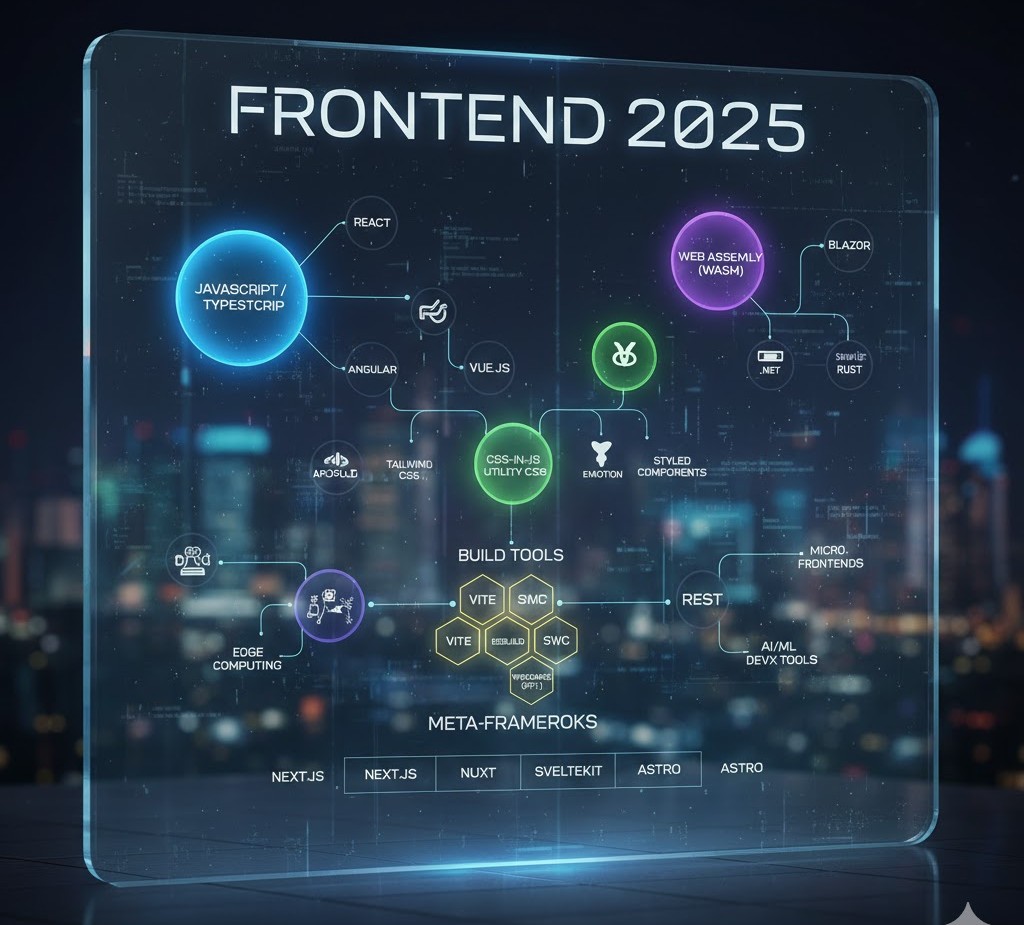
A futuristic, holographic flowchart titled "Frontend 2025" that maps the relationships between major technologies. Key nodes include JavaScript/TypeScript, React, Vue.js, Angular, WebAssembly (Wasm), various Build Tools (like Vite and swc), CSS-in-JS solutions, and Meta-Frameworks (Next.js, Nuxt, SvelteKit, Astro).
Frontend Developer

Top Frontend Tools and Technologies Every Developer Should Use

Introduction In the ever-evolving world of web development, the right tools can make a huge difference in productivity, code quality, and user experience. As technology advances, frontend developers must constantly update their toolkits with the latest frameworks, design systems, and testing tools to stay competitive. This 2025 guide lists the best frontend tools and technologies that help developers build faster, smarter, and more reliable web applications. Code Editors and IDEs Your editor is your workspace. A great editor improves speed, readability, and debugging. Top Picks: Visual Studio Code (VS Code): Lightweight, fast, and supports thousands of extensions. Sublime Text: Extremely fast and customizable with minimal resource use. WebStorm: A premium IDE by JetBrains, ideal for large-scale frontend projects. Pro Tip: Install VS Code extensions like Prettier, ESLint, and Live Server for better formatting, error detection, and instant browser preview. Package Managers Package managers simplify dependency installation and version control. Best Options for 2025: npm: The default package manager for Node.js with a huge library base. Yarn: Known for faster installs and deterministic builds. pnpm: Efficient storage and speed — the emerging choice for modern teams. Why It Matters:These tools make it easy to integrate third-party libraries, manage updates, and keep your project consistent across machines. Frontend Frameworks and Libraries Frameworks continue to dominate modern web development.Trending in 2025: React.js: Still the most used for scalable SPAs. Vue.js: Great balance of simplicity and performance. Svelte & Qwik: Lightweight frameworks leading the “faster web” movement. Learn more:Check React documentation, Vue.js official site, and Svelte.dev. CSS Frameworks and UI Libraries Styling can be time-consuming — CSS frameworks make it faster and cleaner. Top Frameworks: Tailwind CSS: Utility-first approach with full customization. Bootstrap 5: Great for responsive, grid-based layouts. Material UI: Perfect for React projects needing a Google-like design system. Bonus Tip:Combine Tailwind CSS with Framer Motion for smooth, modern animations. Build Tools and Module Bundlers Modern web apps need bundlers to compile, optimize, and deliver assets efficiently. Top Build Tools for 2025: Vite: Lightning-fast dev server with instant HMR (Hot Module Replacement). Webpack: Still powerful for large applications needing fine-grained control. esbuild: Built for speed — compiles 10–100x faster than traditional bundlers. Why It Matters:Faster builds = faster iterations = more productivity. Testing and Debugging Tools A successful frontend developer must test their apps thoroughly to ensure reliability. Top Testing Tools: Jest: Great for unit testing JavaScript code. Cypress: Ideal for end-to-end testing of UI interactions. Playwright: Modern automation for cross-browser testing. Debugging Tip:Use Chrome DevTools to inspect elements, track network requests, and profile performance. Version Control and Collaboration Teamwork thrives with version control systems. Must-Use Tools: Git: The foundation of version control — learn core commands (commit, push, merge). GitHub: Host your repositories, collaborate via Pull Requests, and manage issues. GitLab / Bitbucket: Great alternatives for enterprise teams.  Don’t forget to add meaningful commit messages and branching strategies like GitFlow. Performance Optimization Tools Performance impacts SEO and user satisfaction.Use these tools to identify and fix bottlenecks: Google Lighthouse: Analyze site performance, accessibility, and SEO. WebPageTest: Deep dive into loading times and network requests. ImageOptim / TinyPNG: Compress images without losing quality. Pro Tip:Combine image optimization with lazy loading and CDN delivery for best results. UI/UX and Design Collaboration Tools A frontend developer must bridge the gap between code and creativity. Best Tools for Design Collaboration: Figma: Real-time collaboration between designers and developers. Adobe XD: For high-fidelity prototypes. Canva: Quick mockups, banners, and presentation graphics. These tools make it easy to translate UI ideas into pixel-perfect code. Deployment and Hosting Tools When your app is ready, deploy it fast and securely. Popular Platforms: Vercel: Perfect for React, Next.js, and static sites. Netlify: Great for frontend hosting with serverless functions. GitHub Pages: Ideal for portfolios and static projects. Conclusion The frontend ecosystem in 2025 is fast, innovative, and full of opportunity. By leveraging these top tools and technologies, developers can code more efficiently, collaborate better, and build experiences that delight users across every device. FAQs 1. What are the most important frontend tools for developers in 2025? In 2025, essential frontend tools include Visual Studio Code, React.js, Tailwind CSS, Vite, Git, Lighthouse, and Figma. These tools streamline development, enhance collaboration, and improve website performance. 2. Why should I use Vite instead of Webpack? Vite offers faster startup and build times using native ES modules and efficient caching. It’s lightweight, easy to configure, and perfect for modern frontend frameworks like React, Vue, and Svelte. 3. Which CSS framework is best for frontend developers? Tailwind CSS is the most popular choice in 2025 due to its utility-first approach, flexibility, and ability to create responsive designs quickly. Bootstrap 5 and Material UI are great alternatives for structured layouts. 4. Do I need to learn Git for frontend development? Absolutely! Git is crucial for version control, enabling you to track changes, collaborate on code, and revert updates when needed. GitHub and GitLab also make deployment and teamwork easier. 5. What tools help improve website performance? Tools like Google Lighthouse, WebPageTest, and ImageOptim help analyze and optimize loading speed, accessibility, and overall performance. They ensure your site runs smoothly across devices. 6. How can I collaborate effectively with designers? Use Figma or Adobe XD for seamless design-to-code workflows. Both tools allow designers and developers to collaborate in real time, export assets, and maintain design consistency. 7. What are the best hosting platforms for frontend projects? Vercel, Netlify, and GitHub Pages are the top choices for deploying frontend applications. They support automatic builds, serverless functions, and quick CI/CD integration. 8. How often should I update my frontend tools? Check for updates every few months to stay compatible with the latest frameworks, libraries, and browser technologies. Most modern tools release stable updates regularly, so staying current is key.
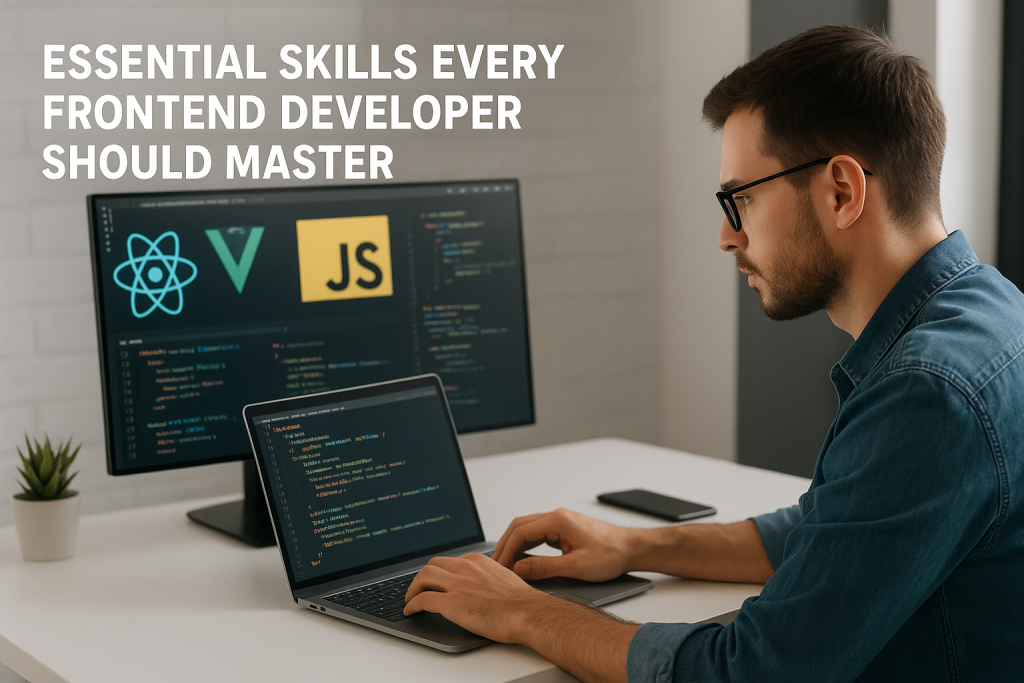
frontend developer working on HTML CSS JavaScript with laptop
Frontend Developer

Essential Skills Every Frontend Developer Should Master in 2025

Introduction The web development world is evolving rapidly, and the demand for skilled frontend developers continues to grow. As users expect faster, more interactive, and visually appealing websites, developers must master both technical and creative skills to stay ahead in 2025. In this blog, we’ll explore the essential skills every frontend developer should master — from HTML and CSS fundamentals to advanced frameworks, tools, and design thinking techniques. Mastering the Core Building Blocks: HTML, CSS, and JavaScript At the heart of every website are three pillars — HTML, CSS, and JavaScript. These are the foundation of frontend development and must be learned thoroughly: HTML (HyperText Markup Language): Defines the structure and content of a webpage. You must understand elements, tags, attributes, semantic HTML, and accessibility. CSS (Cascading Style Sheets): Controls the layout, colors, fonts, and design aesthetics. Learn CSS Grid, Flexbox, animations, and media queries for responsive design. JavaScript (JS): Adds logic and interactivity. Know how to manipulate the DOM, handle events, fetch APIs, and use ES6+ features like promises, async/await, and modules. A solid grasp of these three ensures you can build any web interface from scratch. Learning Modern Frontend Frameworks Frameworks streamline development by providing reusable components and optimized performance. In 2025, the most popular ones include: React.js: Developed by Meta, React is known for its virtual DOM, reusable components, and large ecosystem. Vue.js: Lightweight and beginner-friendly, perfect for building small to mid-sized apps. Angular: Maintained by Google, Angular is ideal for large-scale enterprise applications. Tip: Learn at least one framework deeply instead of jumping between many. Responsive Web Design and Cross-Browser Compatibility With users accessing websites across desktops, tablets, and smartphones, knowing responsive design is essential. Skills to learn: CSS Media Queries Fluid grids and flexible images Frameworks like Bootstrap and Tailwind CSS Testing tools like BrowserStack Your website should look perfect and perform well across all screen sizes and browsers. Version Control with Git and GitHub No developer can thrive without version control systems (VCS) like Git. It allows you to: Track changes in your code Revert to previous versions Collaborate with other developers seamlessly Master Git commands such as commit, push, pull, and merge. Create and manage repositories using GitHub, GitLab, or Bitbucket. Understanding APIs and AJAX Modern web apps depend heavily on data exchange between the client and server. Learn how to: Use RESTful APIs and JSON data Make fetch() or Axios requests Handle asynchronous data with Promises and Async/Await Understand CORS, authentication, and error handling This knowledge helps build dynamic apps like social media feeds, dashboards, and e-commerce websites. UI/UX Design Principles Frontend developers bridge the gap between design and functionality. Knowing the basics of UI/UX design enhances user satisfaction: Learn color theory, typography, and layout design Use design tools like Figma, Sketch, or Adobe XD Follow accessibility standards (WCAG) Understand user behavior and intuitive navigation patterns A visually appealing, accessible website boosts engagement and conversion rates. Frontend Performance Optimization Performance is critical. Users leave a site if it takes more than 3 seconds to load.Focus on: Code minification and lazy loading Optimizing images and videos Using CDN and caching strategies Monitoring performance with tools like Lighthouse and WebPageTest A faster site equals better SEO and higher user retention. Soft Skills and Continuous Learning Frontend development isn’t just about coding. Soft skills help you stand out: Problem-solving: Debug efficiently and write clean, maintainable code. Collaboration: Work smoothly with designers, backend devs, and clients. Adaptability: Learn new frameworks and libraries quickly. Communication: Explain technical topics clearly to non-technical stakeholders. The tech world changes fast — stay updated through blogs, online courses, and coding communities. Recommended Tools and Resources Category Tools/Resources Code Editor VS Code, Sublime Text Browser DevTools Chrome DevTools, Firefox Developer Edition Design Tools Figma, Canva Frameworks React, Vue, Angular Version Control Git, GitHub Testing Jest, Cypress, Playwright Conclusion To become a successful frontend developer in 2025, mastering these technical and design skills is essential. From HTML, CSS, and JavaScript to frameworks, APIs, and optimization — each skill builds your ability to create beautiful, responsive, and efficient web applications. FAQs – 1. What are the most important skills for a frontend developer in 2025? In 2025, the essential skills for frontend developers include HTML, CSS, JavaScript, and frameworks like React or Vue.js. In addition, knowledge of responsive design, version control (Git), APIs, and performance optimization is crucial for building modern, scalable web applications. 2. Is frontend development still a good career choice? Yes! Frontend development remains one of the most in-demand tech careers. As more businesses move online, the need for developers who can create fast, visually appealing, and user-friendly websites continues to grow. With the right skills, you can build a successful and well-paying career. 3. How long does it take to become a frontend developer? On average, it takes 6 to 12 months to become job-ready in frontend development. However, the timeline depends on how consistently you practice. Start with HTML, CSS, and JavaScript, then move to frameworks, responsive design, and Git. Continuous learning and project building will speed up your progress. 4. Do frontend developers need to know backend technologies? Not necessarily, but having basic knowledge of backend technologies like Node.js or Express.js helps you understand how data flows between client and server. It’s especially beneficial if you aim to become a full-stack developer in the future. 5. What tools should every frontend developer use? Some must-have tools include: Code Editors: VS Code, Sublime Text Version Control: Git, GitHub Design Tools: Figma, Adobe XD Browser DevTools: Chrome, Firefox Developer Edition Testing Tools: Jest, Cypress These tools make your development process faster, cleaner, and more efficient. 6. How can I improve my frontend development skills? To improve, focus on practical projects. Build personal websites, clone famous apps, contribute to open-source projects, and follow modern web development trends. Join developer communities on GitHub or Reddit and take regular courses to stay updated with the latest frameworks and techniques. 7. What are the soft skills needed for a frontend developer? Frontend developers

Scroll to Top