

UI/UX design

App Development, Artificial Intelligence, Software development

AI-Powered Mobile Applications

AI-Powered Mobile Applications: The Ultimate Blueprint for Next-Gen Enterprise Mobility (2026) The mobile app landscape has undergone a profound shift. For years, mobile applications were built as sleek, deterministic user interfaces—gateways that wrapped around backend databases to let users manually input data, scroll through static feeds, and toggle basic settings. Today, the paradigm has completely flipped. Enterprises are no longer building apps that wait for user instructions. Instead, they are deploying AI-Powered Mobile Applications: context-aware, hyper-personalized, intelligent ecosystems that run complex neural networks locally on device hardware, process multimodal real-time streams, and predict user intent before a single button is tapped. This comprehensive guide serves as an enterprise-grade blueprint for product leaders, mobile architects, and digital transformation executives aiming to design, secure, and scale the next generation of mobile experiences. 1. The Architectural Shift: Cloud AI vs. On-Device Edge AI When engineering an AI-powered mobile application, the foundational architectural decision revolves around where the cognitive processing occurs: in the cloud via remote APIs, or natively on the device using specialized silicon. +———————————————————————–+ | MOBILE AI COMPUTE ARCHITECTURE | +———————————————————————–+ | CLOUD-BASED AI | ON-DEVICE EDGE AI | | “High Latency & Powerful” | “Zero Latency & Private” | | • Processes massive multi-billion | • Runs optimized, compressed models | | parameter models via remote APIs | directly on mobile NPUs | | • Dependent on constant connectivity | • Functions flawlessly offline | | • Variable token and network costs | • Maximum privacy for sensitive PII | +———————————–+———————————–+ The Cloud AI Model (Server-Side) Cloud-centric mobile apps rely on sending user inputs (text, images, audio) over network protocols to massive enterprise model APIs (like OpenAI, Claude, or Gemini Enterprise). While this grants the application access to immense computational reasoning, it introduces significant bottlenecks for mobile users: network latency, high cloud token costs, and a total dependency on cellular connectivity. The On-Device Edge AI Model (Client-Side) Modern mobile chipsets feature highly advanced, dedicated Neural Processing Units (NPUs). By utilizing model optimization techniques like quantization and pruning, developers can compress specialized Large Language Models (LLMs) and computer vision frameworks to run directly on the smartphone. This approach unlocks near-zero latency, operates entirely offline, and guarantees that sensitive user metrics never leave the local hardware. 2. High-Impact Use Cases for Enterprise Mobile AI Integrating intelligent capabilities natively into mobile apps fundamentally alters how workforce teams and consumers interact with software on the move. A. Real-Time Field Operations and Multimodal Augmented Reality The Friction Point: Field engineers and maintenance crews waste critical hours flipping through multi-hundred-page technical manuals on tiny screens while attempting to repair complex machinery. The AI Automation Solution: An AI-powered field application uses the device’s camera feed to analyze hardware configurations natively. By processing the video frames in real time, the mobile app identifies specific mechanical parts, diagnoses visible wear and tear, and overlays step-by-step augmented reality (AR) repair schematics directly onto the physical components. The technician can speak naturally to the app to log completed steps, completely hands-free. B. Hyper-Personalized Predictive User Interfaces (UI/UX) The Friction Point: Mobile layouts are traditionally static, forcing users to repeatedly navigate complex menus and tap through numerous screens to complete daily, repetitive workflows. The AI Automation Solution: On-device machine learning algorithms continuously analyze localized usage patterns, geographic locations, time-of-day variables, and biometric data. If the app recognizes that a logistics manager opens the app every weekday at 8:00 AM at a specific warehouse to review freight manifests, the interface automatically reconfigures itself. It elevates those specific data metrics and shortcuts directly to the home screen before the user searches for them. C. Offline Intelligent Data Ingestion and Document Auditing The Friction Point: Sales representatives, insurance adjusters, and medical couriers operating in remote environments with spotty internet connections are blocked from processing applications, forms, and receipts. The AI Automation Solution: Leveraging local vision models, the mobile application transforms the device camera into an intelligent parsing scanner. It extracts structured information from physical documents, translates multi-language text instantly, and runs client-side validation logic to check for compliance errors or missing signatures entirely offline—syncing securely back to corporate servers the moment a network connection is re-established. 3. Technical Stack for Intelligent Mobile Development Building a stable, scalable AI application requires choosing the right software frameworks to interface with native mobile operating systems. [Mobile App Codebase: Swift / Kotlin] —> [Hardware Acceleration Layer: CoreML / NNAPI] —> [Device NPU Silicon] The iOS Ecosystem: Apple CoreML and Apple Intelligence For applications targeting the Apple ecosystem, CoreML serves as the primary machine learning framework. It automatically optimizes models to run across the CPU, GPU, and Apple’s specialized Apple Neural Engine (ANE). This framework gives mobile developers the power to implement advanced on-device text generation, image segmentation, and voice recognition with minimal impact on device battery life. The Android Ecosystem: TensorFlow Lite and Android NNAPI The Android landscape is highly fragmented across multiple hardware manufacturers. To achieve consistent performance, developers rely on TensorFlow Lite (TFLite) or PyTorch Mobile, coupled with the Android Neural Network API (NNAPI). This abstraction layer directs the application to leverage whatever hardware acceleration is available on the specific device, ensuring efficient execution across diverse Android ecosystems. Cross-Platform Alternatives For teams building apps via cross-platform frameworks like React Native or Flutter, bridging to on-device AI requires wrapping native CoreML and TFLite modules or using unified web-assembly solutions. While highly effective for basic image classification or semantic text manipulation, high-performance real-time video processing still benefits greatly from native Swift or Kotlin execution. 4. Design Principles for AI Mobile User Experiences Designing user interfaces for intelligent, probabilistic mobile applications requires abandoning many traditional web-based assumptions. Designing for Non-Deterministic Outputs Traditional apps output predictable results. AI apps, however, operate on probability. Designers must implement micro-interactions that communicate system confidence. For instance, if an app automatically scans a barcode or transcribes a vocal note, it should visually highlight areas where the AI’s confidence score dipped below a specific threshold, allowing the user to tap and manually verify that specific data
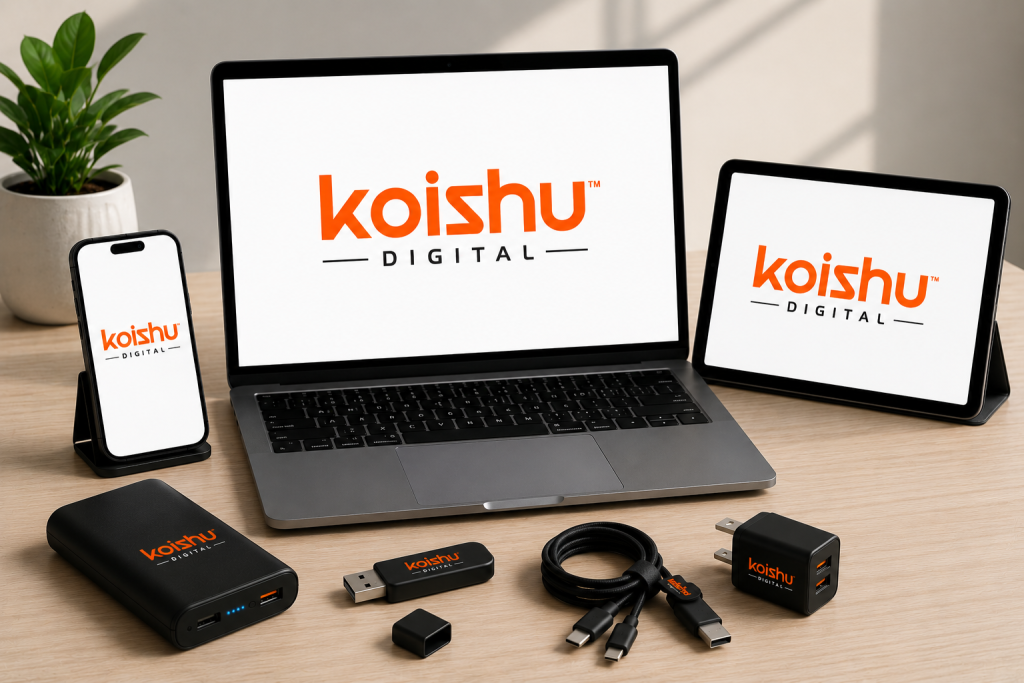

Koishu Digital web development and digital marketing services banner
Digital Marketing

Koishu Digital – Building Smart Digital Solutions for Modern Businesses

Introduction In today’s competitive digital landscape, businesses require more than just an online presence. They need modern websites, effective branding, strong SEO strategies, and scalable digital platforms to stay ahead in the market. Koishu Digital focuses on helping businesses establish a strong digital identity through innovative web development and digital marketing solutions. Whether it is website design, e-commerce development, or online branding, Koishu Digital aims to create user-friendly and performance-driven digital experiences that help businesses grow successfully. Why Businesses Need Digital Transformation Digital transformation is no longer optional for businesses. Customers now search online before purchasing products or services. A professionally developed website and strategic digital marketing plan help businesses improve visibility and attract potential customers. Benefits of digital transformation include: Increased online visibility Better customer engagement Stronger brand reputation Higher conversion rates Improved business scalability Businesses that invest in modern digital solutions gain a competitive advantage in today’s fast-changing online market. Web Development Services by Koishu Digital Responsive Website Development A responsive website is essential for providing a smooth user experience across all devices. Koishu Digital develops websites that are optimized for desktops, tablets, and smartphones. Key features include: Mobile-friendly layouts Fast-loading web pages Modern user interface design SEO-friendly structure Secure browsing experience Responsive websites improve customer engagement and reduce bounce rates, helping businesses achieve better online performance. E-Commerce Development Solutions The e-commerce industry continues to expand rapidly. Businesses need secure and scalable online stores that provide seamless shopping experiences for customers. Koishu Digital offers e-commerce solutions with features such as: Secure payment integration Inventory management systems Product management tools Fast checkout process Smart product recommendations These features help businesses improve customer satisfaction and streamline operations. Digital Marketing Services Search Engine Optimization (SEO) SEO is one of the most effective ways to improve online visibility. Proper SEO strategies help websites rank higher on search engines and attract targeted traffic. SEO benefits include: Higher search engine rankings Increased website traffic Better lead generation Improved brand authority Long-term online growth Koishu Digital focuses on building SEO-friendly digital platforms that help businesses strengthen their online presence. Social Media Marketing Social media platforms play a major role in brand promotion and customer engagement. Effective social media marketing helps businesses connect directly with their audience. Social media marketing strategies may include: Brand awareness campaigns Content promotion Audience engagement Lead generation campaigns Paid advertising strategies Strong social media presence improves customer trust and business credibility. Google Search Central SEO Guide Schema.org Official Website Importance of Branding and User Experience Professional Branding A strong brand identity helps businesses stand out from competitors. Professional branding creates trust and leaves a lasting impression on customers. Branding services may include: Logo design Creative visual identity Website UI/UX design Brand consistency Digital graphics creation Strong branding supports long-term business growth and recognition. User Experience and Performance User experience is one of the most important factors for online success. Customers prefer websites that are easy to navigate, fast, and visually appealing. Important elements of good user experience include: Clean design layout Easy navigation Mobile responsiveness Fast page speed Secure browsing Websites with better user experience often achieve higher engagement and conversion rates. Future of Digital Business Growth Technology is continuously evolving, and businesses must adapt to changing digital trends. Artificial intelligence, automation, analytics, and modern marketing strategies are shaping the future of online business growth. Koishu Digital focuses on providing scalable and innovative digital solutions that help businesses stay competitive in the digital era. Businesses that embrace digital transformation today are more likely to succeed in the future. Koishu Digital Home TechOTD Portfolio Page Conclusion A professional website and effective digital strategy are essential for modern business success. Koishu Digital helps businesses grow through web development, e-commerce solutions, SEO, branding, and digital marketing services. By combining technology, creativity, and business-focused strategies, the company supports brands in building strong digital identities and achieving long-term online growth. Frequently Asked Questions What is Koishu Digital? Koishu Digital is a digital solutions company that provides web development, e-commerce development, branding, SEO, and digital marketing services. Why is SEO important for websites? SEO improves search engine rankings, increases website traffic, and helps businesses reach more customers online. Does Koishu Digital provide responsive website development? Yes, the company develops responsive websites optimized for desktops, tablets, and mobile devices. What are the benefits of digital marketing? Digital marketing helps businesses increase visibility, improve engagement, generate leads, and grow their online presence. Why is branding important for businesses? Branding creates trust, improves recognition, and helps businesses establish a strong identity in competitive markets.

App Development

Mobile App Development Process: The Ultimate Build-to-Launch Guide

Introduction Every day, the number of apps released to the market grows. Plus, right now, there are more mobile devices in the world than there are people. No wonder that by 2026 mobile applications are projected to generate $233 billion in revenue.   With such promising forecasts, it’s easy to see why many companies are looking into mobile app development. Some businesses are interested in creating the next TikTok or Zoom. Thus, focusing on consumer-facing projects and the revenue they can generate. Others, want to optimize internal processes and choose to invest in enterprise solutions that can reduce expenses and improve efficiencies. Discover the Difference Between Consumer and Enterprise Mobile Apps Whether you’re building for end users or your workforce, understanding the distinctions between consumer and enterprise mobile solutions is crucial. Today, we’ll share an ultimate guide to the seven-step mobile app development process—complete with insider insights from TechOTD and strategic backlinks to our services. Let’s dive in! 7 Key Steps of the Mobile App Development Process Strategy Development Analysis & Planning UI/UX Design App Development Application Testing Deployment Support & Performance Monitoring Read on for detailed best practices, and learn how to leverage TechOTD’s expertise at each stage. Step 1: Strategy Development Begin by defining your app’s vision and business model. Identify Objectives: What problem does your app solve? Who are its target users? What results do you expect? Research Competitors: Analyze similar apps to identify gaps and differentiation opportunities. Select Platform: Decide between iOS, Android, or cross-platform based on your audience and budget. Choose Monetization (Consumer Apps): In-app purchases, subscriptions, ads, or paid downloads. Partner with TechOTD to refine your strategy and prioritize features through our comprehensive Web & App Development services. Step 2: Analysis & Planning Translate your vision into a detailed blueprint. Functional Requirements: List all user actions and features (e.g., account creation, payments, data sync). Non-Functional Requirements: Define performance, security, and scalability targets. Product Roadmap: Prioritize features for your MVP versus future releases. Technology Stack: Select frameworks, databases, cloud services, and DevOps tools. Gain clarity on project scope and risk management by partnering with TechOTD’s IT Consulting & Deployment team. Ste UI/UX Design Craft intuitive, engaging user experiences.   Information Architecture: Map out data structures and user workflows. Wireframes: Sketch layouts for each screen and user flow. Style Guides & Mockups: Standardize fonts, colors, and UI components for consistency. Interactive Prototypes: Simulate the app experience to gather early feedback. Elevate your design with insights from TechOTD’s eCommerce & Industry Solutions. Step 4: App Development Build the core functionality in iterative sprints. Backend: REST/GraphQL APIs, database schemas, authentication, and cloud hosting. Frontend: Native (Swift/Kotlin) or cross-platform (Flutter/React Native). CI/CD Pipelines: Automate builds, tests, and deployments for rapid iteration. Leverage AI-powered automation from TechOTD’s AI & Machine Learning services to accelerate development. Step 5: Application Testing Ensure quality, performance, and security. Functional Testing: Validate all features. Usability Testing: Gather real-user feedback. Performance Testing: Simulate peak loads. Security Testing: Penetration tests and compliance checks. Compatibility Testing: Test across devices and OS versions. Ensure robust QA by tapping into TechOTD’s Web & App Development expertise. Step 6: Deployment Launch your app to stores or enterprise environments. App Store Optimization: Keywords, icons, screenshots, and descriptions. Store Compliance: Follow Apple and Google’s guidelines. Private Distribution: Use enterprise programs for internal apps. Simplify deployment with TechOTD’s IT Consulting & Deployment services. Step 7: Support & Performance Monitoring Turn your launch into sustained success. Analytics & KPIs: Track downloads, active users, retention, and conversions. Crash & Error Monitoring: Quickly triage and resolve issues. Feature Updates: Roll out new functionality and security patches. User Engagement: Use push notifications and in-app messaging. For ongoing maintenance and scaling, rely on TechOTD’s full-cycle support detailed on our About Us page. Why Partner with TechOTD? TechOTD delivers end-to-end mobile development services, combining industry best practices, AI/ML expertise, and robust infrastructure support. Whether you’re launching a public consumer app or a secure enterprise solution, our team is ready to guide you through every step. Explore our homepage: https://www.techotd.com/ Discover AI & Machine Learning services: https://www.techotd.com/pages/ai-page.html Learn about TechOTD: https://www.techotd.com/pages/abouts/about.html See eCommerce solutions: https://www.techotd.com/pages/industries/eCommerce.html Join our partner program: https://www.techotd.com/pages/abouts/partner.html Access Web & App Development services: https://www.techotd.com/pages/services/web-development.html Embark on your mobile journey today—partner with TechOTD for innovative, scalable, and secure mobile solutions. conclusion Every great app starts with an idea and becomes reality through a disciplined, step-by-step approach. Planning, designing, developing, and optimizing your app paves the way for business growth and deep user engagement. Ready to turn your vision into a mobile reality? Start your roadmap today—and partner with experts for world-class results. FAQ 1. Which programming language should I use for mobile app development in 2025? Swift (iOS), Kotlin (Android), and Flutter or React Native for cross-platform solutions offer robust features and community support. 2. How long does it take to build a mobile app? Simple apps can take around 2–4 months, while complex or cross-platform apps may require 6+ months. 3. What’s the best way to optimize app store rankings? Master App Store Optimization (ASO) with relevant keywords, stunning visuals, clear descriptions, and frequent updates. 4. How important is app security? Extremely—user data protection, secure authentication, and regular updates keep your app reliable and safe. 5. Where can I find trustworthy tutorials and examples? Explore Techotd, GeeksforGeeks, official Android/iOS docs, plus the resource links above.  

Scroll to Top