

TechOTD Cloud Solutions

news & events

Microsoft is Turning Outlook into a Progressive Web App (PWA)

Introduction Microsoft is making a significant shift by transforming Outlook into a Progressive Web App (PWA), signaling a new era in how users will access one of the world’s most widely used email and productivity platforms. PWAs merge the best of web and mobile apps, offering faster loading times, offline access, and enhanced responsiveness, all while maintaining the ease of use of a web browser. This blog explores what the transformation of Outlook into a PWA means for users and businesses, the benefits of PWAs, and how this evolution reflects broader trends in cloud-based software and cross-platform accessibility. For deeper insights into cloud computing, AI integrations, and modern app development strategies, visit TechOTD’s AI and cloud services and their technology blog. What is a Progressive Web App (PWA)? A PWA is essentially a web application that offers a native app-like experience through modern web technologies. It works in any browser but can be installed on desktops or mobile devices, features offline functionality, push notifications, fast load times, and responsive design. Why Is Microsoft Turning Outlook into a PWA? Cross-Platform Consistency: The Outlook PWA provides a uniform experience across Windows, macOS, Linux, Android, and iOS, simplifying maintenance and updates. Instant Access and Offline Use: PWAs load quickly, even on slow connections, and can be used offline with cached data, ensuring continuous productivity. Reduced Disk Space Usage: Unlike traditional native apps, PWAs have smaller footprints since they run through browsers but still offer app-like features. Faster Updates and Deployment: Updates can be rolled out centrally on the web, bypassing app store approval delays and ensuring users always have the latest features. Key Benefits for Users and Businesses Improved Performance and Reliability: The Outlook PWA loads quickly and handles network fluctuations gracefully. Seamless Integration with Microsoft 365: The app works smoothly with Microsoft’s suite of productivity tools in the cloud. Enhanced Security: PWAs benefit from browser-level security enhancements and centralized update management. Simplified IT Management: Easier deployment and management for businesses reducing support overhead. Broader Implications for Cloud and App Development Microsoft’s move underscores a growing industry trend toward cloud-native, browser-first applications that prioritize accessibility, speed, and security. This approach aligns with the increasing adoption of cloud platforms powered by AI and continuous integration/deployment pipelines. Learn how cloud computing and AI are shaping modern business applications: Cloud Computing in Banking and Finance. How TechOTD Can Help TechOTD offers expert consulting and development services to help businesses leverage PWAs, cloud computing, and AI-driven digital transformation strategies that align with their operational goals. Explore TechOTD’s cloud and mobile app development services: TechOTD Services. Conclusion Microsoft turning Outlook into a Progressive Web App represents a pivotal step toward more accessible, agile, and user-friendly productivity tools. PWAs offer promise in delivering fast, reliable experiences without sacrificing features or security, paving the way for the future of enterprise software. Businesses and users alike stand to benefit from this innovative approach as cloud-first strategies continue to dominate. Stay informed about evolving app technologies and cloud trends with expert insights from TechOTD Blog. FAQs Q1: What platforms will Outlook PWA support? It will support Windows, macOS, Linux, Android, and iOS. Q2: Can Outlook PWA be used offline? Yes, it supports offline access through cached data. Q3: How does PWA improve update cycles? Updates are deployed on the web instantly without app store delays. Q4: Is Outlook PWA secure? Yes, it benefits from browser security and centralized update control. Q5: How does this affect IT management? Simplifies deployment, reduces update overhead, and eases support efforts.

Cloud

Navigating the Cloud Cost Landscape: Strategies for Efficient Spending

Introduction Cloud computing has revolutionized how businesses deploy and scale applications, manage infrastructure, and deliver services. However, as cloud adoption grows, so does the complexity of managing costs efficiently. Without strategic oversight, cloud expenses can spiral, impacting profitability and operational agility. This blog explores comprehensive strategies to navigate the cloud cost landscape efficiently—covering cost drivers, best practices for optimization, tools, and future trends. It also integrates insights on AI-driven analytics and blockchain for operational cost savings, referencing TechOTD AI Services, the TechOTD Blog, blockchain innovations at TechOTD Blockchain Integration, and more. Understanding Cloud Cost Drivers Effective cloud cost management begins with understanding what drives expenses: Compute Resources: Virtual machines (VMs), containers, serverless functions. Storage: Persistent volumes, object storage, database storage. Data Transfer: Data egress between regions, CDN use. Managed Services: Databases, AI/ML services, monitoring. Licensing: Third-party software, marketplace services. Networking: Load balancers, private networks. Each component contributes distinctly to cloud bills, necessitating granular monitoring. Key Strategies for Cloud Cost Efficiency 1. Implement a Cloud Operating Model Establish governance frameworks, policies, and workflows for cloud resource provisioning, cost allocation, and accountability. Collaborative FinOps approaches involve finance, engineering, and operations teams in cost decisions, ensuring transparency and control. 2. Rightsizing and Auto-Scaling Resources Avoid over-provisioning by matching compute and storage resources with actual workload demands. Use autoscaling to dynamically adjust resources, minimizing idle capacity without compromising performance. 3. Use Reserved Instances and Savings Plans Commit to predictable workloads by purchasing reserved capacity or savings plans from cloud providers like AWS, Azure, or Google Cloud at discounted rates compared to on-demand pricing. 4. Schedule and Automate Resource Usage Automate shutdown of development and test environments outside work hours using scheduling tools and scripts, cutting unnecessary costs significantly. 5. Optimize Storage Tiering and Data Transfer Leverage tiered storage classes (e.g., AWS S3 Glacier) for cold data, and locality to reduce data transfer fees. Use Content Delivery Networks (CDNs) efficiently to minimize outbound traffic charges. 6. Leverage Spot and Preemptible Instances Use discounted spot instances or preemptible VMs for fault-tolerant, batch, or flexible workloads to lower compute expenses while maintaining capacity. 7. Monitor, Analyze, and Use Cost Management Tools Adopt cloud-native cost analyzers and third-party platforms to track trim spend, forecast expenses, and identify anomalies proactively. Invest in ML-driven cost optimization tools for continuous improvement. 8. Consider Microservices and Containers Implement microservices architectures and container orchestration platforms like Kubernetes, which facilitate fine-grained scaling and resource utilization, reducing overall cloud consumption. 9. Enable Tagging and Cost Attribution Tag cloud resources by project, team, or cost center to enable precise cost allocation, driving accountability and budgeting accuracy. 10. Balance Multi-Cloud and Regional Deployments Selecting optimal cloud regions and balancing workloads across providers can yield cost savings and improve resilience. Avoid expensive regions when possible while considering latency and compliance. Emerging Trends Impacting Cloud Cost Optimization Sustainability as a Priority: Aligning cost savings with greener cloud operations, using provider sustainability tools. AI/ML for Cost Control: Automated anomaly detection, rightsizing recommendations, and predictive scaling powered by AI. Kubernetes Cost Optimization: Enhanced autoscaling and resource allocation strategies tailored for containerized environments. GenAI Impact: Managing resource intensity associated with AI workloads by intelligent scaling and workload optimization. Leveraging AI and Blockchain for Cloud Efficiency Innovative AI solutions optimize cloud expenses by analyzing utilization patterns and automating optimization. Blockchain enables transparent, secure cost tracking and billing reconciliation—discover how these technologies can amplify cloud efficiency at TechOTD AI Services and Blockchain Integration. Conclusion Mastering cloud spending requires a proactive, data-driven strategy that balances performance and budget. By implementing rightsizing, automation, cost-aware governance, and leveraging AI-powered tools, organizations can unleash cloud’s power sustainably and affordably. Aligning these strategies with your business roadmap ensures cloud investments yield maximum value.

aws

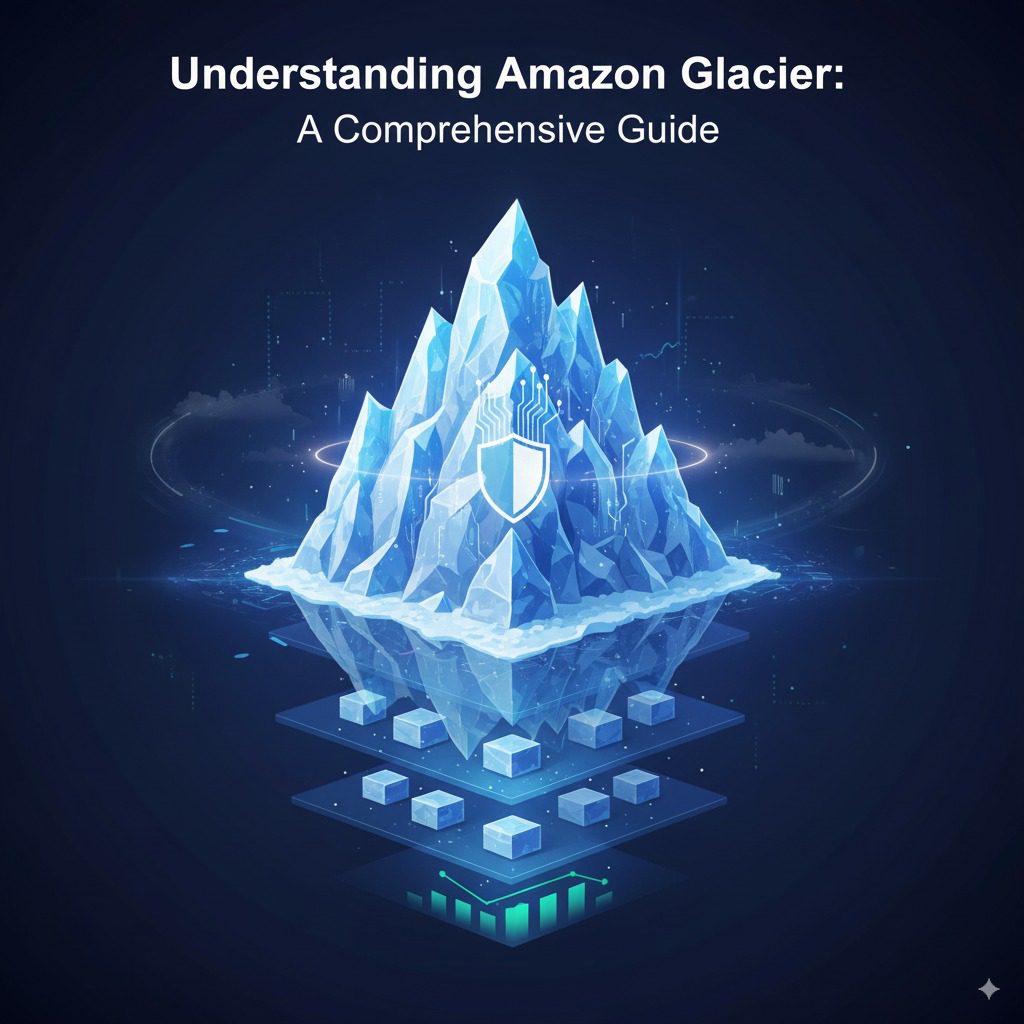
Understanding Amazon Glacier: A Comprehensive Guide

Introduction In today’s data-driven world, businesses and organizations generate vast volumes of data that must be stored securely and cost-effectively. For data that is rarely accessed but must be preserved—such as backups, archives, and compliance records—cloud providers offer specialized storage solutions optimized for long-term retention at low cost. Amazon Glacier, now part of Amazon S3 Glacier, is a premier service designed for this purpose. This comprehensive blog guides readers through the fundamentals of Amazon Glacier, its features, use cases, costs, retrieval options, security, and integration in modern cloud ecosystems. It provides practical insights for enterprises seeking efficient archival strategies while referencing advanced AI, blockchain, and predictive analytics solutions from TechOTD AI Services and TechOTD Blog. What Is Amazon Glacier? Amazon Glacier is a cloud-based, long-term storage service provided by Amazon Web Services (AWS), optimized for cold data—data that is infrequently accessed but must be retained reliably for months or years. It provides ultra-low cost storage, high durability, and robust security, making it ideal for archiving, backups, and compliance. Amazon Glacier is distinct from standard Amazon S3 storage, as it is tailored to lower costs in exchange for longer retrieval times. It uses storage containers called vaults to organize data archives, each archive representing files or datasets stored securely in the cloud. Key Features of Amazon Glacier 1. Cost Efficiency for Long-Term Storage Amazon Glacier offers some of the lowest storage prices in the cloud industry, with costs as low as $0.004 per GB per month, enabling enterprises to archive large datasets affordably compared to on-premises or high-performance cloud storage. 2. High Durability and Availability Provides 99.999999999% durability (11 nines), ensuring data safety. Data is redundantly stored across multiple geographically diverse AWS Availability Zones. Ensures 99.9% availability for accessing archives when needed. 3. Flexible Retrieval Options Understanding that archival data is rarely needed instantly, Amazon Glacier offers tiered retrieval speeds to balance cost and urgency: Expedited Retrieval: Data available in 1–5 minutes (higher cost). Standard Retrieval: Data available in 3–5 hours (moderate cost). Bulk Retrieval: Data available within 5–12 hours (lowest cost). 4. Security and Compliance Data is encrypted in transit and at rest using AES-256 encryption. Offers configurable access policies and integrates with AWS Identity and Access Management (IAM). Supports compliance with standards like GDPR, HIPAA, and others. 5. Unlimited Storage Capacity and Scalability Users can store unlimited archives in multiple vaults per AWS account. Seamlessly scales to meet growing data retention needs. 6. Integration with AWS Ecosystem Works in concert with Amazon S3 lifecycle policies, automating data migration from standard S3 storage to Glacier based on rules. Integration with AWS Storage Gateway, DataSync, and AWS Backup enhances data management workflows. Compatible with AWS monitoring tools like CloudWatch and CloudTrail for governance. How Amazon Glacier Stores and Organizes Data Archives: Individual files or datasets stored. Vaults: Containers that hold archives, analogous to folders. Vaults enable management of access control, notifications, and data lifecycle policies. Each archive is assigned a globally unique ID and can be retrieved or deleted as needed. Use Cases of Amazon Glacier Data Archival for Compliance Organizations in finance, healthcare, and government store regulatory data needing long-term retention securely and cost-effectively. Backup and Disaster Recovery Glacier serves as an affordable, durable backup target for on-premises systems and AWS workloads, ensuring business continuity. Media Archiving Media companies archive raw footage, completed projects, and historical digital assets without incurring high storage costs. Scientific and Research Data Storage Large datasets from experiments or observations are retained for future analysis while managing storage budgets. Cost Considerations and Pricing Storage fees are minimal relative to other AWS storage classes. Retrieval fees vary depending on speed and amount of data. Additional charges apply for data transfer and requests. Lifecycle transition policies help optimize cost by automating data movement. Getting Started with Amazon Glacier Configure vaults through AWS Management Console or AWS CLI. Upload archives programmatically via AWS SDKs or APIs. Define retrieval policies tailored to access frequency. Monitor usage and retrieval metrics with AWS monitoring services. Enhancing Archival Strategies with AI and Analytics Integrating AI and predictive analytics can optimize data lifecycle management in the cloud by forecasting access patterns and automating tiering policies, minimizing cost and maximizing efficiency. Learn about AI-enabled storage management and analytics at TechOTD AI Services and TechOTD Predictive Analytics. Conclusion Amazon Glacier offers a robust, secure, and ultra-cost-effective solution for long-term cloud data archiving and backup. Its guaranteed durability, integrated security controls, flexible retrieval options, and deep integration with the AWS ecosystem make it ideal for enterprises managing growing volumes of cold data. With the addition of AI and analytics-informed data strategies, organizations can further optimize storage costs and compliance with evolving business requirements

Scroll to Top