Student Engagement

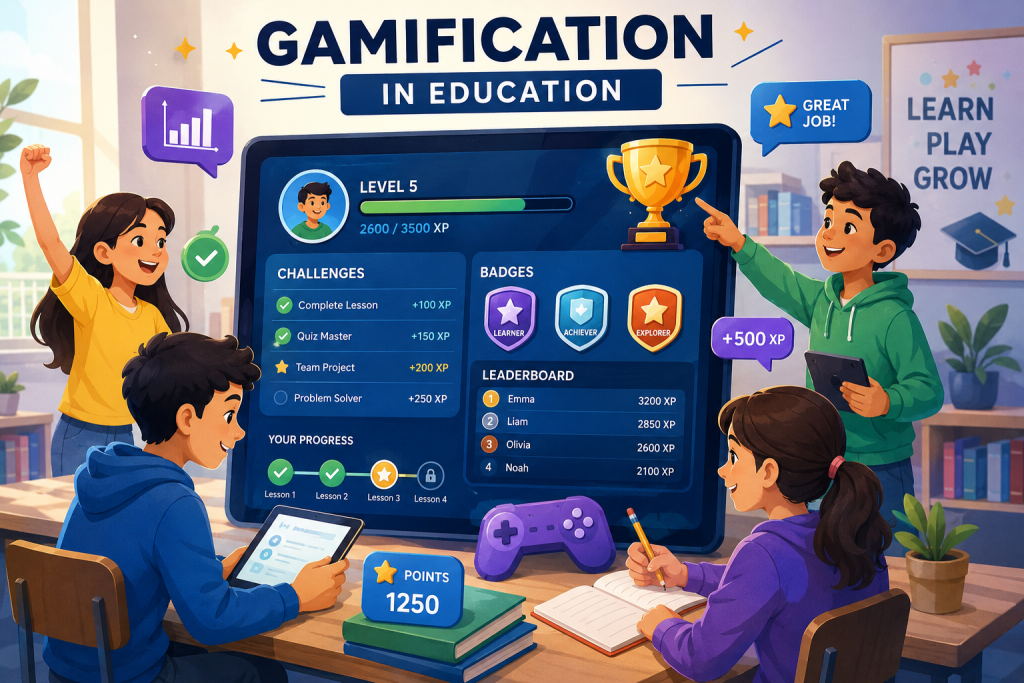
Students using gamification and interactive learning tools in education
Education

The Benefits of Gamification in Education

Introduction Gamification is becoming an increasingly popular approach in education because it can make learning more interactive and engaging. By using game-like elements such as points, badges, levels, challenges, and rewards, educators can encourage students to participate more actively in the learning process. Gamification in education does not mean turning every lesson into a video game. Instead, it involves applying selected game mechanics to educational activities in order to improve motivation, participation, and engagement. When designed effectively, gamified learning can help students stay interested in their educational goals while encouraging problem-solving, collaboration, and continuous progress. However, successful gamification requires meaningful learning objectives and should support education rather than distract students from it. What Is Gamification in Education? Gamification in education refers to the use of game-like elements and mechanics in learning activities. These elements can include points, badges, levels, challenges, rewards, leaderboards, and progress tracking to encourage students to participate and stay motivated. Game Elements Used in Learning Educational gamification can include different game elements depending on the learning goals. Points can reward progress, badges can recognize achievements, and levels can help students see their advancement through a course or learning activity. Challenges and Rewards Challenges can encourage students to apply their knowledge and complete specific learning tasks. Rewards and recognition can provide positive reinforcement when students achieve goals, complete activities, or demonstrate improvement. Progress and Achievement Tracking Gamified learning systems can show students how they are progressing through lessons and activities. Clear progress tracking can help learners understand their goals and encourage them to continue working toward the next level or achievement. By combining educational objectives with selected game mechanics, gamification can create a more interactive learning experience while keeping the focus on meaningful knowledge and skill development. How Gamification Improves Student Engagement Gamification can improve student engagement by making learning activities more interactive, goal-oriented, and rewarding. When students can see their progress and work toward clear achievements, they may feel more motivated to participate actively in the learning process. 1. Increases Motivation Points, rewards, badges, and achievements can provide students with additional motivation to complete learning activities. Clear goals and visible progress can encourage learners to continue working and improving their performance. 2. Encourages Active Participation Gamified activities can encourage students to participate instead of remaining passive learners. Challenges, quizzes, interactive tasks, and team activities can create opportunities for students to engage directly with educational content. 3. Makes Learning More Enjoyable Game-like elements can make educational activities feel more interesting and enjoyable. When learning experiences are engaging, students may be more willing to explore topics and spend time practicing new skills. 4. Provides Immediate Feedback Gamified learning platforms can provide immediate feedback when students complete quizzes, challenges, or activities. Quick feedback helps learners understand their performance and identify areas where they need additional practice. Benefits of Gamification in Education When used effectively, gamification can provide several benefits for students and educators. It can make learning more engaging while encouraging motivation, participation, collaboration, and continuous improvement. Improved Student Motivation Gamified learning can give students clear goals and rewards for completing educational activities. Progress indicators and achievements can encourage learners to stay focused and continue working toward their objectives. Better Learning Engagement Interactive challenges and activities can encourage students to become more involved in lessons. Instead of only listening or reading, learners can actively participate and apply their knowledge. Development of Problem-Solving Skills Educational challenges and game-based activities can encourage students to think critically and solve problems. Learners may need to analyze situations, make decisions, and test different approaches to achieve their goals. Encourages Collaboration Team-based challenges and cooperative activities can help students work together toward shared goals. These experiences can support communication, teamwork, and collaboration skills. Supports Continuous Learning Levels, progress systems, and achievement tracking can encourage students to continue learning over time. Breaking larger educational goals into smaller challenges can make progress feel more manageable and rewarding. Challenges of Gamification in Education Although gamification can make learning more engaging, it also has certain limitations. Educational activities should be designed carefully so that game elements support meaningful learning instead of becoming distractions. Overemphasis on Rewards If students focus only on points, badges, or prizes, they may become more interested in rewards than in understanding the subject. Gamification should encourage genuine learning rather than only competition. Competition and Pressure Leaderboards and competitive activities may motivate some students but create pressure for others. Educators should use competition carefully and provide different ways for students to participate and succeed. Poorly Designed Activities Gamification is most effective when game elements are connected to clear learning objectives. Adding points or badges without meaningful educational activities may not improve student learning. Technology and Accessibility Digital gamification may require devices, internet access, and suitable learning platforms. Limited access to technology can create unequal opportunities for students. Balancing Fun and Learning The main purpose of educational gamification should remain learning and skill development. Game elements should make lessons more engaging without distracting students from important educational goals. The Future of Gamification in Education The use of gamification in education is likely to continue growing as digital learning platforms become more interactive and personalized. Future educational experiences may combine game mechanics with artificial intelligence, adaptive learning, virtual environments, and real-time feedback. Technology can help educators create gamified learning experiences that respond to student progress and learning needs. Instead of using the same activities for every learner, future platforms may provide personalized challenges and learning paths. Personalized Gamified Learning Future gamified learning systems may use student progress and performance data to provide challenges that match individual learning levels. This could help students receive activities that are neither too easy nor unnecessarily difficult. More Interactive Digital Learning Advances in educational technology may introduce more immersive and interactive gamified experiences. Virtual environments, simulations, and collaborative challenges could create new ways for students to explore educational concepts. Conclusion Gamification in education can make learning more engaging, interactive, and motivating by using elements such as challenges, points, badges, progress tracking, and rewards.

Technology improving student learning and engagement
Education

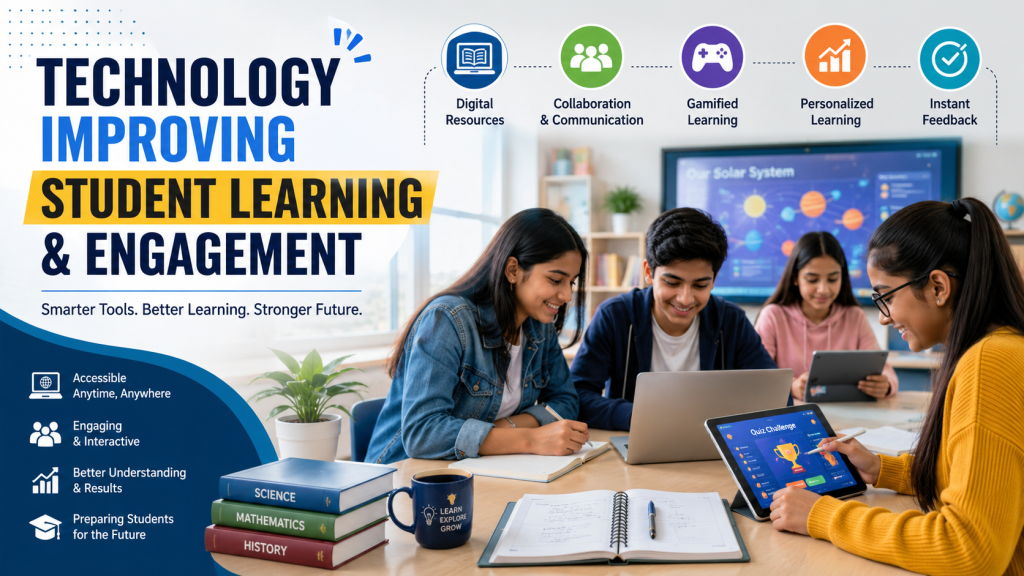
How Technology Is Improving Student Learning and Engagement

Introduction Technology has become an important part of modern education, changing how students access information, communicate with teachers, and participate in learning activities. Digital classrooms, educational applications, online resources, and interactive tools are making learning more accessible and engaging. Today, students can learn through videos, simulations, virtual classrooms, digital assignments, and collaborative platforms. These technologies can support different learning styles and give students more opportunities to explore subjects beyond the traditional classroom. However, technology is most effective when it is used with a clear educational purpose. The goal should not simply be to add more devices or applications, but to use technology to improve understanding, participation, collaboration, and overall learning outcomes. What Is Technology-Enhanced Learning? Technology-enhanced learning refers to the use of digital tools and technologies to support and improve the learning process. It can include online learning platforms, educational applications, digital textbooks, interactive simulations, virtual classrooms, multimedia resources, and collaboration tools. These technologies can give students access to educational content from different locations and allow them to learn through multiple formats. Instead of relying only on printed materials and traditional lectures, students can combine videos, interactive activities, digital resources, and practical exercises to develop a deeper understanding of different subjects. Examples of Technology in Learning Common examples include learning management systems, online courses, educational videos, virtual laboratories, digital quizzes, collaborative documents, and interactive learning applications. The right combination of these tools can make lessons more engaging while supporting different learning needs. How Technology Improves Student Learning Technology can improve student learning by making educational content easier to access, more interactive, and better suited to different learning needs. Digital tools can help students explore concepts through visual demonstrations, practical activities, simulations, and immediate feedback. 1. Easy Access to Learning Resources Students can access digital textbooks, videos, research materials, online courses, and educational websites from different locations. This gives learners more opportunities to review lessons, explore additional resources, and study outside traditional classroom hours. 2. Interactive Learning Experiences Interactive applications, simulations, quizzes, and multimedia content can make lessons more engaging. Instead of only reading or listening, students can interact with concepts and receive feedback while learning. 3. Personalized Learning Support Digital learning platforms can provide resources based on student progress, interests, and learning needs. Personalized recommendations can help students spend more time on difficult topics and move forward when they are ready. 4. Instant Feedback Online quizzes and digital assessment tools can provide immediate feedback on student performance. Quick feedback helps learners identify mistakes, review difficult concepts, and understand where they need additional practice. How Technology Improves Student Engagement Student engagement is an important part of effective learning. Technology can make lessons more interactive by giving students opportunities to participate, explore ideas, solve problems, and receive immediate responses to their activities. Interactive and Multimedia Content Videos, animations, presentations, simulations, and interactive graphics can present information in different ways. These formats can help students visualize complex concepts and maintain interest during lessons. Gamification in Learning Educational games, challenges, points, badges, and progress systems can introduce game-like elements into learning activities. When used appropriately, gamification can encourage participation and make practice activities more engaging. Collaborative Learning Digital collaboration tools allow students to work together on projects, share ideas, communicate with classmates, and create content. These activities can help develop teamwork, communication, and problem-solving skills. Learning Beyond the Classroom Technology allows students to continue learning outside traditional classroom hours. Online courses, educational videos, digital libraries, and learning applications can provide additional opportunities for exploration and practice. Benefits of Technology in Education When used effectively, technology can provide several benefits for students, teachers, and educational institutions. It can make learning more flexible, accessible, interactive, and connected while giving educators additional tools to support student progress. Greater Accessibility Digital resources can make educational content available to students who may not always be able to attend traditional classroom sessions. Online materials can also support learners in different locations and with different learning requirements. Flexible Learning Technology allows students to access lessons and resources according to their schedules and learning pace. Recorded lectures, online courses, and digital materials give learners greater flexibility in deciding when and how they study. Improved Collaboration Digital communication and collaboration platforms make it easier for students and teachers to share information and work together. Students can collaborate on projects even when they are not physically in the same classroom. Development of Digital Skills Regular use of technology can help students develop digital literacy, communication, research, collaboration, and problem-solving skills. These skills can be valuable for higher education and future workplaces. Support for Teachers Technology can help teachers organize learning materials, create assessments, communicate with students, and track progress. These tools can reduce repetitive work and give educators more time to focus on teaching and student support. Challenges of Using Technology in Education Although technology can improve learning and engagement, its use in education also creates certain challenges. Schools and educational institutions need to consider access, privacy, security, screen time, costs, and teacher training when introducing digital tools. Digital Divide Not every student has equal access to reliable internet, computers, smartphones, or other digital devices. Differences in access can create unequal learning opportunities, particularly when important educational resources are available mainly online. Privacy and Security Educational platforms may collect student information and learning data. Schools and technology providers need appropriate privacy and security practices to protect this information and ensure that digital resources are used responsibly. Excessive Screen Time Excessive use of digital devices can affect concentration and reduce opportunities for physical activity and face-to-face interaction. Technology should be balanced with discussions, practical activities, reading, and other forms of learning. Technology Costs Implementing digital learning systems may require investment in devices, software, internet infrastructure, maintenance, and training. Educational institutions need to consider these costs when planning technology adoption. Teacher Training Teachers need appropriate training to use educational technologies effectively. Without sufficient support, even useful digital tools may not deliver their intended educational benefits. The Future of Technology in Education The role of technology

Education

16 Features That Can Make Your On-Demand Tutor App Stand Out in the Post-COVID Era

Introduction As the educational landscape continues to adapt post-pandemic, on-demand tutor apps have emerged as game-changers, providing flexible, accessible learning opportunities to students worldwide. With rapid advancements in technology and a sharp focus on user experience, tutors and edtech businesses need feature-rich apps that go beyond basic video calls and chat sessions. Here are 16 must-have features that will set your on-demand tutor app apart and ensure long-term engagement and growth in the post-COVID era. Essential Features for On-Demand Tutor App Success Single Step Sign-In Simplifies onboarding with social logins or OTP-based sign-ins, reducing friction for new users. Smart Search & Filtering Enables students to quickly find tutors based on subject, expertise, language, location, or availability. Personalized Course Recommendations Uses AI to suggest courses and tutors matched to students’ learning history and preferences. Detailed User Profiles Rich profiles for tutors and students with credentials, teaching styles, and achievements foster trust and transparency. Personal Dashboards Both students and tutors access dashboards to monitor sessions, progress, feedback, and schedules. Real-Time Video Conferencing Seamless, high-quality sessions (one-on-one or group) with digital whiteboards and screen sharing. In-App Chat & Messaging Secure real-time chat to resolve doubts before, during, or after sessions; enhances engagement. Session Transcripts & Notes Automatic session recordings, chat logs, downloadable notes, and resource sharing for better retention. Interactive Assessments & Assignments Built-in quizzes, homework, and assignments with instant grading and automatic feedback loops. Progress Tracking & Analytics Visual dashboards with learning stats, milestone badges, and customized learning paths. Scheduling and Calendar Integration Smart scheduling, rescheduling, and reminder notifications; integrates with mobile calendars for convenience. Multi-Device Compatibility Support for iOS, Android, web browsers, and even streaming to smart TVs or tablets. Flexible Payment Gateways Secure payment integration with multiple options (cards, wallets, UPI), promo codes, and subscription models. Ratings, Reviews & Tutor Verification Transparent rating systems and verified tutor credentials ensure quality and safety. Offline Access Access to session recordings, resources, and homework even without an internet connection. Scalable Cloud Integration & Data Security Powered by robust cloud infrastructure for reliability, encryption, and compliance—essential for protecting user data. How These Features Boost Value Flexibility & Accessibility: Students can learn anywhere, anytime, on any device—no longer tied to physical locations or strict schedules. Personalization: AI-driven recommendations, adaptive content, and feedback foster individualized learning pathways, improving outcomes. Transparency & Trust: Verified profiles, reviews, and detailed analytics promote credibility and informed decisions. Engagement & Retention: Gamified progress, timely notifications, and interactive tools keep users coming back. Conclusion To stay ahead in the thriving edtech space post-COVID, your on-demand tutor app needs more than just online lessons. Integrating these 16 advanced features will position your platform as trusted, engaging, and future-proof for diverse learners and educators. Collaborate with expert development teams—TechOTD’s Web & Mobile Services and AI Solutions can help you build scalable, secure, and innovative edtech solutions customized to your business needs. FAQ 1. How do cloud and AI integration benefit on-demand tutor apps? They provide scalability, secure data storage, personalized recommendations, and performance analytics—ensuring smooth experiences for users. 2. What monetization options exist for tutor apps? Options include pay-per-session, monthly subscriptions, freemium upgrades, promo codes, or premium features like 24/7 availability. 3. How can tutor apps ensure student safety? By implementing tutor verification, secure payment systems, encrypted messaging, and transparent reviews/rating ethics. 4. Are offline features necessary? Yes—they allow learners to review sessions or materials without constant internet access, increasing overall engagement.

Educational Technology

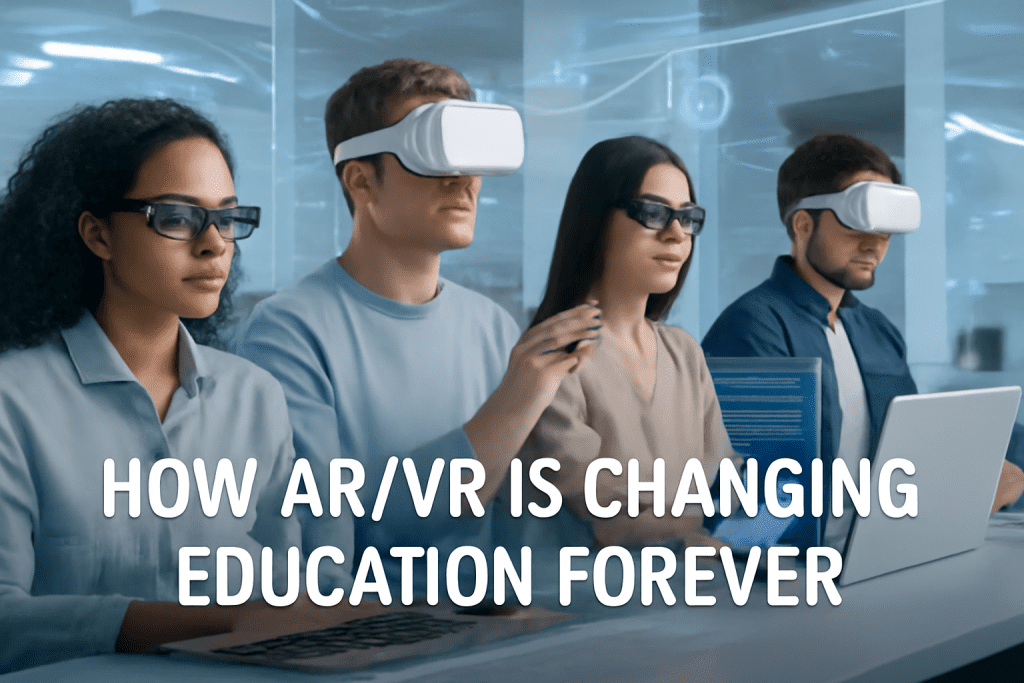
How AR/VR is Changing Education Forever

Introduction Augmented Reality (AR) and Virtual Reality (VR) are revolutionizing education, creating immersive, interactive environments that go far beyond traditional textbooks and lectures. From elementary schools introducing fun, 3D models in classrooms to universities using advanced VR simulations for medical training, AR/VR is making learning more engaging, effective, and accessible for all―forever transforming how students experience knowledge. What is AR and VR in Education?          .   Augmented Reality(AR): Integrates digital elements—like images, text, or 3D models—into the real world, viewed               through devices such as tablets, smartphones, or smart glasses. Virtual Reality (VR): Fully immerses users in a digital environment, typically via headsets, enabling “learning by doing,” simulation, and exploration far beyond the classroom’s physical walls. How AR/VR is Transforming Learning 1. Enhanced Engagement & Motivation Interactive AR/VR lessons make complex and abstract topics fun and tangible—students retain more information and develop a love for learning. Gamified elements and hands-on experiences break the monotony of rote learning. 2. Improved Understanding of Complex Concepts 3D models let students visualize everything from atoms to the solar system, and even human anatomy, enhancing their grasp of difficult subjects. Virtual field trips allow students to “visit” historical sites, disaster zones, or far-off planets—without leaving their school. 3. Safe, Experiential Learning VR simulations provide a risk-free way to practice real-world skills, such as surgery, engineering, or scientific experiments, improving practical skills with zero danger. 4. Personalized & Differentiated Learning Tailored AR/VR scenarios adapt to individual learning speeds and preferences, catering to diverse learning needs and styles. 5. Increased Collaboration and Social Skills Multi-user VR classrooms and AR projects encourage teamwork, communication, and collaborative problem-solving—even when students are remote. Real-World Examples Elementary Schools: AR sandboxes for geography; interactive 3D flashcards for biology; chemistry visualizations through AR cubes. Colleges/Universities: VR simulations for medical training; AR to study brain functions and psychological phenomena. Vocational Training: Virtual reality labs for mechanics, engineers, and healthcare professionals to practice skills before entering real workplaces. Distance/Online Learning: Students from around the world attend the same immersive VR classrooms, making quality education globally accessible. Benefits at a Glance Benefit AR Example VR Example Higher Student Engagement 3D interactive models in class Immersive field trips Improved Knowledge Retention AR flashcards, games Simulated hands-on lab work Accessibility Translation & instant guides Attend remote classrooms Collaboration & Social Learning Group AR projects Multi-user VR lessons Safe Practice for Risky Scenarios Step-by-step AR guides VR medical & engineering sims Personalized Learning Adaptive AR quizzes Branching VR scenarios How to Use AR/VR in Your Education Setting Start with available AR apps and tools—many offer free trials for classrooms (like Google Expeditions and ClassVR). Identify complex topics or skills in your curriculum where AR/VR can add value. Train teachers and students on using devices and software for maximum impact. Foster collaboration by creating group VR projects or AR-based treasure hunts/assignments. Regularly assess learning outcomes and adapt experiences for continued progress. Conclusion AR/VR is much more than a tech trend—it’s a paradigm shift in education. By merging virtual and real worlds, educators make learning vivid, memorable, and personalized for every student. As AR and VR tools become more accessible, their role in classrooms will only grow, ensuring that education everywhere is more engaging, relevant, and future-ready. FAQ Q1: What is the difference between AR and VR in education? A1: AR overlays digital information on the real world, enhancing what you see; VR immerses users in a completely virtual environment, allowing “hands-on” practice and exploration. Q2: Is AR/VR expensive for schools to implement? A2: Costs are dropping as technology evolves. Many AR apps work on smartphones/tablets. VR headsets are becoming more affordable, and many companies offer education discounts and ready-to-use lesson packages. Q3: How does AR/VR affect student learning outcomes? A3: Research shows AR/VR increases engagement, improves memory retention by nearly 9%, and supports diverse learners, especially those with special needs or remote access challenges. Q4: Can AR/VR be used for online or distance education? A4: Yes! VR classrooms enable students worldwide to learn together, while AR tools support remote, interactive, and collaborative activities. Q5: Will AR/VR replace teachers? A5: No. AR/VR is a tool to enhance teaching, not replace it. Human guidance, support, and expertise remain crucial for effective learning outcomes.

Scroll to Top