software engineering

Software development, Technology

Green Software Development: Building Sustainable Digital Solutions

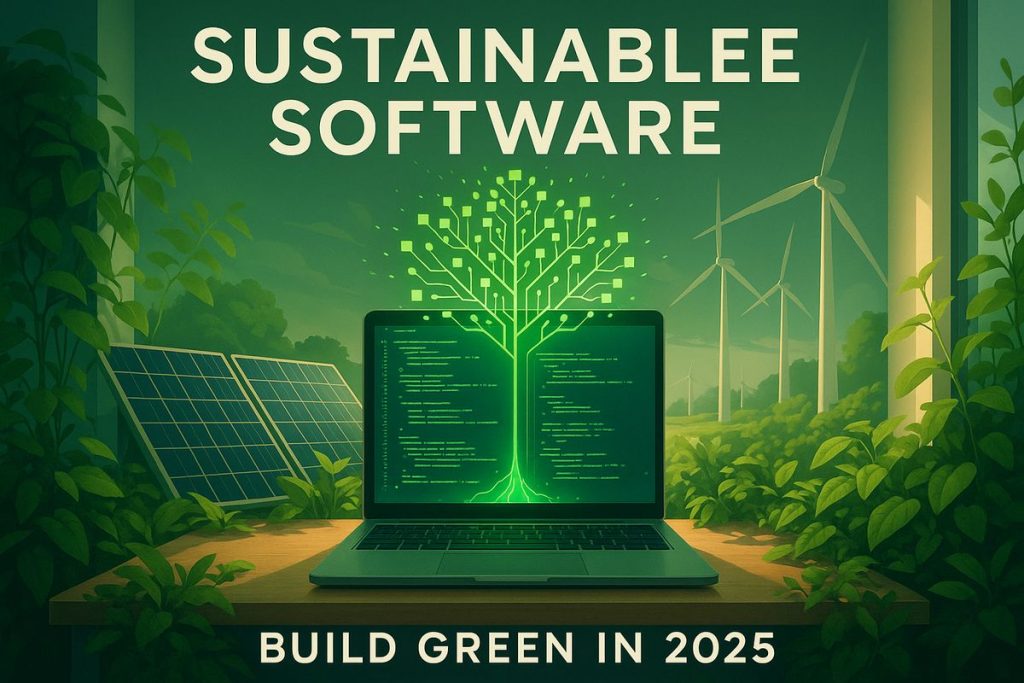
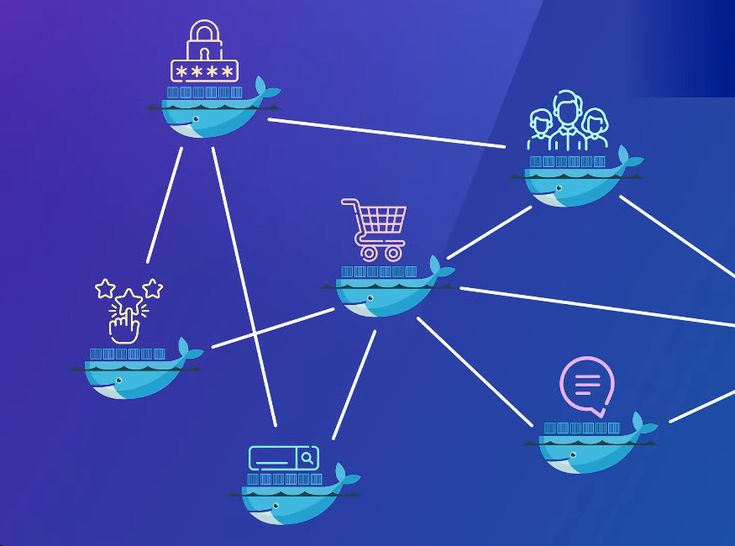
Green Software Development: Building Sustainable Digital Solutions As businesses continue to embrace digital transformation, the environmental impact of technology is becoming a growing concern. While discussions around sustainability often focus on electric vehicles, renewable energy, and eco-friendly manufacturing, software itself also plays a significant role in energy consumption. Every application, website, cloud service, and digital platform requires computing resources, which consume electricity and contribute to carbon emissions. This growing awareness has given rise to a new approach known as Green Software Development. The concept focuses on designing, building, and maintaining software in ways that minimize energy consumption and reduce environmental impact while still delivering excellent user experiences. As organizations worldwide strengthen their sustainability commitments, green software development is rapidly becoming an important part of modern digital strategies. The idea is simple yet powerful: software should not only be functional and scalable but also environmentally responsible. Developers, architects, and businesses are now exploring ways to create digital products that perform efficiently while consuming fewer resources. Green software development is transforming how organizations think about technology. Instead of measuring success solely through speed, functionality, and profitability, companies are increasingly considering the environmental footprint of their digital solutions as well. Understanding Green Software Development Green software development refers to the practice of creating software applications that use computing resources efficiently, reducing energy consumption and carbon emissions throughout their lifecycle. This includes everything from coding practices and software architecture to infrastructure selection and deployment strategies. Traditional software development often prioritizes functionality and performance without considering how much energy an application consumes. As applications become more complex and data-intensive, inefficient software can significantly increase power consumption in data centers, cloud environments, and user devices. Green software development aims to solve this challenge by integrating sustainability into every stage of software creation. The objective is not only to reduce environmental impact but also to improve operational efficiency and lower infrastructure costs. Modern organizations are realizing that sustainable software practices benefit both the planet and their bottom line. Reduced energy consumption often translates directly into lower operating expenses, making green development an attractive business strategy. Why Sustainability Matters in Software Development The technology industry has become one of the largest consumers of electricity worldwide. Massive data centers power cloud services, streaming platforms, artificial intelligence systems, and business applications used by billions of people every day. As digital adoption continues to increase, so does the energy required to support these services. Every search query, video stream, API request, and software transaction consumes computational resources. Many organizations have ambitious environmental goals that include reducing carbon emissions and improving energy efficiency. Since software directly influences how computing resources are utilized, developers now play a critical role in achieving sustainability objectives. Customers are also becoming more environmentally conscious. Businesses that demonstrate commitment to sustainable practices often strengthen their brand reputation and gain a competitive advantage in the marketplace. Governments and regulatory bodies across the globe are introducing sustainability initiatives that encourage organizations to reduce their environmental impact. Green software development helps businesses align with these evolving expectations. Core Principles of Green Software Development Green software development is guided by several key principles that focus on reducing resource consumption while maintaining functionality and performance. Energy Efficiency Applications should perform tasks using the least amount of energy possible. Efficient algorithms, optimized code, and streamlined processes help reduce computational requirements. Developers can improve energy efficiency by minimizing unnecessary calculations, reducing background processing, and optimizing database queries. Even small improvements can create significant energy savings when applications operate at scale. Carbon Awareness Carbon-aware software takes into account the environmental impact of computing activities. Some organizations schedule energy-intensive processes during periods when renewable energy sources are more available. By understanding the carbon intensity of different regions and cloud environments, businesses can make smarter decisions about where and when workloads are executed. Resource Optimization Efficient use of hardware resources is a fundamental component of sustainable software development. Applications that consume excessive CPU power, memory, storage, or network bandwidth contribute to higher energy usage. Resource optimization ensures that software utilizes available infrastructure effectively without unnecessary waste. Hardware Efficiency Extending the lifespan of devices and infrastructure contributes to sustainability. Software designed to run efficiently on existing hardware reduces the need for frequent upgrades and electronic waste. Applications that require fewer hardware resources can continue functioning effectively on older devices, supporting both environmental and economic goals. The Role of Cloud Computing in Green Software Development Cloud computing has become a major enabler of sustainable software practices. Leading cloud providers invest heavily in energy-efficient infrastructure, renewable energy projects, and advanced cooling technologies. Organizations can reduce their environmental footprint by leveraging cloud services that automatically scale resources based on demand. Instead of running underutilized servers continuously, businesses can allocate computing power only when needed. Cloud-native architectures further support sustainability by enabling efficient resource management through containers, serverless computing, and microservices. Serverless computing is particularly beneficial because resources are consumed only when applications are actively executing tasks. This minimizes idle energy consumption and improves overall efficiency. Businesses that carefully select cloud providers with strong sustainability commitments can significantly reduce the carbon impact of their digital operations. Writing Energy-Efficient Code The quality of software code directly affects energy consumption. Poorly optimized applications often require more processing power and infrastructure resources than necessary. Developers can build energy-efficient software by following best practices such as: Reducing unnecessary computations Optimizing loops and algorithms Minimizing memory usage Improving database performance Reducing redundant API calls Compressing data transfers Eliminating unused code Efficient coding practices not only reduce energy consumption but also improve application responsiveness and scalability. For example, an optimized search algorithm can process data more quickly while consuming fewer computational resources. Across millions of user interactions, these improvements can generate substantial environmental benefits. Sustainable Software Architecture Software architecture plays a crucial role in determining an application’s environmental impact. Monolithic systems often require large amounts of infrastructure resources even when only a small portion of the application is being used. Modern architectural approaches provide more efficient alternatives. Microservices
Digital Transformation, Software development, Technology

Cloud Cost Optimization Strategies

Cloud Cost Optimization Strategies: The Ultimate Guide to Reclaiming Your Cloud Spend There is a running joke in the engineering world: the fastest way to burn through a million dollars isn’t a luxury yacht or a bad investment—it’s leaving an unmanaged AWS or Azure environment running over the weekend. In the early days of cloud migration, the narrative was simple: Move to the cloud, save money. But as organizations scale, reality sets in. Cloud bills grow organically, mysteriously, and rapidly. Suddenly, finance teams are asking why the monthly infrastructure bill looks like a phone number, and engineering leads are scrambling to figure out which microservice is draining the budget. The truth is, the cloud makes provisioning resources so effortless that it invites waste. Left unchecked, you wind up paying for oversized servers, forgotten storage volumes, and idle staging environments. Cloud cost optimization isn’t about ruthlessly cutting services until your application breaks; it’s about efficiency. It’s the art of matching your actual infrastructure needs with the most cost-effective cloud resources available. This comprehensive guide breaks down the definitive strategies to help you eliminate cloud waste, engineer predictable budgets, and optimize your architecture without sacrificing performance. 1. Where Does the Money Go? Mapping Cloud Waste To fix a massive cloud bill, you first need to know what you are actually paying for. Cloud waste typically hides in plain sight across a few common areas: +—————————————————————+ | THE 4 DEADLY CLOUD WASTES | +—————————————————————+ | 1. Zombie Resources ──► Idle, orphaned, or unattached disks | | 2. Over-Provisioning ──► Paying for 8 Cores, using only 5% | | 3. Misconfigured Tiers──► Storing backup logs on Premium SSD | | 4. Rogue Environments ──► Staging clusters running 24/7/365 | +—————————————————————+ Before changing a single line of infrastructure code, set up a strict tagging policy. Resource Tagging is your single source of truth. Every single virtual machine, database, and storage bucket should be tagged by: Environment (Production, Staging, Dev) Owner/Team (Frontend, Data Science, Billing) Cost Center (Project Alpha, Core Product) Without proper tags, your cloud bill is just a wall of numbers. With them, you can pinpoint exactly which team or project is driving up costs. 2. Strategy 1: Hunt Down Zombie Resources The easiest way to drop your cloud bill immediately is to stop paying for things you aren’t using. These are known as Zombie Resources. Unattached Block Storage (EBS Volumes / Managed Disks) When an engineer terminates a virtual machine (like an AWS EC2 instance), the cloud provider doesn’t always automatically delete the virtual hard drive (EBS volume) attached to it. Over months, your account accumulates hundreds of “available” but unattached storage volumes. They do absolutely nothing, yet you are billed for every gigabyte. The Strategy: Run automated scripts or use cloud native tools to scan for disks with an available status. Snapshot them for safety if necessary, and then ruthlessly delete them. Orphaned Load Balancers and Idle Elastic IPs Engineers spin up load balancers for testing and then delete the backend servers, leaving the load balancer active. Similarly, static public IP addresses are free while attached to a running server, but cloud providers charge an hourly penalty rate if they sit unattached to prevent IP hoarding. The Strategy: Set up automated alerts to flag any load balancer receiving zero traffic over a 7-day period. 3. Strategy 2: Right-Sizing (Stop Buying More Than You Need) Right-sizing is the process of matching instance sizes and types to your actual workload performance requirements. A common developer habit is to provision a massive server instance because “we might get a traffic spike” or “I want to ensure it runs fast.” If you check your cloud metrics dashboard, you’ll frequently find servers running at an average of 5% to 10% CPU utilization. You are essentially paying for 90% headroom that you never touch. Traditional Over-Provisioned Model: [ Server Capacity: 16 vCPU / 64GB RAM (Cost: $$$$) ] └── [ Actual Application Load: ■■ (Using 5%) ] <– Massive Waste! Optimized Right-Sized Model: [ Server Capacity: 4 vCPU / 16GB RAM (Cost: $) ] └── [ Actual Application Load: ■■■■■■■ (Using 50%) ] <– Highly Efficient! How to Right-Size Safely Analyze Historical Metrics: Look at CPU, memory, Network I/O, and disk performance over a 30-day window. Downsize Downward: If CPU usage never peaks above 20%, drop the instance down one tier (e.g., from an m5.2xlarge to an m5.xlarge). This instantly cuts the cost of that resource by 50%. Change Instance Families: Cloud providers regularly release new generations of hardware (e.g., moving from AWS m5 instances to m6g Graviton instances). Newer generations are almost always cheaper and offer better performance per watt. 4. Strategy 3: Implement Automated Scheduling for Non-Prod Environments Your production environment needs to be available 24 hours a day, 7 days a week, 365 days a year. But your development, testing, and staging environments absolutely do not. If your developers work from 9 AM to 6 PM, Monday through Friday, your non-production environments are sitting completely idle for roughly 70% of the week (including nights and weekends). Leaving them running is pure waste. [ Mon – Fri: 9 AM – 6 PM ] ──► Environments ACTIVE (Engineers Working) [ Nights & Weekends ] ──► Automated Script SHUTS DOWN Infrastructure (Instantly saves ~70% on non-prod compute!) Put the Cloud to Sleep Implement automated scheduling tools (like AWS Instance Scheduler or custom cron jobs via Lambda functions) to automatically stop EC2 instances, RDS databases, and container clusters at 7:00 PM every evening and turn them back on at 7:00 AM every morning. Even better, configure them to stay offline entirely on Saturdays and Sundays. 5. Strategy 4: Commit to Committed Use Discounts (RI vs. Savings Plans) If you know you have baseline infrastructure that will be running continuously for the next year or two, paying the standard “On-Demand” hourly rate is financial malpractice. Cloud providers offer massive discounts (up to 72%) if you commit to a consistent amount of usage over a 1-year or 3-year term. Reserved

Software development, Technology & Innovation

CI/CD Pipeline Best Practices

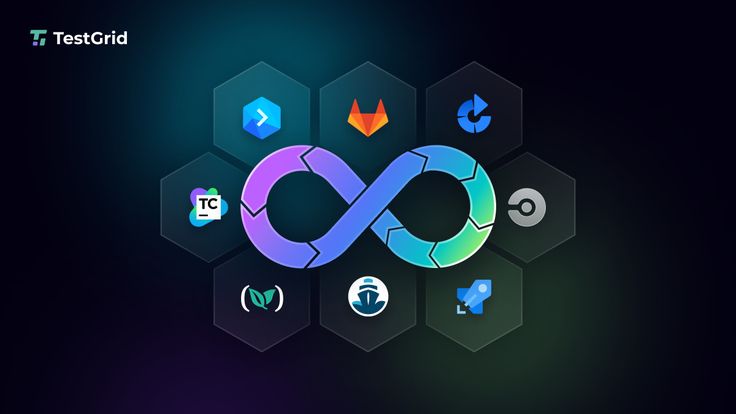
CI/CD Pipeline Best Practices: The Definitive Guide to Building Bulletproof Automation If you’ve ever hit the “deploy” button with your eyes closed, holding your breath and praying to the software gods that nothing breaks, you’re not alone. We’ve all been there. In the early days of development, moving code from a local machine to a live server was a high-stakes gamble. It involved chaotic manual file transfers, brittle scripts, and an overwhelming amount of guesswork. The introduction of Continuous Integration and Continuous Deployment (CI/CD) promised to fix all of that. It offered a world where every code change travels safely down a pristine, automated assembly line straight into production. But here’s the harsh reality: simply having a CI/CD pipeline isn’t enough. A poorly designed pipeline is worse than manual deployment. It acts as a force multiplier for bad habits, automatically pushing broken code, security vulnerabilities, and configuration errors to production at supersonic speeds. If your build times are stretching past 45 minutes, your automated tests are flaky, or your developers are constantly bypassing the system, your pipeline is a bottleneck, not an accelerator. To transform your delivery workflow into an enterprise-grade engine, you need to move past basic automation and embrace architectural excellence. This comprehensive guide breaks down the definitive CI/CD pipeline best practices to help your engineering team ship stable, secure code multiple times a day with absolute confidence. 1. The Blueprint of a World-Class CI/CD Pipeline Before diving into specific best practices, let’s map out what a mature, modern CI/CD architecture actually looks like. Think of your pipeline as a series of progressive quality gates. Code enters as raw, unverified text and emerges as a fully monitored, production-ready application container. [ DEVELOPER ] Pushes Code / Opens Pull Request │ ▼ ┌────────────────────────────────────────────────────────┐ │ 1. THE COMMIT GATE (Continuous Integration) │ │ • Code Linting & Static Analysis (SAST) │ │ • High-Speed Unit Testing │ │ • Dependency Vulnerability Scanning │ └───────────┬────────────────────────────────────────────┘ │ (Passes) ▼ ┌────────────────────────────────────────────────────────┐ │ 2. THE ARTIFACT GATE (Build & Package) │ │ • Deterministic Container Compilation (Docker) │ │ • Container Image Security Scanning │ │ • Push to Secure Immutable Image Registry │ └───────────┬────────────────────────────────────────────┘ │ (Passes) ▼ ┌────────────────────────────────────────────────────────┐ │ 3. THE VALIDATION GATE (Continuous Delivery) │ │ • Automated IaC Environment Provisioning │ │ • Integration & End-to-End User Testing │ │ • Performance & Load Profiling │ └───────────┬────────────────────────────────────────────┘ │ (Passes) ▼ ┌────────────────────────────────────────────────────────┐ │ 4. THE DEPLOYMENT GATE (Continuous Deployment) │ │ • Canary Release / Blue-Green Progression │ │ • Automated Drift Detection & Observability Rollback│ └────────────────────────────────────────────────────────┘ Every stage of this blueprint must be optimized for speed, clarity, and isolation. If a failure occurs at the Commit Gate, the pipeline should abort immediately, giving the developer instant feedback before expensive cloud infrastructure is spun up down the line. 2. Commit and Integration Practices (The CI Foundation) The foundational philosophy of Continuous Integration is simple: integrate early and integrate often. The longer code sits isolated on a developer’s branch, the more painful the eventual merger will be. Shift to Trunk-Based Development For years, long-lived feature branches and complex merging strategies (like traditional GitFlow) were the industry norm. However, these models inherently create massive integration bottlenecks. Developers work in isolation for weeks, resulting in epic code review sessions and devastating “merge conflicts” that derail entire release schedules. Modern high-performing teams utilize Trunk-Based Development. In this workflow: Developers commit their changes to a single, central branch (usually named main or trunk) frequently, often multiple times a day. Feature branches are short-lived, lasting no more than 24 to 48 hours. This constant integration ensures that the entire engineering team is always working on top of the latest single source of truth. If a code conflict occurs, it’s tiny and easily resolved in minutes, rather than days. Treat Build Failures as Production Outages A CI pipeline is completely useless if developers get into the habit of ignoring broken builds. If your pipeline notification channel is filled with red error marks that everyone ignores because “Oh, that test always fails on Fridays,” your automated safety net has collapsed. Adopt a strict team culture where fixing a broken build is the highest priority task. If a commit breaks the pipeline, all engineering focus shifts to either fixing the underlying issue immediately or reverting the breaking commit. A broken main branch stops the assembly line; keeping it pristine ensures that the path to production remains open for everyone at all times. Commit Once, Build Once A terrifyingly common anti-pattern is compiling code or rebuilding application binaries multiple times as they progress through different pipeline environments. For example, building a Docker image for staging, and then building an entirely separate Docker image from the same source code when moving to production. This completely invalidates your testing. How do you prove that a subtle dependency change or compiler variance didn’t slip into the production build that wasn’t present during staging validation? The rule is absolute: Build your binaries, packages, or container images exactly once early in the pipeline. Package that build as an immutable asset, tag it with a unique cryptographic identifier (like a Git commit SHA), and store it in an artifact repository. That exact identical asset must be promoted through staging, pre-production, and production without ever being recompiled. 3. Optimizing for Speed: The 10-Minute Rule Speed is the lifeblood of software delivery automation. If a developer has to wait an hour to see if their code change passed automated validation, they will switch context. They’ll grab coffee, check social media, or start writing entirely new features. By the time the pipeline notifies them of an error, they’ve lost their train of thought, and fixing the bug takes twice as long. The gold standard for engineering organizations is the 10-Minute Rule: Your commit pipeline (from pushing code to receiving an integration pass/fail notification) should take less than ten minutes. Here is how you engineer a lightning-fast pipeline: Parallelize Test Execution Don’t run your test suites sequentially on a single runner

App Development, DEVOPs, Software development

DevOps Automation Explained

DevOps Automation Explained: The Ultimate Guide to Accelerating Software Delivery In the fast-paced world of modern software development, speed, agility, and reliability are no longer optional—they are critical to survival. If your team is still manually deploying code, configuring servers by hand, or running test scripts line by line, you are falling behind. Enter DevOps Automation. It’s the engine that powers high-performing engineering teams, transforming chaotic, siloed workflows into streamlined, automated delivery pipelines. But automation isn’t just about replacing human effort with scripts; it’s about shifting culture, breaking down traditional silos between developers and operations, and building a resilient ecosystem where software can be built, tested, and shipped at scale with minimal friction. Whether you are an engineering lead looking to scale your infrastructure, a developer tired of dealing with “it works on my machine” bugs, or a business leader aiming to outpace the competition, this comprehensive guide will break down everything you need to know about DevOps automation. 1. What is DevOps Automation? (Beyond the Buzzwords) To truly understand DevOps automation, we first need to strip away the marketing jargon. At its core, DevOps is a cultural and technical philosophy aimed at unifying software development (Dev) and IT operations (Ops). Historically, these two teams operated in complete isolation: Developers were incentivized to move fast, ship new features, and push boundaries. Operations teams were incentivized to maintain system stability, minimize downtime, and resist risky changes. This inherent tension created a massive bottleneck. Code would sit waiting for manual security reviews, server setups took weeks, and deployments were high-stress, late-night events prone to human error. +———————————–+ | Traditional Siloed Model | | [Dev Team] ——> [Ops Team] | | (Move Fast) Wall (Maintain) | | of Chaos | +———————————–+ VS +———————————–+ | DevOps Loop Model | | (Plan -> Build -> Test -> | | Deploy -> Monitor -> Feedback) | | Continuous & Automated | +———————————–+ DevOps automation is the practice of injecting technology across this entire lifecycle to automate repetitive, manual tasks. It bridges the gap between these teams, allowing software to flow from a developer’s laptop to production seamlessly, safely, and predictably. Why Automation is the Heart of DevOps Without automation, DevOps is just a nice idea. You can tell your teams to collaborate more, but if their tools and processes don’t support that collaboration, they will default to old habits. Automation provides the shared framework—the “single source of truth”—that allows both development and operations to achieve their goals simultaneously: speed and stability. 2. The Core Pillars of a DevOps Automation Framework A mature DevOps automation strategy isn’t built overnight. It spans across several distinct but interconnected phases, often referred to as the continuous delivery pipeline. Let’s break down these essential pillars. Continuous Integration (CI) Continuous Integration is the practice of automating the integration of code changes from multiple contributors into a single software project. Instead of developers working in isolation on massive feature branches for weeks, they merge their code back into a central repository (like GitHub or GitLab) frequently—often multiple times a day. Every time code is pushed, an automated CI server takes over. It automatically triggers: Code Compilation: Building the application to ensure there are no syntax or structural compilation errors. Automated Testing: Running unit tests and code linters to verify that the new changes don’t break existing functionality or violate code quality standards. By catching bugs early in the development cycle, CI prevents the dreaded “integration hell” that happens when teams try to merge massive amounts of conflicting code right before a major release. Continuous Delivery (CD) & Continuous Deployment While CI handles getting code into a stable, buildable state, Continuous Delivery and Continuous Deployment (often collectively called CD) handle getting that code into production. Continuous Delivery: In a CD workflow, every successful code change that passes the CI pipeline is automatically built and packaged. It is then automatically deployed to a staging or testing environment. However, the final push to the live production environment requires a manual human trigger (e.g., clicking a “Deploy” button). Continuous Deployment: This takes automation a step further. There is no manual intervention. If a code change passes every single automated test in the pipeline, it is automatically deployed directly to production. [ Code Change ] │ ▼ ┌────────────────────────┐ │ Continuous Integration │ -> Code Merged, Built, & Unit Tested └──────────┬─────────────┘ │ (Passes) ▼ ┌────────────────────────┐ │ Continuous Delivery │ -> Staging Deployment & Advanced Testing └──────────┬─────────────┘ │ ├─► (Manual Approval) ──► [ Production ] (Continuous Delivery) │ └─► (Automated Push) ──► [ Production ] (Continuous Deployment) Infrastructure as Code (IaC) Traditionally, provisioning servers, configuring networks, and setting up databases required operations teams to manually click through cloud consoles or run terminal commands on individual machines. This approach is slow, unscalable, and heavily prone to configuration drift (where environments that are supposed to be identical slowly become different over time). Infrastructure as Code solves this by treating your infrastructure exactly like software code. You define your servers, storage, networks, and configurations in descriptive configuration files (using formats like YAML or JSON). These files are stored in version control alongside your application code. When you need to spin up a new environment, an IaC tool reads the configuration and provisions the exact infrastructure automatically. This guarantees that your development, staging, and production environments are identical replicas, eliminating environment-specific bugs entirely. Continuous Monitoring and Logging Automation doesn’t stop once code is live in production. In fact, that’s where some of the most critical automation begins. Automated monitoring and logging tools constantly track the health, performance, and security of your applications and infrastructure in real-time. Instead of waiting for users to tweet about a crash or submit a support ticket, automated monitoring systems use predictive alerts to notify engineering teams the moment performance begins to degrade—such as spikes in CPU usage, memory leaks, or an unusual rise in 500 error codes. Advanced monitoring systems can even trigger automated remediation scripts, like spinning up additional cloud servers to handle unexpected traffic spikes or

Future trends shaping the software development industry
Software development

Future Trends in Software Development: What to Expect in the Coming Years

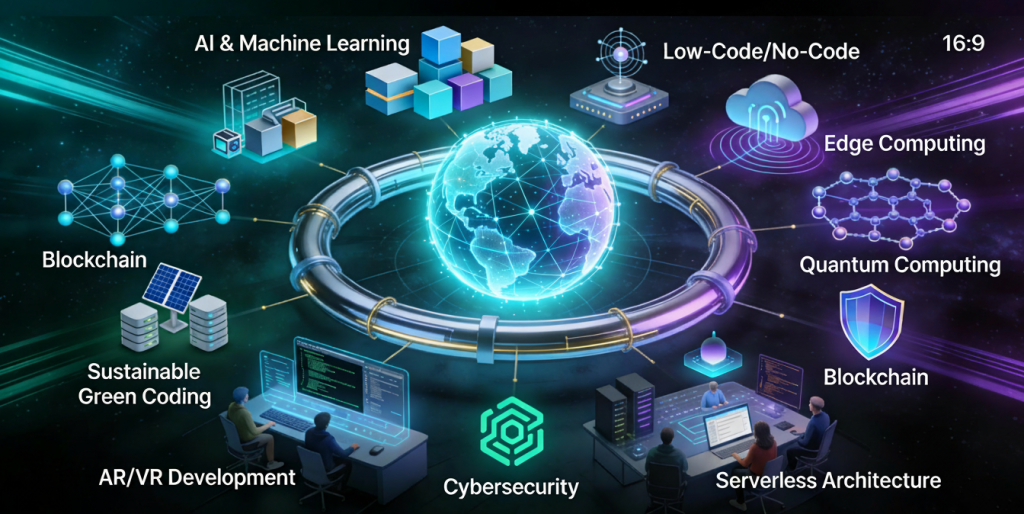
Introduction Software development is evolving at an unprecedented pace. Rapid advancements in artificial intelligence, cloud computing, automation, and development tools are reshaping how applications are built, deployed, and maintained. Organizations that fail to adapt risk falling behind in an increasingly competitive digital world. Understanding future trends in software development helps developers, businesses, and technology leaders prepare for upcoming challenges and opportunities. In this blog, we explore key trends that will define the future of software development and how they will impact the industry. Artificial Intelligence in Software Development AI is transforming every stage of the software development lifecycle. Key Applications AI-powered code generation Intelligent debugging Automated testing AI tools improve productivity and reduce human error. Low-Code and No-Code Development Low-code and no-code platforms enable faster application development with minimal coding. Benefits Faster time to market Reduced development costs Empowered non-technical users These platforms are ideal for rapid prototyping and internal tools. Cloud-Native Development Cloud-native applications are designed specifically for cloud environments. Key Technologies Containers Microservices Serverless computing Cloud-native development improves scalability and resilience. DevOps and Automation Automation continues to play a vital role in software development. Trends AI-driven CI/CD pipelines Automated infrastructure Continuous monitoring Automation enhances efficiency and reliability. Cybersecurity-First Development Security is becoming a core development priority. Emerging Practices Zero trust architecture DevSecOps Continuous security testing Security-first development protects applications from evolving threats. Microservices Architecture Microservices allow applications to be built as independent, scalable services. Advantages Better scalability Faster updates Improved fault isolation Microservices support modern, distributed systems. Edge Computing Edge computing processes data closer to the source. Use Cases IoT devices Real-time analytics Autonomous systems Edge computing reduces latency and improves performance. Remote and Distributed Development Teams Remote work is becoming the norm in software development. Benefits Access to global talent Improved flexibility Reduced operational costs Collaboration tools enable seamless teamwork. Sustainable Software Development Green software engineering focuses on energy-efficient applications. Key Goals Reduced carbon footprint Efficient resource usage Sustainability is becoming a strategic priority. Continuous Learning and Skill Evolution Developers must continuously update their skills to remain competitive. In-Demand Skills Cloud platforms AI and ML Cybersecurity Lifelong learning is essential in modern software development. Conclusion The future of software development is shaped by innovation, automation, and continuous improvement. AI, cloud-native technologies, security-first practices, and sustainability will define the next generation of applications. By embracing these trends, organizations and developers can stay competitive and build software that meets future demands. Frequently Asked Questions (FAQs) 1. What is the biggest trend in software development? AI and automation are the most impactful trends. 2. Will low-code platforms replace developers? No, they will complement developers by improving productivity. 3. Is cloud-native development the future? Yes, cloud-native approaches are becoming the industry standard. 4. How important is cybersecurity in future development? Cybersecurity is critical and must be integrated from the start. 5. Will DevOps continue to grow? Yes, DevOps will remain essential for modern software delivery. 6. How can developers prepare for the future? By continuously learning new technologies and adapting to change. Connect With Us:https://www.facebook.com/profile.php?id=61555452386126

Popular programming languages used in software development
Software development

Top Programming Languages Used in Software Development in 2025

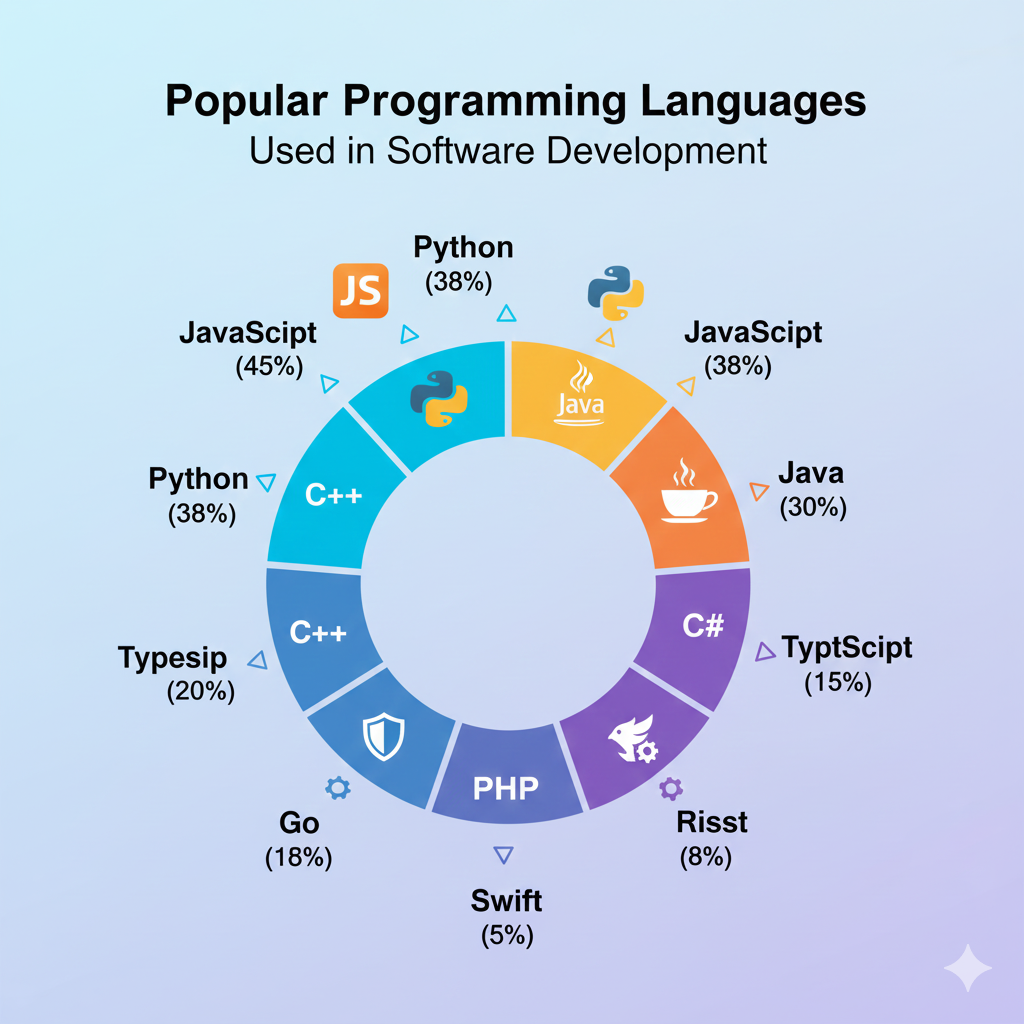
Introduction Programming languages form the backbone of software development. Every application, website, or system relies on one or more programming languages to function. Choosing the right programming language can significantly impact performance, scalability, security, and development speed. With rapid advancements in technology, programming languages continue to evolve to meet modern software development demands. In 2025, developers must consider factors such as cross-platform compatibility, cloud support, performance, and community adoption when selecting a language. In this blog, we explore the top programming languages used in software development, their strengths, use cases, and how to choose the best language for your project or career. Why Programming Languages Matter in Software Development Programming languages define how developers communicate with machines. Each language has unique syntax, paradigms, and capabilities that make it suitable for specific tasks. Key benefits of choosing the right language include: Faster development cycles Better maintainability Improved performance Enhanced security 1. Python Overview Python is one of the most popular programming languages due to its simplicity and versatility. Key Features Easy-to-read syntax Extensive libraries and frameworks Strong community support Use Cases Web development Data science Machine learning Automation Python is ideal for beginners and professionals alike. 2. JavaScript Overview JavaScript is the core language of web development and plays a vital role in both frontend and backend development. Key Features Event-driven programming Cross-platform support Rich ecosystem Use Cases Web applications Mobile app development Server-side development JavaScript enables full stack development using a single language. 3. Java Overview Java remains a dominant language in enterprise software development. Key Features Platform independence Strong security Scalability Use Cases Enterprise applications Android development Backend systems Java is widely used in large-scale systems. 4. C++ Overview C++ is known for high performance and system-level programming. Key Features Low-level memory control High efficiency Object-oriented support Use Cases Game development Operating systems Embedded systems C++ is ideal for performance-critical applications. 5. C# Overview C# is a modern language developed by Microsoft, commonly used with the .NET framework. Key Features Strong typing Rich libraries Cross-platform with .NET Core Use Cases Desktop applications Web APIs Game development 6. Go (Golang) Overview Go is designed for simplicity and scalability. Key Features Fast compilation Built-in concurrency Cloud-native support Use Cases Microservices Cloud applications Networking tools How to Choose the Right Programming Language Consider these factors: Project requirements Performance needs Community and ecosystem Learning curve Programming Languages and Career Growth Learning in-demand programming languages increases job opportunities and earning potential. Conclusion Programming languages are essential to software development. Each language serves different purposes, and choosing the right one ensures successful project outcomes. Staying updated with modern languages prepares developers for future challenges. Frequently Asked Questions (FAQs) 1. Which programming language is best for beginners? Python and JavaScript are beginner-friendly. 2. Can one programming language do everything? No, different languages excel at different tasks. 3. Is Java still relevant in 2025? Yes, Java remains widely used in enterprise systems. 4. Which language is best for web development? JavaScript is essential for web development. 5. Should I learn multiple languages? Yes, learning multiple languages enhances versatility. 6. How often should developers update their skills? Continuously, as technology evolves rapidly. Connect with us: https://www.facebook.com/profile.php?id=61555452386126

Agile vs Waterfall vs DevOps software development methodologies
Software development

Agile vs Waterfall vs DevOps: Choosing the Right Software Development Methodology

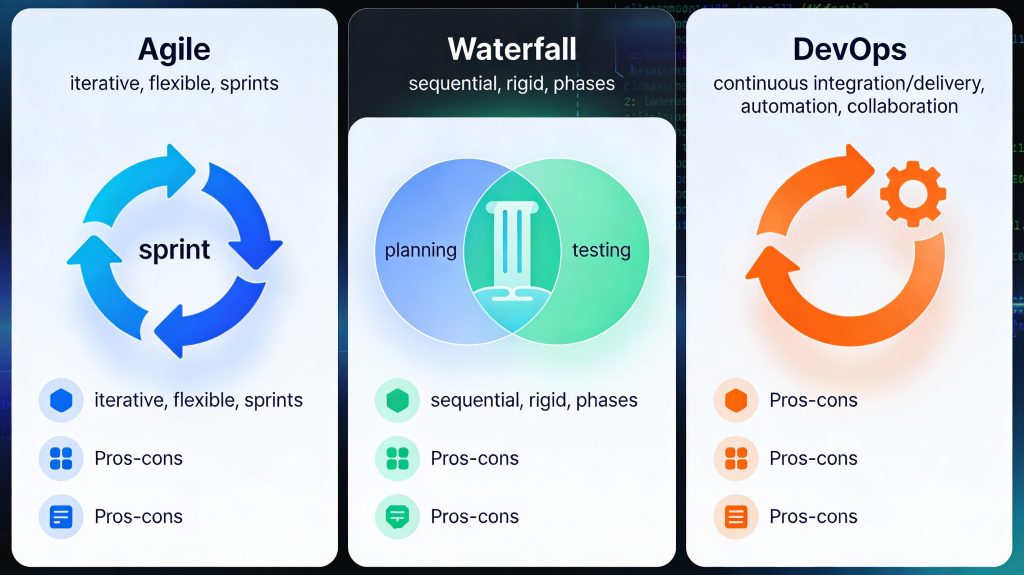
Introduction Choosing the right software development methodology is one of the most important decisions for any development project. The methodology you select determines how your team plans, builds, tests, and delivers software. Among the many approaches available today, Agile, Waterfall, and DevOps are the most widely used and debated. Each methodology has its strengths, weaknesses, and ideal use cases. While some teams prefer the structure of Waterfall, others thrive on the flexibility of Agile or the speed of DevOps. Understanding these models helps organizations align their development strategy with business goals. In this blog, we will compare Agile vs Waterfall vs DevOps, explore how each model works, and help you choose the right approach for your software development needs. What Are Software Development Methodologies? Software development methodologies are structured frameworks that define how software projects are planned, executed, and delivered. They provide guidelines for collaboration, workflow, documentation, and quality assurance. The right methodology improves efficiency, reduces risk, and ensures consistent delivery of high-quality software. Waterfall Methodology Overview The Waterfall model is one of the earliest software development methodologies. It follows a linear and sequential approach, where each phase must be completed before moving to the next. Phases of Waterfall Requirement analysis System design Development Testing Deployment Maintenance Advantages of Waterfall Clear structure and documentation Easy to manage and understand Ideal for projects with fixed requirements Disadvantages of Waterfall Limited flexibility Changes are costly Late testing increases risk Best Use Cases Government projects Regulatory-compliant systems Projects with well-defined requirements Agile Software Development Overview Agile is an iterative and incremental approach focused on flexibility, collaboration, and customer feedback. Instead of delivering the entire product at once, Agile teams work in short cycles called iterations or sprints. Key Principles of Agile Customer collaboration over contracts Responding to change over following a plan Continuous delivery of working software Popular Agile Frameworks Scrum Kanban Extreme Programming (XP) Advantages of Agile Faster delivery High adaptability to change Continuous user feedback Improved team collaboration Disadvantages of Agile Less predictability Requires experienced teams Documentation may be limited Best Use Cases Startups Mobile and web applications Projects with evolving requirements DevOps Methodology Overview DevOps is a cultural and technical approach that combines development and operations to improve collaboration, automation, and deployment speed. It focuses on continuous integration, continuous delivery, and continuous monitoring. Key DevOps Practices CI/CD pipelines Infrastructure as code Automated testing Continuous monitoring Advantages of DevOps Faster release cycles Improved software quality Better system reliability Reduced deployment failures Disadvantages of DevOps Requires cultural change Initial setup complexity Tooling and automation costs Best Use Cases Large-scale systems Cloud-native applications High-availability platforms Agile vs Waterfall vs DevOps: Key Differences Feature Waterfall Agile DevOps Flexibility Low High Very High Delivery One-time Incremental Continuous Customer Feedback Late Continuous Continuous Automation Minimal Moderate Extensive Speed Slow Fast Very Fast How to Choose the Right Methodology Consider the following factors: 1. Project Requirements Stable requirements favor Waterfall, while changing requirements favor Agile or DevOps. 2. Team Experience Agile and DevOps require skilled, self-managed teams. 3. Time-to-Market DevOps and Agile enable faster releases. 4. Compliance and Documentation Waterfall suits heavily regulated industries. Modern Hybrid Approaches Many organizations adopt hybrid models, such as Agile-DevOps or Waterfall-Agile hybrids, to balance structure and flexibility. These approaches leverage the strengths of multiple methodologies. Conclusion There is no one-size-fits-all software development methodology. Waterfall offers structure, Agile provides flexibility, and DevOps delivers speed and automation. The right choice depends on your project goals, team capabilities, and business needs. By understanding Agile, Waterfall, and DevOps, organizations can build software that is reliable, scalable, and aligned with modern development demands. Frequently Asked Questions (FAQs) 1. Which software development methodology is best? The best methodology depends on project requirements, team experience, and delivery timelines. 2. Is Agile better than Waterfall? Agile is better for flexible projects, while Waterfall works well for fixed-scope projects. 3. Can Agile and DevOps be used together? Yes, Agile and DevOps complement each other and are commonly used together. 4. Is DevOps only for large companies? No, DevOps can benefit organizations of all sizes. 5. Does Waterfall still exist today? Yes, Waterfall is still used in regulated and documentation-heavy industries. 6. Can one project use multiple methodologies? Yes, hybrid approaches are common in modern software development. Connect With Us: https://www.facebook.com/profile.php?id=61555452386126

Software development lifecycle phases from planning to maintenance
Uncategorized

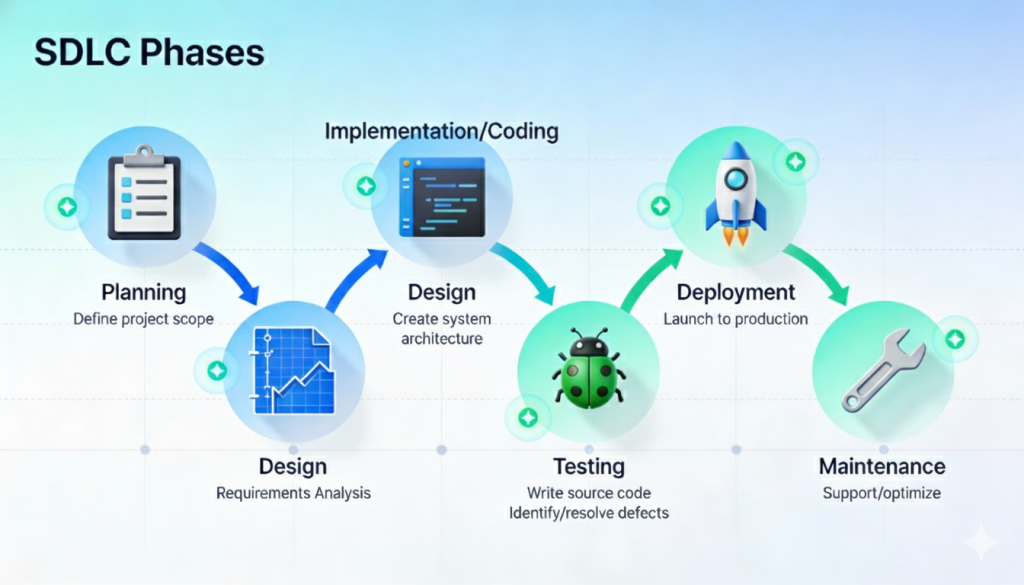
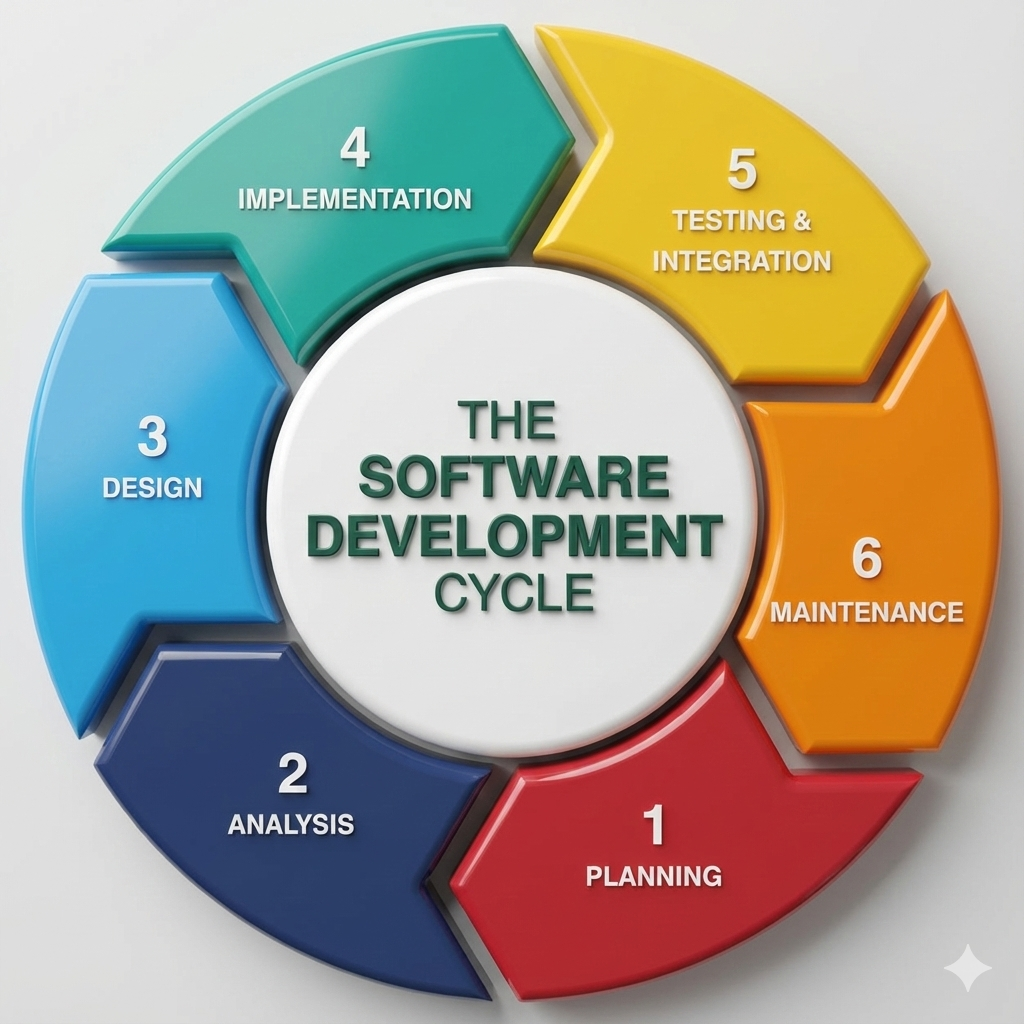
Software Development Lifecycle (SDLC): A Step-by-Step Guide to Building Reliable Software

Introduction Building high-quality software requires more than just writing code. Successful applications are the result of a structured and disciplined approach that ensures efficiency, reliability, and scalability. This structured approach is known as the Software Development Lifecycle (SDLC). The SDLC defines a series of phases that guide software teams from the initial idea to final deployment and ongoing maintenance. By following a well-defined lifecycle, organizations can reduce risks, control costs, improve quality, and deliver software that meets user expectations. In this blog, we will explore the software development lifecycle in detail, understand each phase, examine popular SDLC models, and learn why SDLC is essential for modern software development. What Is the Software Development Lifecycle (SDLC)? The Software Development Lifecycle is a systematic process used to develop software applications. It outlines the steps required to design, build, test, deploy, and maintain software efficiently. The main goals of SDLC are to: Deliver high-quality software Meet customer requirements Reduce project risks Ensure predictable timelines and budgets SDLC provides a clear roadmap for developers, designers, testers, and stakeholders. Why Is SDLC Important? Following the SDLC helps organizations: Improve project planning and management Detect issues early in development Enhance communication among teams Deliver consistent and reliable software Without a structured lifecycle, projects are more likely to face delays, budget overruns, and quality issues. Phases of the Software Development Lifecycle The SDLC typically consists of six to seven key phases. 1. Requirement Analysis This is the foundation of the entire development process. Key Activities Gathering business requirements Understanding user needs Defining functional and non-functional requirements Documenting requirements Clear and accurate requirements prevent costly changes later in the project. 2. Planning In the planning phase, teams define how the project will be executed. Key Activities Estimating timelines and costs Allocating resources Defining milestones and deliverables Risk assessment Effective planning ensures smooth project execution. 3. System Design The design phase focuses on how the software will work. Types of Design High-Level Design (HLD): Overall architecture and system components Low-Level Design (LLD): Detailed logic, data structures, and workflows This phase translates requirements into a technical blueprint. 4. Development (Implementation) This is where actual coding takes place. Key Activities Writing source code Code reviews Integrating components Developers follow coding standards and best practices to ensure maintainability and performance. 5. Testing Testing ensures the software works as intended. Types of Testing Unit testing Integration testing System testing User acceptance testing (UAT) Testing identifies bugs, security vulnerabilities, and performance issues before release. 6. Deployment In this phase, the software is released to users. Deployment Methods Manual deployment Continuous integration and continuous deployment (CI/CD) Proper deployment strategies minimize downtime and risks. 7. Maintenance and Support After deployment, the software enters the maintenance phase. Key Activities Bug fixes Performance optimization Feature enhancements Security updates Maintenance ensures long-term software reliability. Popular SDLC Models Different projects use different SDLC models based on requirements. 1. Waterfall Model A linear and sequential approach suitable for projects with fixed requirements. 2. Agile Model An iterative approach that emphasizes flexibility, collaboration, and continuous delivery. 3. Scrum A popular Agile framework using short development cycles called sprints. 4. DevOps Model Combines development and operations to enable faster and more reliable releases. Choosing the Right SDLC Model The right SDLC model depends on: Project size and complexity Requirement stability Team structure Timeline and budget Choosing the correct model improves project outcomes. SDLC in Modern Software Development Modern development practices often blend SDLC with Agile and DevOps principles. Automation, cloud platforms, and continuous testing have transformed traditional lifecycle models into more flexible and efficient processes. Conclusion The Software Development Lifecycle is a critical framework that ensures software projects are delivered successfully. By understanding and following SDLC phases, organizations can build reliable, scalable, and secure applications. Whether you are developing a small application or a large enterprise system, SDLC provides the structure needed to achieve consistent results. Frequently Asked Questions (FAQs) 1. What is SDLC in software development? SDLC is a structured process that defines the stages involved in building, deploying, and maintaining software. 2. How many phases are in the SDLC? Typically, SDLC consists of six to seven phases, including requirements, design, development, testing, deployment, and maintenance. 3. Which SDLC model is best? There is no single best model. Agile is best for flexible projects, while Waterfall suits projects with fixed requirements. 4. Why is testing important in SDLC? Testing ensures software quality, reliability, and security before release. 5. Can SDLC be combined with Agile? Yes, modern development often integrates SDLC principles with Agile and DevOps practices. 6. Does SDLC apply to all software projects? Yes, SDLC can be adapted to projects of all sizes and complexities. Contact with us: https://www.facebook.com/profile.php?id=61555452386126

Software development lifecycle and modern application development
Software development

Software Development: A Complete Guide to Building Modern, Scalable Applications

Introduction In the digital era, software development is the backbone of innovation, automation, and business growth. From mobile applications and enterprise systems to cloud platforms and artificial intelligence, software powers nearly every aspect of modern life. Organizations rely on robust software solutions to improve efficiency, enhance customer experiences, and gain a competitive advantage. Software development is not just about writing code—it is a structured process that involves planning, designing, building, testing, deploying, and maintaining applications. As technology evolves, so do development methodologies, tools, and best practices. This comprehensive guide explains what software development is, how it works, its types, lifecycle, tools, and why it plays a critical role in modern digital transformation. What Is Software Development? Software development is the process of creating applications, systems, or programs that perform specific tasks for users or businesses. It includes everything from simple websites to complex enterprise systems and cloud-based platforms. The process involves: Understanding user requirements Designing software architecture Writing and reviewing code Testing for quality and performance Deploying applications Ongoing maintenance and updates Software development combines creativity, logic, and engineering principles to solve real-world problems. Types of Software Development Software development can be categorized into several types based on use cases and platforms. 1. Web Development Involves building websites and web applications using technologies like HTML, CSS, JavaScript, and backend frameworks. 2. Mobile App Development Focuses on creating applications for Android and iOS platforms using native or cross-platform technologies. 3. Desktop Software Development Includes applications designed for desktops, such as productivity tools and system software. 4. Enterprise Software Development Custom software solutions built for large organizations to manage operations, data, and workflows. 5. Embedded Software Development Software designed to run on hardware devices like IoT systems, automobiles, and medical equipment. Software Development Lifecycle (SDLC) The Software Development Lifecycle (SDLC) is a structured approach that ensures high-quality software delivery. 1. Requirement Analysis Understanding business goals, user needs, and system requirements. 2. Planning Defining scope, timeline, resources, and budget. 3. Design Creating system architecture, UI/UX designs, and data models. 4. Development Writing, reviewing, and integrating code. 5. Testing Identifying bugs, performance issues, and security vulnerabilities. 6. Deployment Releasing the software into production. 7. Maintenance Updating, fixing, and improving software over time. Popular Software Development Methodologies 1. Waterfall Model A linear and sequential approach, suitable for projects with well-defined requirements. 2. Agile Development An iterative approach that focuses on flexibility, collaboration, and continuous improvement. 3. Scrum A popular Agile framework that delivers software in short development cycles called sprints. 4. DevOps Combines development and operations to enable faster and more reliable software delivery. Tools Used in Software Development Modern software development relies on powerful tools and technologies: Programming Languages: Java, Python, JavaScript, C++, C# Version Control: Git, GitHub, GitLab IDEs: Visual Studio Code, IntelliJ IDEA Testing Tools: Selenium, JUnit, Jest CI/CD Tools: Jenkins, GitHub Actions Choosing the right tools improves productivity and code quality. Importance of Software Development in Business Software development enables businesses to: Automate processes Improve customer engagement Scale operations efficiently Analyze data for better decision-making Stay competitive in digital markets Custom software solutions often provide more flexibility and control than off-the-shelf products. Challenges in Software Development Common challenges include: Changing requirements Tight deadlines Security risks Scalability issues Technical debt Following best practices and using modern methodologies helps overcome these challenges. Future of Software Development The future of software development includes: Artificial Intelligence and Machine Learning Cloud-native applications Low-code and no-code platforms Cybersecurity-focused development Continuous learning and adaptation are essential for developers and businesses alike. Conclusion Software development is a dynamic and ever-evolving field that drives innovation across industries. By following structured processes, adopting modern tools, and applying best practices, organizations can build scalable, secure, and high-performing software solutions. Whether you’re a startup or an enterprise, investing in quality software development is essential for long-term success. Frequently Asked Questions (FAQs) 1. What is software development used for? Software development is used to create applications and systems that solve problems, automate tasks, and improve efficiency for users and businesses. 2. What skills are required for software development? Key skills include programming, problem-solving, system design, debugging, and understanding development methodologies. 3. What is the SDLC in software development? The Software Development Lifecycle is a structured process that guides software creation from planning to maintenance. 4. Is Agile better than Waterfall? Agile is better for projects with changing requirements, while Waterfall suits projects with fixed and well-defined goals. 5. How long does software development take? Development time depends on project complexity, features, and team size, ranging from weeks to months. 6. Is custom software development expensive? While initial costs may be higher, custom software often provides better long-term value and scalability. Connect With Us: https://www.facebook.com/profile.php?id=61555452386126

Team reviewing software architecture and discussing technical debt reduction strategies.
Uncategorized

Understanding Technical Debt: The Hidden Cost of Fast Software Development

Introduction In the fast-paced world of software development, speed often comes at a price. Teams race to meet deadlines, launch new features, or patch issues quickly. But behind every shortcut in code or skipped test lies something that can haunt projects later — technical debt. Like financial debt, technical debt builds interest over time, slowing down productivity, increasing bugs, and making future changes harder. Understanding and managing it early is key to maintaining healthy, scalable software. What is Technical Debt? Technical debt refers to the extra development work required when developers take shortcuts to deliver functionality faster instead of using a cleaner, more optimal solution. The term was coined by Ward Cunningham, one of the creators of Agile methodology. He compared quick-and-dirty code decisions to borrowing money — it might help you move faster now, but you’ll have to “repay” it later with added work. Example:A developer skips writing unit tests or reuses outdated code to meet a release deadline. The project ships on time, but future maintenance becomes harder — that’s technical debt in action. Types of Technical Debt Deliberate Debt (Strategic)When teams consciously make trade-offs for speed — for example, launching a minimum viable product (MVP) to meet a business opportunity. Unintentional DebtResults from poor coding practices, lack of experience, or unclear requirements. Bit Rot (Code Decay)Over time, as code evolves without refactoring, parts of the system become outdated or incompatible. Architectural DebtArises when system design or infrastructure doesn’t scale with business growth. Causes of Technical Debt Tight Deadlines: Developers cut corners to deliver faster. Lack of Documentation: Makes future maintenance difficult. Changing Requirements: Frequent updates without proper refactoring. Inexperienced Developers: Unaware of best practices or patterns. Insufficient Testing: Skipped tests create hidden problems. Outdated Technology: Using legacy tools or frameworks for too long. Impact of Technical Debt Area Effect of Technical Debt Development Speed Slower progress over time due to complex codebase Code Quality Increased bugs and vulnerabilities Maintenance Cost Higher cost to fix or extend existing systems Team Morale Frustration due to hard-to-maintain code Customer Satisfaction Delays and reduced product reliability How to Identify Technical Debt You can identify technical debt through: Frequent bugs or regressions Code smells (e.g., long methods, duplicate logic, poor naming) Slow feature delivery High code complexity (cyclomatic complexity) Low test coverage Complaints from developers about “fragile code” Strategies to Manage and Reduce Technical Debt 1. Acknowledge It The first step is recognizing technical debt exists. Track it like any other project issue. 2. Refactor Regularly Refactoring small sections frequently prevents major code rot. 3. Adopt Code Reviews Encourage peer reviews to maintain coding standards and detect issues early. 4. Automate Testing Continuous Integration (CI) and automated tests reduce human errors and prevent debt accumulation. 5. Prioritize High-Impact Areas Not all debt needs to be paid off immediately — focus on the code that affects performance or scalability most. 6. Document Decisions When you take intentional shortcuts, note them and plan when to fix them later. 7. Balance Speed and Quality Strive for a sustainable pace — fast delivery shouldn’t sacrifice future maintainability. Example: Real-World Scenario Imagine a startup racing to launch an e-commerce app before the holiday season. Developers skip writing tests and reuse old modules to meet the deadline. The app launches successfully — but after a few months, new updates cause major bugs. Fixing those issues takes weeks instead of days. The initial shortcut saved time but cost more later — that’s technical debt “interest” being paid. Tools to Measure Technical Debt SonarQube – Analyzes code quality and provides debt ratios. CodeClimate – Monitors maintainability and technical debt scores. Jira / Trello – Track technical debt tasks alongside feature development. GitHub Issues – Tag and prioritize code improvements. The Cost of Ignoring Technical Debt Ignoring technical debt is like ignoring credit card bills — the “interest” compounds. Teams spend more time fixing bugs than innovating. Eventually, rewriting the system from scratch may become inevitable. Conclusion Technical debt isn’t always bad — it can be a smart strategic choice when used consciously. The key is balance: move fast when needed, but always plan to clean up afterward. Managing technical debt effectively helps teams deliver high-quality, scalable, and future-proof software without sacrificing speed. 🔍 FAQs on Technical Debt 1. What is technical debt in simple terms? Answer:Technical debt is the extra work developers must do later because they took shortcuts during software development to deliver something faster. It’s like borrowing time now and paying it back later with more effort and cost. 2. Why is technical debt called “debt”? Answer:It’s called debt because, just like financial debt, it comes with “interest.” The longer you delay fixing poor code or outdated systems, the more time and effort you’ll need later to maintain or upgrade them. 3. Is all technical debt bad? Answer:No, not all technical debt is bad. Sometimes teams take intentional debt to release a product faster or test a new idea. The problem occurs when it’s ignored or unmanaged for too long, leading to slow performance and high maintenance costs. 4. What are common causes of technical debt? Answer:Common causes include: Tight deadlines and rushed development Lack of proper documentation Frequent changes in requirements Poor coding practices Skipping tests or refactoring Outdated frameworks or technology 5. How does technical debt affect software development? Answer:Technical debt slows down future development, increases bugs, and raises maintenance costs. Over time, developers spend more time fixing old issues than building new features, reducing innovation and productivity. 6. How can you identify technical debt in a project? Answer:You can identify technical debt by noticing: Slow feature delivery Frequent bugs or regressions Complex, messy code Low test coverage Complaints from developers about difficult-to-change systems Tools like SonarQube and CodeClimate can also help measure code quality and technical debt ratio. 7. How can teams manage or reduce technical debt? Answer: Refactor code regularly Adopt automated testing and CI/CD Conduct peer code reviews Document technical decisions Prioritize and schedule debt fixes in sprints Use static code analysis

Scroll to Top