Operational Efficiency

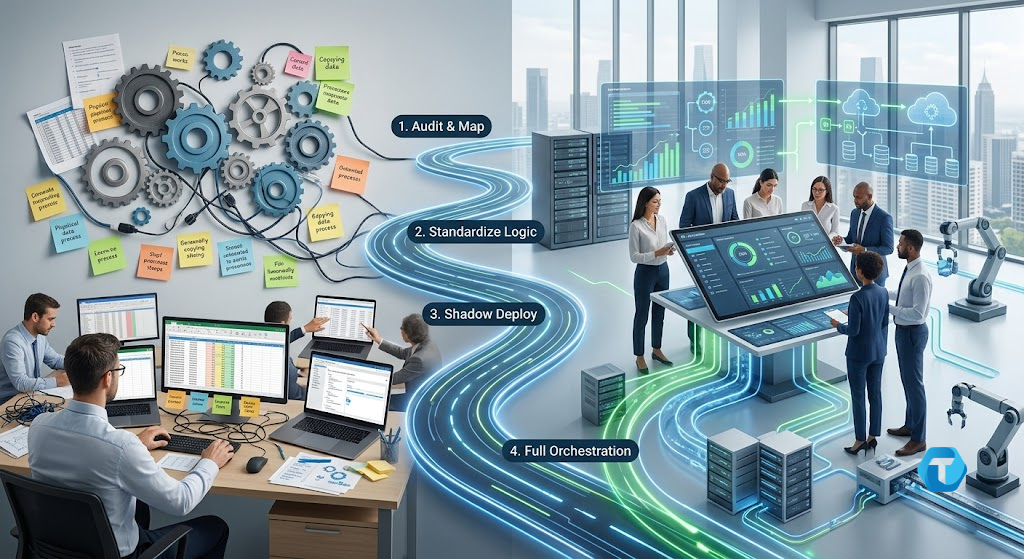
Enterprise Workflow Automation 4-Phase Roadmap Diagram
Business Intelligence, Digital Transformation

Beyond the Patchwork: A Phased Roadmap to Enterprise Workflow Automation

Beyond the Patchwork: A Phased Roadmap to Enterprise Workflow Automation Modern organizations often struggle with fragmented processes that drain valuable time and human energy. Implementing enterprise workflow automation allows businesses to replace manual tasks with streamlined, resilient software pipelines, ensuring operational velocity, accuracy, and enterprise scalability. Imagine hiring a world-class architect, handing them a hard hat, and then ordering them to spend eight hours a day carrying individual bricks back and forth across a muddy construction site. Sounds absurd, right? Yet, inside almost every modern enterprise, a remarkably similar tragedy unfolds every single day. Behind multi-million-dollar tech stacks lies an unspoken corporate secret: our highest-paid knowledge workers are routinely forced to act as expensive human APIs. Senior engineers, financial analysts, operations leads, and HR managers log in every morning not to innovate, but to act as digital couriers. They manually copy data from Spreadsheet A, reformat it for Database B, cross-reference it against PDF Invoice C, and broadcast a Slack alert to Manager D. We hire brilliant minds for their strategic judgment, yet we consume their bandwidth with low-cognitive, high-friction administrative glue. How many hours did your best talent spend playing “digital courier” this week? And more importantly, what is this invisible waste costing your business? The Trap of the “Duct-Tape” Quick Fix When leaders finally recognize this operational drain, the initial impulse usually triggers a secondary disaster: brittle, hasty automation. An eager manager writes a custom Python script, wires up an unmonitored webhook, or deploys a quick point-solution to bridge the gap. For a few months, everyone celebrates. But then the inevitable happens: The script’s author leaves the company. An upstream software vendor silently updates its API schema. An unexpected edge case slips through undetected. The result? The duct tape snaps. The automation breaks silently, leaving the organization with catastrophic data drift, missed financial reconciliations, or severe compliance failures. Automating enterprise operations is not an impulse software purchasing decision—it is an architectural discipline. To transition from fragile manual interventions to resilient, enterprise-grade operations, organizations must abandon ad-hoc patches in favor of a structured, phased modernization roadmap. Part 1: The Spectrum of Process Maturity Before building a bridge, an engineer must assess the terrain. Automating a process before it is understood or standardized does not eliminate operational friction—it merely accelerates chaos at machine speed. Where do your core operations sit on the maturity scale? Maturity Level Phase Name How Data & Logic Flow Human Role Level 0 Ad-Hoc Manual Fragmented across spreadsheets, emails, and notes. The human is the data conduit. Level 1 Standardized Documented rules and repeatable sequences. Human executes steps predictably. Level 2 Assisted Scripted macros or local triggers handle routine sub-tasks. Human manually triggers and verifies execution. Level 3 Orchestrated End-to-end API workflows with automated state management. Human acts as a system governor (HITL). Level 4 Adaptive Event-driven, telemetry-monitored, self-healing pipelines. Human focuses purely on strategy and continuous tuning. The Four Pillars of Sustainable Automation To build an automated system that survives real-world chaos, your architecture must rest on four fundamental pillars: Deterministic Boundaries: Identical inputs must yield identical, predictable outputs every single time, without silent variance. Auditability: Every transaction, data transformation, and state change must leave a persistent, timestamped audit trail. Graceful Degradation: When an upstream dependency fails, the workflow must safely freeze, isolate the infected record, and alert stakeholders—never corrupt downstream databases. Decoupled Architecture: Business logic must remain independent of specific software tools. Swapping out your CRM should never collapse your financial reconciliation backbone. Part 2: Enterprise Workflow Automation — A 4-Phase Roadmap Attempting a high-risk “big bang” overhaul of enterprise workflows is a recipe for operational failure. Mature organizations progress methodically through four distinct execution phases: ┌────────────────────────────────────────────────────────┐ │ Enterprise Modernization Roadmap │ ├────────────────────────────────────────────────────────┤ │ Phase 1: Friction Audit & Mapping ──> Uncover debt │ │ │ │ │ ▼ │ │ Phase 2: Process Standardization ──> Refine logic │ │ │ │ │ ▼ │ │ Phase 3: Low-Risk Shadow Deploy ──> Parallel runs │ │ │ │ │ ▼ │ │ Phase 4: Full Orchestration ──> Scale & monitor │ └────────────────────────────────────────────────────────┘ Part 3: Auditing Friction and Standardizing Logic Phase 1: The Friction Audit & Value Mapping Not every manual task deserves to be automated. High-variability tasks that occur twice a year are often best left to human judgment. To pinpoint high-impact targets, evaluate internal workflows across three criteria: [ Workflow Evaluation Matrix ] High Candidates ──> High Volume + Strict Rules + Structured Data (e.g., Daily Invoice Processing) Low Candidates ──> Low Volume + Subjective Logic + Unstructured Data (e.g., Quarterly Custom Contract Reviews) Before writing a single line of code, quantify the damage using the Total Process Friction Cost (TPFC) formula: TPFC = (Monthly Volume × AHT) × Hourly Rate + Error Overhead Where AHT is the Average Handling Time in hours, Hourly Rate is the blended hourly cost of staff, and Error Overhead accounts for the financial cost of manual remediation. Rule of Thumb: Prioritize processes where the calculated TPFC is high and the rule determinism is absolute. Phase 2: Process Standardization The Golden Rule of Automation: Never automate a process you haven’t first simplified on paper. Stripping a process down to its raw data mechanics requires mapping three vital elements: The Exact Trigger: What event initiates execution? (e.g., A webhook firing on a closed-won CRM deal, or a CSV file landing in an S3 bucket). Input-to-Output Schema: What fields are strictly mandatory? What happens when a field is missing? Edge-Case Isolation: Document every historic anomaly. If 5% of incoming invoices lack a tax ID, map explicit programmatic fallback rules before building the pipeline. Part 4: Shadow Execution and Full Orchestration Phase 3: Low-Risk Shadow Deployment What is the safest way to test a commercial aircraft’s new autopilot system? You don’t remove the pilots on day one. You run the autopilot in parallel, comparing its decisions against the human captain’s actions in real time. In process modernization, this is called Shadow Execution. Trigger Event ───► [ Human Operator ] ────►

Business, Business Analytics, Digital Transformation, Software development

5 Signs Your Business Needs a Custom Software Solution

5 Signs Your Business Needs a Custom Software Solution Every business starts out as a patchwork of temporary fixes. When you’re in the early stages of growth, adaptability is your superpower, and your digital toolkit reflects that. You manage client notes in a simple document, track your revenue on a basic spreadsheet, and coordinate your team through a chaotic group chat. As you grow, you naturally graduate to commercial, off-the-shelf software. You subscribe to a popular CRM, buy a project management tool, and adopt a standard invoicing app. For a while, this feels like an absolute triumph. But as your business continues to scale, a quiet transformation occurs. The software platforms that once felt like a sleek framework start feeling like a digital straightjacket. You find your team spending more time fighting the software—inventing strange workarounds and manually bridging data gaps—than actually moving the needle for your clients. How do you know when you’ve officially outgrown the mass market? When does staying with a commercial subscription stop saving you money and start actively choking your revenue? Let’s look at the 5 unmistakable signs that your business has crossed the line and desperately needs a proprietary, custom software solution. Sign 1: You’re Running an “Excel Archipelago” (Data is Fragmented) When you look at your team’s desktop monitors on a typical Tuesday afternoon, do you see five different browser tabs open just to complete a single customer order? Are your managers constantly exporting data from your sales platform into an Excel spreadsheet, cleaning it up manually, and then uploading it into your accounting software? This is what engineers call data fragmentation, but operationally, it feels like living on an archipelago of isolated digital islands. [Siloed Sales App] ──(Manual Export)──> [The Master Excel] ──(Manual Input)──> [Siloed Billing App] The Human Toll Your brilliant, high-salaried employees are effectively being used as human data-entry bridges. When information has to be manually copied and pasted across multiple independent systems, human error skyrockets. Orders get dropped, invoices go missing, and your leadership team loses access to a “single source of truth.” If you can’t see your real-time business metrics without a manual 3-hour data reconciliation, your software is actively failing you. Sign 2: You Are Forcing Your Unique Workflows into a Mass-Market Box Every business has a “secret sauce”—a specific operational blueprint, a unique customer onboarding checklist, or a proprietary inventory model that gives you an edge over your competitors. When you buy ready-made software, you are buying into their philosophy of how a business should operate. Off-the-shelf tools are built around generic industry best practices to satisfy millions of users simultaneously. The Human Toll If your software doesn’t natively support your unique process, you have two bad choices: bend your software through complex, fragile workarounds, or force your humans to change how they work to fit the app’s rigid fields. The moment you start changing your competitive, highly optimized real-world workflows to appease a software interface, you are giving away your market edge and homogenizing your brand. Sign 3: The “Subscription Tax” is Outgrowing a Developer’s Salary Commercial software models are incredibly attractive when your team is small. Paying $30 per user, per month for an operational platform feels like a minor expense. But as your company scales from a tight team of five to an enterprise of 50, 100, or 200 users, those per-seat licensing fees scale exponentially. ┌────────────────────────────────────────────────────────────────────────┐ │ THE SUBSCRIPTION SCALING TRAP │ ├────────────────────────────────────────────────────────────────────────┤ │ * 5 Users ➔ $150 / month ➔ $1,800 / year (Highly Affordable) │ │ * 50 Users ➔ $1,500 / month ➔ $18,000 / year (Noticeable Overhead) │ │ * 150 Users ➔ $4,500 / month ➔ $54,000 / year (Massive Annual Drain) │ └────────────────────────────────────────────────────────────────────────┘ The Human Toll You begin to notice an internal hesitation to hire new team members or give part-time contractors access to your systems simply because you don’t want to trigger a massive subscription tier upgrade. When your digital infrastructure costs punish you for growing your headcount, the financial model is broken. Over a multi-year horizon, your aggregate SaaS payments could easily fund a proprietary asset that you own outright. Sign 4: The Fragile “Frankenstein Tech Stack” Keeps Breaking To make your various ready-made software platforms talk to each other, you’ve likely built a network of third-party connectors, custom plugins, and automated API links. On paper, it looks like a fully automated system. In reality, it’s a fragile digital house of cards. The Human Toll Whenever one of your external vendors changes their API, updates their user interface, or experiences a server outage, your entire chain collapses. Your team enters panic mode, your operations halt, and you have to scramble to find a developer to patch the leak. Relying on an intricate, unmonitored mesh of third-party tools creates severe systemic instability that puts your daily customer experiences at risk. Sign 5: You’ve Hit a Concrete Operational Scaling Ceiling You have major ambitions for your business. You want to launch a new subscription tier, offer a revolutionary client portal, automate your fleet routes, or introduce dynamic, localized pricing matrices. But when you consult with your IT lead or review the settings of your off-the-shelf platforms, you encounter the exact same frustrating answer: “The system simply doesn’t support that feature.” The Human Toll Your growth strategy is suddenly being dictated by the feature roadmap of an external software vendor who doesn’t care about your business. If your technical setup prevents you from capitalizing on a hot market opportunity or optimizing your internal output, you have hit a technological glass ceiling. Custom software removes this barrier completely, acting as an elastic foundation that expands wherever your strategic vision takes you. Operational Comparison: Staying Put vs. Building Bespoke Before committing to a shift, let’s look at how navigating these signs impacts your operational metrics: Operational Dimension Continuing with Rigid Off-the-Shelf Tools Migrating to a Custom Software Solution Workflow Efficiency Low (Teams adapt their steps to match the software layout) Maximum (The software is custom-modeled to fit

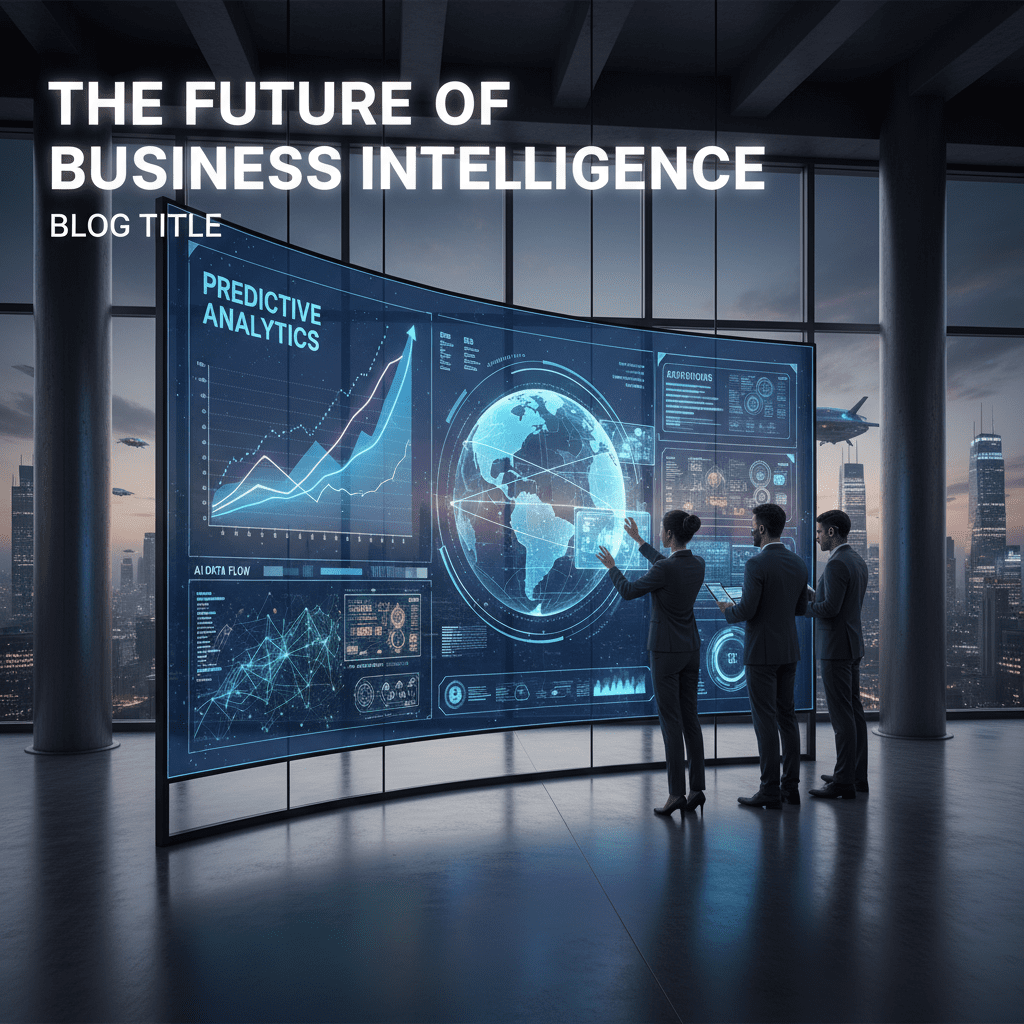
"Futuristic dashboard with predictive analytics graphs, AI data streams, and business professionals analyzing digital interfaces, representing software-driven business forecasting."
data science, Software development

Predictive Analytics Software Development

Introduction Predictive analytics software development is revolutionizing how organizations leverage their data to anticipate trends, reduce risk, and gain a competitive edge. By deploying machine learning, statistics, and advanced modeling, companies can turn historical and real-time data into actionable predictions—whether for sales forecasting, preventing fraud, or optimizing inventory. With mounting business complexity and data volumes, predictive analytics tools have become essential for organizations aiming to future-proof their strategies and drive smart decisions in an ever-changing market. What Is Predictive Analytics Software Development? Predictive analytics utilizes historical and live data, advanced algorithms, and machine learning to forecast future outcomes and recommend the best actions. Developing predictive analytics software typically involves identifying business needs, collecting and preparing data, building models, and integrating these models seamlessly into business applications for real-time insights. Modern predictive analytics systems can be custom-coded, built using data science tools, or integrated through user-friendly low-code platforms, making this technology accessible across industries. Key Features: Automated data ingestion and cleansing Model building, evaluation, and deployment Real-time prediction capabilities Integration with business processes and dashboards Ability to learn and adapt as new data arrives The Predictive Analytics Software Development Lifecycle Strategic Planning Define specific business problems such as churn prediction, fraud detection, or inventory optimization. Set measurable goals and align key stakeholders. Data Collection & Preparation Gather data from internal systems, external sources, and real-time feeds. Cleanse, transform, and annotate data to ensure quality input for models. Model Development Choose appropriate algorithms (e.g., regression, decision trees, neural networks). Train and validate models on historical data; iterate for accuracy and explainability. Integration & Deployment Embed predictive models into business systems like CRMs, ERPs, or supply chain tools for live predictions. Provide end-users, analysts, and leaders with intuitive dashboards or automated triggers. Monitoring, Maintenance, and Scaling Track accuracy; retrain models as conditions shift and new data is available. Continuously enhance with new features and data sources. Best Practices: Start small with a pilot project—optimize, then scale Prioritize data quality and governance early on Foster teamwork between IT, data science, and business units Focus on model transparency and compliance Embrace agile, iterative development for adaptability Business Benefits & Use Cases Improved Decision-Making: Predictive analytics drives proactive strategies by uncovering patterns and forecasting potential outcomes. Risk Reduction: Banks, insurers, and manufacturers leverage predictive models for fraud detection, credit scoring, risk assessment, and predictive maintenance. Enhanced Efficiency: Automated forecasting and resource allocation improve supply chain and operations management. Personalization: Retailers and marketers optimize targeting, recommendations, and retention using behavioral analytics. Healthcare: Early disease detection, readmission risk prediction, and personalized treatment planning lead to improved patient outcomes. Scalable Growth: Predictive software enables organizations to handle increasing data complexity and maintain a competitive edge. Conclusion Developing predictive analytics software equips organizations with the foresight to make smarter, data-driven decisions while automating processes and enhancing resiliency. By following best practices and leveraging modern development frameworks, businesses of all sizes can turn raw data into predictive power—unlocking new opportunities and sustainable growth. Call-to-Action: Explore predictive analytics software solutions tailored to your business needs—connect with expert developers today and turn your data into a strategic asset! FAQ What is predictive analytics software? It is a tool that uses historical and current data, along with algorithms and machine learning, to forecast future trends and inform smarter business decisions. How does predictive analytics benefit companies? It improves revenue prediction, reduces risk, enhances customer experience, streamlines operations, and delivers personalized recommendations. What are common use cases? Fraud detection, demand forecasting, maintenance planning, customer segmentation, and healthcare diagnosis are among the top applications. What is needed to build predictive analytics software? You need a well-defined problem, quality data, an experienced team, the right algorithms, and a plan for ongoing monitoring and refinement. How do you choose the right predictive model? Select based on the type of prediction needed—classification, regression, or time series—and evaluate with validation metrics before deployment

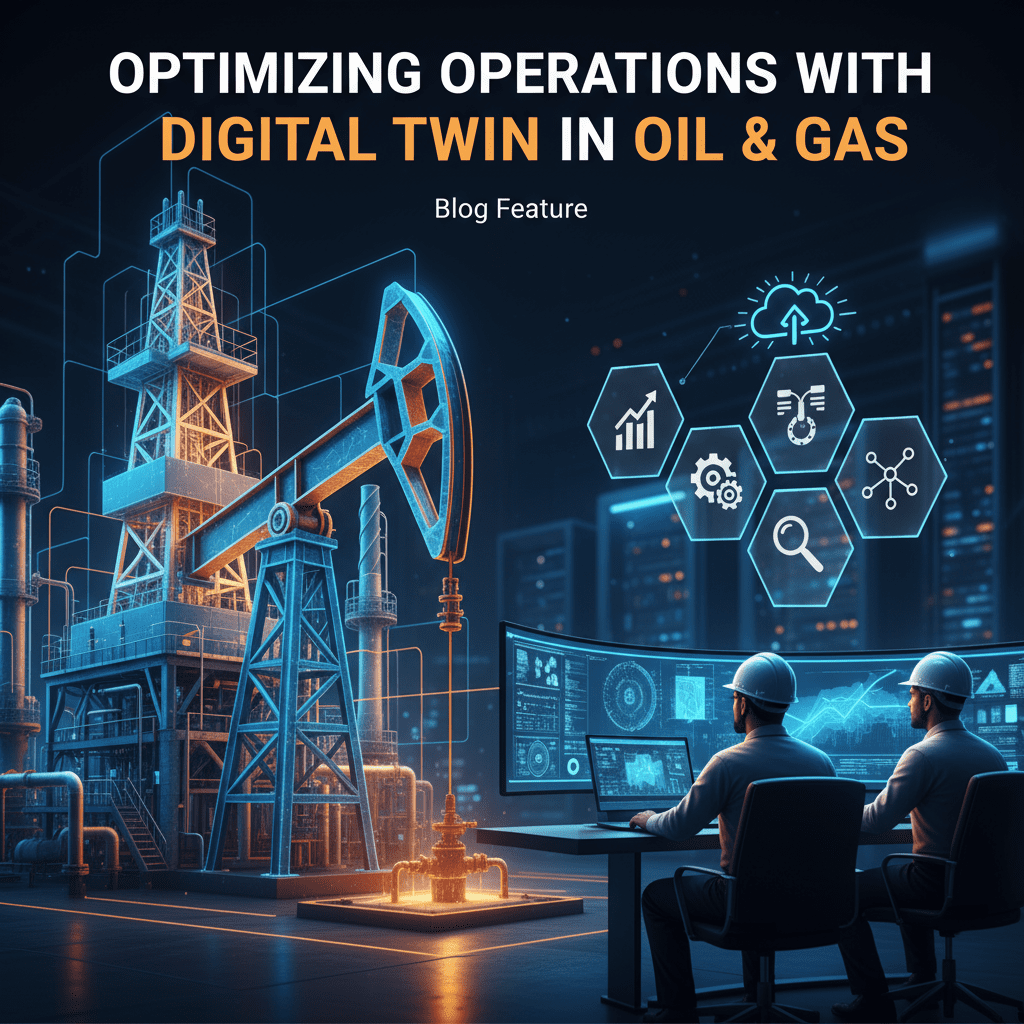
Optimizing Operations with Digital Twin in Oil and Gas
Digital Transformation

Optimizing Operations with Digital Twin in Oil and Gas

Introduction The oil and gas industry operates in a complex, high-risk environment where operational efficiency, safety, and cost management are critical. Digital twin technology—virtual replicas of physical assets or processes—is transforming how this sector monitors, manages, and optimizes its operations. By integrating real-time data with advanced simulations, digital twins enable companies to predict issues, enhance safety, and drive operational excellence. This blog explores practical use cases, benefits, common challenges, and solutions related to digital twins in oil and gas. What is a Digital Twin in Oil and Gas? A digital twin is a dynamic, virtual model mirroring the behavior of physical oil and gas assets like pipelines, refineries, or drilling rigs. Using IoT sensor data, AI, machine learning, and cloud computing, it provides continuous insights into performance, condition, and potential risks. Use Cases of Digital Twins in Oil and Gas 1. Predictive Maintenance Digital twins monitor equipment health to forecast failures before they happen, minimizing unplanned downtime and repair costs. 2. Asset Lifecycle Management Virtual replicas track assets from design and construction through operation to decommissioning, optimizing utilization and ROI. 3. Remote Monitoring and Control Operators can manage offshore platforms and remote sites through digital twins, making real-time data-driven decisions. 4. Process Optimization Simulations help refine production workflows, reduce energy consumption, and enhance output quality. 5. Workforce Training & Safety Simulations Virtual environments enable safe training for hazardous scenarios, improving preparedness and reducing accidents. Benefits of Digital Twin Technology Increased Operational Efficiency by providing real-time monitoring and data-driven insights. Enhanced Safety and Risk Management through virtual testing of scenarios and predictive alerts. Cost Reduction from optimized maintenance, less downtime, and efficient resource allocation. Sustainability Improvements by reducing emissions and aligning with environmental regulations. Improved Decision-Making leveraging AI and analytics integrated with digital twins. Challenges in Digital Twin Adoption Data Integration Complexity from heterogeneous sources and formats. High Initial Investment and Implementation Costs. Cybersecurity Risks associated with connected assets. Skills Gap in digital technologies and change management. Data Privacy and Ownership Concerns. Solutions and Best Practices Use cloud-based digital twins to reduce upfront costs and improve scalability. Integrate AI, IoT, and blockchain to enhance analytics, security, and data integrity. Invest in digital upskilling and training for workforce readiness. Develop comprehensive data governance policies to address privacy and compliance. Pilot projects with clear KPIs to demonstrate ROI and gradually scale adoption. Conclusion Digital twin technology offers transformative potential for the oil and gas industry by enabling smarter, safer, and more efficient operations. Despite challenges, the integration of digital twins with AI, IoT, and cloud computing will redefine future energy production and asset management. For tailored digital twin solutions and AI consulting in oil and gas, explore TechOTD AI Services and continue learning through the TechOTD Blog.

Business

Understanding Business Intelligence and Its Importance for Your Organization

Introduction In today’s fast-paced, data-driven business environment, Business Intelligence (BI) has become an indispensable asset for organizations seeking to transform raw data into actionable insights. Business Intelligence empowers companies to make informed decisions, optimize operations, and gain a competitive edge. This blog delves into why BI is crucial for your organization, exploring its benefits, applications, and impact on strategic growth. What Is Business Intelligence? Business Intelligence refers to the technologies, processes, and practices that collect and analyze data to provide meaningful insights. BI systems gather data from various sources, process it, and present it visually through dashboards, reports, and analytics tools, enabling leaders to understand performance, identify trends, and drive better decisions. Why Is Business Intelligence Important for Your Organization? 1. Enhanced Decision-Making with Data-Driven Insights BI replaces guesswork with factual data, enabling executives and teams to make timely, evidence-based decisions. This reduces risks and improves strategic and operational outcomes. 2. Improved Operational Efficiency By providing visibility into processes and detecting inefficiencies, BI helps organizations streamline workflows, reduce costs, and boost productivity across departments. 3. Better Customer Understanding and Targeting BI analyzes customer behavior, preferences, and trends to optimize marketing campaigns, personalize customer experiences, and increase retention. 4. Accurate Performance Monitoring and Benchmarking Organizations can track KPIs in real-time, measure progress against goals, and identify areas needing improvement, facilitating continuous performance optimization. 5. Competitive Advantage and Market Adaptability Timely insights into market trends and competitive positioning allow businesses to innovate rapidly, seize opportunities, and mitigate threats. 6. Scalability and Growth Enablement BI solutions support scalable data analysis, enabling organizations to grow without losing control over their business intelligence capabilities. 7. Streamlined Collaboration and Information Sharing Centralized data platforms enhance cross-functional communication, reduce data silos, and empower employees with role-based access to relevant insights. How Business Intelligence Supports Different Business Functions Sales and Marketing: Analyzing conversion rates, revenue trends, and marketing ROI. Finance: Budget tracking, cash flow analysis, and fraud detection. Human Resources: Employee productivity, payroll management, and satisfaction analysis. Supply Chain: Inventory optimization, vendor analytics, and logistics monitoring. Executive Leadership: Real-time performance dashboards for strategic oversight. The Role of Advanced Technologies in BI Artificial Intelligence and Machine Learning: Enhance predictive analytics and automate insights generation. Blockchain: Ensure data authenticity and secure audit trails. Cloud Computing: Facilitate scalable, real-time data access and collaboration. Discover AI-driven BI strategies and blockchain integration at TechOTD AI Services and TechOTD Blockchain Blog. Implementing an Effective Business Intelligence Strategy Assess Business Needs and Goals: Define clear objectives that BI should support. Collect and Integrate Data: Aggregate data from multiple sources ensuring quality. Choose BI Tools and Platforms: Select solutions aligned with organizational size and complexity. Develop Dashboards and Reports: Create actionable visualizations tailored for users. Train Teams and Foster a Data Culture: Empower employees to leverage BI in daily workflows. Monitor, Update and Evolve: Continuously refine BI processes based on feedback and changing needs. Conclusion Business Intelligence is not just a tool but a strategic asset that transforms how organizations operate, compete, and grow. Firms that invest in robust BI systems gain deeper insights, sharper responsiveness, and stronger decision-making capabilities—critical factors in today’s competitive markets.

Scroll to Top