
IT automation

IT automation dashboard India 2026 showing $315B revenue growth, AI robots, Delhi skyline, talent gap solution - why automation next big thing
Technology

Why Automation is the Next Big Thing in IT Industry

Introduction India’s IT exports cross $300B in FY26, fueling 8% GDP growth, yet 1.5M skilled talent gap threatens the $500B 2030 target. Rising developer salaries (₹25L avg in Delhi/Bengaluru), client SLAs demanding 40% faster delivery, and 12% YoY infra costs make IT automation non-negotiable. Manual ops cost ₹25L/employee/year in lost productivity. Automation—RPA, AI/ML orchestration, hyperautomation, DevOps pipelines—delivers 20-40% cost cuts, 66% productivity, 4x process speed. 2026 Stats: 90% enterprise apps AI-integrated 71% GenAI adoption (33%→71%), 50% major ROI 88% hybrid/multi-cloud needs orchestration Hyperautomation: 80% ROI in 12mo India’s IT industry surges to $315 billion revenues in FY26 (6.1% YoY growth), with exports at $246 billion and AI services $10-12 billion, per Nasscom. Yet 82% employers face talent shortage (global avg 72%)—AI skills top the list. Developer costs rise 12% YoY (avg ₹25L Delhi/Bengaluru), clients demand 40% faster delivery. IT automation—AI/ML-driven RPA, DevOps pipelines, hyperautomation orchestration—explodes from niche (10% adoption) to necessity (71% GenAI uptake). The Crunch Explained: 1.5M+ talent gap: Senior AI engineers, data scientists scarce; attrition 25% Ops inefficiency: Manual deployments take weeks vs hours; errors 5-8% Client SLAs: BFSI, manufacturing need 99.9% uptime, zero-downtime deploys Infra explosion: 88% hybrid cloud → orchestration chaos Proof Points: Hyperautomation ROI: 72% firms >200% returns in 18mo; 30-50% cost cuts BigBasket: RPA procurement → ₹30cr saved (6mo), 15 FTEs freed 90% apps AI-integrated by 2026 Delhi IT Reality: From Connaught Place startups to Gurgaon MNCs, manual ops bleed ₹25L/employee/year. Automation scales output 4x without headcount bloat, fueling Nasscom’s $500B 2030 vision. This 2200+ word guide details 10 reasons, India cases (TCS, BigBasket), 2026 trends (agentic AI, trust frameworks), ₹50L ROI roadmap. 20-25% ops savings Year 1, scaling to 40%+. Hyperautomation: 30-50% process costs. BigBasket Deep Dive: 2000+ suppliers, manual PO matching (15 days) → Zoho RPA: Instant matching, shortage prediction, auto-reorder. ₹30cr ($3.5M) saved, errors 8%→0.1%, FTEs redeployed to analytics. TCS/HDFC Parallel: AI chatbots cut service 25%, CSAT +10%. American Express: $500K revenue lift via planning AI. 1. Massive Cost Reduction AI automation slashes 20-25% ops costs Year 1, 40%+ via ML optimization. Hyperautomation: 30-50% process costs down. BigBasket Case: Automated procurement with Zoho Creator → ₹30 crore ($3.5M) saved in 6 months. Manual vendor matching (2000+ suppliers) took 15 FTEs; RPA scans POs, predicts shortages, auto-reorders—errors from 8% to 0.1%. American Express Parallel: AI chatbots cut service costs 25%, CSAT +10%. Indian banks (HDFC, ICICI) mirror: 35% call center reduction. Delhi MSP: ₹45L manual ops → ₹32L automated (RPA pipelines). Savings fund 30% headcount upskill to AI engineers. Why It Works: RPA handles 43% repetitive tasks (invoicing, compliance); GenAI predicts failures pre-downtime. 2. Hyper Productivity Gains 66% employee output boost, 3-5 hours/week saved. 4x faster execution, 25% productivity. Bengaluru DevOps Firm: CI/CD automation → deployments 40x faster (weekly→hourly). GenAI code gen: 30% dev speed-up, focus shifts to architecture. Siemens Case: Production planning AI → 15% time cut, 12% costs down, 99.5% on-time delivery. TCS India: Similar for client infra—saved 500 dev-hours/month on email triage/task routing. Real Impact: Developers escape “firefighting”—70% error reduction. One engineer automates 5 FTEs worth of tickets. Trends Visualization Caption: Glowing AI hand signals intelligent IT automation trends 2026 3. AI/ML Intelligence Era 61% ML in automation, 50% enterprises AI-orchestrated (10%→50%). Agentic AI: Self-healing clouds, auto-scaling. Devoted Guardians Home Care: Automated caregiver dashboards → 0 manual follow-ups, 100% accurate weekly points for 800 staff. Workload calling/texting cut 100%. India PLI Electronics: Exports +47% Q1 FY26 via robotic precision. AutomationEdge RPA: Global firms (Indian ops) eliminate manual staffing chases. Predictive Power: AI forecasts server failures 72 hours ahead—downtime from 4% to 0.2%. 4. Hybrid Orchestration Mastery 89% multi-platform chaos; 93% centralize for 200+ users. 50% invest WLA/SOAP 2026. Resolve.io Incident Resolution: Automate triage/remediation → MTTR from hours to minutes, ROI immediate via zero downtime. Geeks Solutions AI DevOps: Kubernetes 100s microservices—AI predicts failures, auto-remediates, optimizes cloud costs 25%. Frugalhacks Manufacturing: IIoT robotics → throughput +45% [ parallel]. 5. Workflow Revolution Hyperautomation: 72% >200% ROI in 18mo. Small AI agents over mega-RPA. Healthcare: 55% wait times cut. Acme Mfg: 30% on-time delivery → $500K revenue (+5%). Camunda Insight: End-to-end orchestration scales sales 40% uplift. 6. Innovation Unleashed Repetitive automated = humans create. India’s 1.5M gap: Upskill to AI/robotics. Electronics Boom: Micrometre assembly robots enable chip self-reliance. 7. Client Delight Reliability + speed = 30% retention. ITSM self-service: 60% tickets gone. 8. Zero-Risk Compliance AI audits 100% accurate. MFT 90% unified. 9. India Global Lead PLI + automation = $500B IT by 2030. Manufacturing 45% throughput. 10. Infinite Scale 10x output, no headcount. Trust frameworks key 2026. Delhi Phase 1 (Weeks 1-4, ₹10L): RPA pilots (invoicing, tickets)—BigBasket-style 30% savings. Phase 2 (Months 2-3, ₹25L): DevOps AI pipelines, cloud orchestration. Phase 3 (Months 4-6): Hyperautomation full workflows. Metrics: 35% costs down, 66% productivity, 80% ROI 12mo. Tools: UiPath, AutomationEdge, Zoho Creator (India-proven). Conclusion IT automation powers India’s $500B future—₹30cr BigBasket savings prove it. 80% ROI Year 1, scale without limits. Pilot RPA today—transform manual drag to AI rocket. Download: Free IT Automation Toolkit—cases, ROI calculator, vendors. FAQ Q: SMBs afford? A: ₹10L pilots → 6mo ROI. Free tools like UiPath Community. Q: Jobs lost? A: 1.5M gap filled by upskilling—focus high-value. Q: India ready? A: Yes—PLI, talent pool exploding. Q: Risks? A: Start small, assign owners, clean data first.
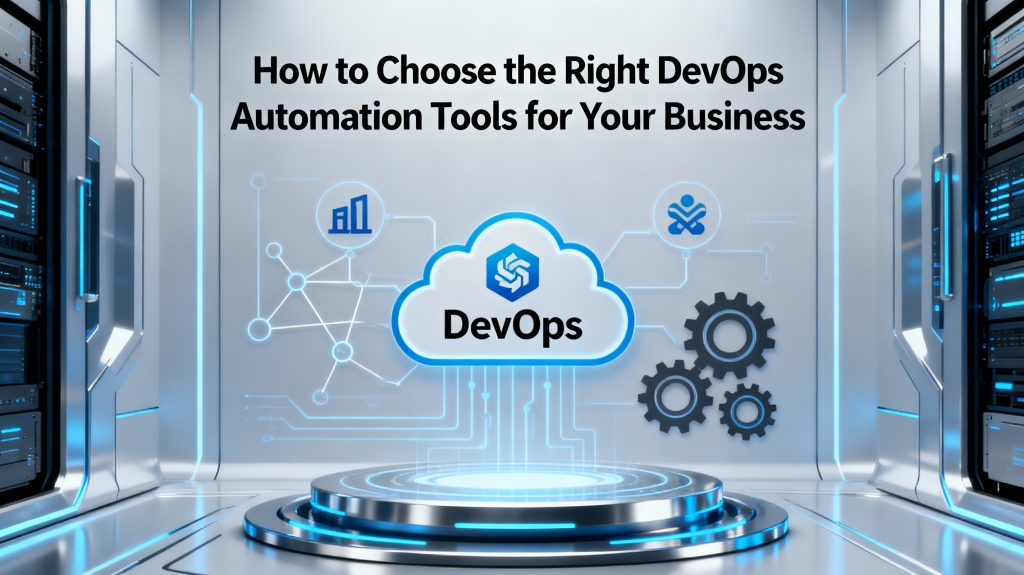

Futuristic business-themed illustration showing interconnected DevOps icons, cloud symbols, and automation gears around a central laptop dashboard, with the title text 'How to Choose the Right DevOps Automation Tools for Your Business' displayed prominently on a clean, dark-blue 16:9 background
DEVOPs

Choosing the Right DevOps Tools

Introduction Selecting the right DevOps automation tools can make or break your organization’s digital transformation journey. With the proliferation of options, each designed for specific use cases—ranging from cloud management to deployment pipelines and monitoring—choosing tools that align with your business size, infrastructure, and goals is crucial. The right choices help businesses accelerate delivery, drive efficiency, and scale operations without losing reliability or security. Below is a practical guide to identifying, evaluating, and implementing the best-fit DevOps automation tools for your company.​ Top 10 Graphic Design Tools Every Designer Should Master in 2025 Key Considerations When Choosing DevOps Automation Tools Define your business goals and DevOps maturity level. Assess the current tech stack: Identify cloud providers, operating systems, and existing DevOps practices. List the core areas to automate (e.g., CI/CD, infrastructure, monitoring, configuration management). Evaluate integration requirements: Prefer tools that work seamlessly with your other platforms and workflows. Prioritize scalability: Opt for solutions that grow with your team and adapt to multi-cloud or hybrid environments. Check ease of use and learning curve to shorten onboarding for new team members. Consider total cost of ownership: Factor in licensing, support, customization, and training. Analyze vendor support, community backing, and regular updates for long-term dependability.​ Benefits and Examples of Essential DevOps Automation Tools DevOps automation tools streamline every stage of software delivery, offering benefits such as: Faster time to market and frequent, reliable deployments. Reduced errors and increased consistency through automation. Greater team collaboration via real-time feedback and centralized dashboards. Scalability across cloud and hybrid infrastructures, supporting rapid business growth. Lower operational costs and simplified resource management. Common tool categories and top options include: CI/CD Automation: Jenkins, GitHub Actions, CircleCI, GitLab CI/CD. Infrastructure as Code: Terraform, Ansible, AWS CloudFormation, Pulumi. Monitoring and Alerting: Prometheus, Grafana, Datadog, Dynatrace. Containerization & Orchestration: Docker, Kubernetes, Portainer. Collaboration & Visibility: Slack, Jira, Confluence, Bamboo.​ Conclusion Choosing the right DevOps automation tools is about more than simply following trends—it requires a thoughtful alignment between your business needs, technical environment, budget, and long-term strategy. Prioritize tools that promote automation, collaboration, and flexibility to maximize efficiency and keep your organization agile in the face of rapid change. Start by auditing your current workflows and invest in scalable, well-supported solutions that future-proof your DevOps pipeline.​ Ready to elevate your DevOps practice? Review your goals, map your tool requirements, and start your automation journey today!   FAQ Q1: What is the first step in choosing a DevOps automation tool? A1: Begin by defining your business objectives and understanding your team’s current capabilities and processes.​ Q2: Why is integration important in DevOps tool selection? A2: Integration minimizes context-switching and workflow disruptions, resulting in smoother and more efficient operations.​ Q3: Are open-source tools better than commercial ones? A3: It depends on your support needs, budget, and control preferences—open-source tools offer flexibility, while commercial tools may provide stronger support and easier adoption.​ Q4: How do DevOps automation tools reduce operational costs? A4: By automating repetitive tasks and optimizing resource use, these tools help organizations save time and minimize manual errors.​ Q5: What features are essential in a DevOps automation tool? A5: Look for scalability, integration options, security, ease of use, automation capabilities, and strong community or vendor support

IT consultants discussing cost optimization strategies
IT consulting

How IT Consulting Helps Businesses Reduce Costs and Boost Efficiency

Introduction In today’s competitive digital landscape, every organization is striving to achieve more with fewer resources. Businesses are under pressure to streamline operations, reduce costs, and enhance productivity—all while keeping pace with technological change. However, without proper planning, technology expenses can spiral out of control, and productivity may decline due to inefficient systems. This is where IT consulting becomes a game changer. By partnering with experienced IT consultants, companies can align their technology with their strategic goals, optimize resources, and improve operational efficiency. IT consulting doesn’t just fix problems—it transforms the way organizations work. Let’s explore how IT consulting helps businesses cut costs and enhance efficiency while ensuring sustainable growth. Assessing Current IT Infrastructure The first step in improving efficiency is understanding where you currently stand. IT consultants perform a comprehensive audit of your existing IT infrastructure, including hardware, software, networks, and workflows. This assessment helps identify: Redundant or outdated technologies draining resources Underutilized hardware and software licenses Bottlenecks in workflow automation Gaps in data management or cybersecurity By analyzing these areas, consultants create a roadmap that outlines clear steps to reduce waste and improve performance. The result? A more streamlined and cost-effective IT ecosystem. Implementing Process Automation One of the most effective ways to boost productivity and reduce costs is process automation. IT consultants help businesses identify repetitive manual tasks that can be automated using the right tools and technologies. Automation can be applied to: Data entry and report generation Invoice processing and payroll management Customer relationship management (CRM) tasks IT helpdesk support and ticketing systems Automating these functions reduces human error, frees up employee time, and allows teams to focus on strategic initiatives rather than repetitive work. In addition, automation tools can be scaled as your business grows, making it a long-term investment in efficiency. Optimizing IT Resources Many organizations overpay for technology resources they don’t use efficiently. IT consultants help optimize your IT spending by eliminating waste and consolidating tools. Here’s how: Software Rationalization: Identify duplicate software solutions performing the same function. Cloud Optimization: Adjust cloud resources to pay only for what you use. License Management: Prevent overspending on unnecessary software licenses. Hardware Utilization: Reuse or repurpose underused hardware assets. This optimization leads to significant cost savings, especially for businesses managing hybrid or cloud-based environments. Ensuring Data Security Cybersecurity is no longer optional—it’s essential. Data breaches can cost businesses millions in damages, not to mention loss of reputation and customer trust. IT consulting plays a vital role in strengthening your security posture. Consultants assess vulnerabilities, develop risk mitigation plans, and implement security frameworks such as: Multi-factor authentication (MFA) Data encryption and secure backups Endpoint protection Threat monitoring and incident response By investing in proactive cybersecurity consulting, companies avoid costly data breaches and ensure regulatory compliance. Strong security not only protects your assets but also improves operational reliability. Improving System Integration In many companies, departments operate in silos, each using its own set of tools and databases. This disjointed approach leads to data duplication, inefficiency, and confusion. IT consultants help integrate these systems for seamless communication and collaboration across all departments. For example: Integrating CRM with ERP systems for better customer and sales insights Connecting HR and payroll systems for faster employee management Linking analytics dashboards with real-time data sources Effective integration ensures that everyone in the organization has access to accurate, up-to-date information, which improves decision-making and operational speed. Leveraging Cloud Solutions for Cost Efficiency Cloud computing has revolutionized the way businesses manage data and applications. However, without expert guidance, companies can easily overspend or misconfigure cloud environments. IT consultants help select the right cloud model—public, private, or hybrid—based on your goals and budget. Key benefits of cloud consulting include: Pay-as-you-go cost models to eliminate wasted resources Improved data accessibility and scalability Reduced maintenance and hardware costs Enhanced disaster recovery and business continuity Migrating to the cloud under professional supervision allows businesses to save significantly while enjoying enhanced flexibility and performance. Enhancing Employee Productivity Technology should empower employees, not overwhelm them. IT consulting improves workplace efficiency by optimizing digital tools and workflows. Consultants introduce user-friendly systems, collaborative platforms, and communication tools that enhance team performance. Examples include: Cloud-based collaboration platforms like Microsoft 365 or Google Workspace AI-powered productivity tools Centralized project management systems When technology supports employees effectively, productivity increases, and job satisfaction improves. Driving Long-Term Cost Savings IT consulting is not a one-time service—it’s a long-term strategy. The goal is to create sustainable solutions that continuously reduce costs and improve performance over time. Long-term savings come from: Regular performance monitoring Preventive maintenance of IT systems Predictive analytics for resource planning Continuous improvement through innovation By focusing on continuous optimization, IT consultants ensure that your organization remains agile and cost-efficient even as technology evolves. How Small and Medium Businesses Benefit Many small and medium enterprises (SMEs) assume IT consulting is only for large corporations. In reality, SMEs often see the highest returns on investment. Consultants help small businesses: Implement affordable technology solutions Avoid overspending on unnecessary tools Strengthen data protection Enhance remote work capabilities With the right consulting support, even small organizations can compete with larger players using efficient, well-managed IT systems. Conclusion In a world where technology drives business success, IT consulting is no longer a luxury—it’s a necessity. By assessing infrastructure, automating processes, optimizing resources, and ensuring security, consultants help organizations achieve maximum efficiency at minimum cost. The expertise of IT consultants allows businesses to make smarter technology decisions, avoid wasteful spending, and focus on what matters most—growth and innovation. In short, IT consulting empowers companies to do more with less, creating a sustainable path toward digital excellence. Connect with us FAQs 1. How can IT consulting lower operational costs? IT consultants identify inefficiencies in systems, automate manual processes, and eliminate redundant technologies, reducing overall costs. 2. Which industries benefit most from IT consulting? Almost every sector benefits, especially finance, healthcare, manufacturing, retail, and education. 3. What tools do consultants use for process optimization? They use tools like workflow automation software, analytics dashboards, and

IT consultant analyzing business data on laptop
IT consulting

The Role of IT Consulting in Digital Transformation

Introduction The world of business is evolving faster than ever. Every day, new technologies are introduced, customer expectations rise, and competition becomes more intense. In such a rapidly changing landscape, digital transformation has become essential for survival — not just an option. However, not every organization has the in-house expertise or resources to implement complex digital solutions efficiently. That’s where IT consulting steps in. IT consultants act as the bridge between technology and business strategy. They guide organizations in leveraging digital tools, automating workflows, and modernizing IT infrastructures to stay competitive and future-ready. In this article, we’ll explore the role of IT consulting in digital transformation, its key benefits, services, and how it helps businesses stay ahead of the curve. What is IT Consulting? IT consulting refers to the process of advising businesses on how best to use technology to achieve their objectives. It involves analyzing existing IT systems, identifying inefficiencies, and designing a roadmap to enhance performance. An IT consultant doesn’t just fix problems; they anticipate them. They help businesses: Implement new technologies strategically Ensure cost-effective IT operations Reduce risks related to cybersecurity and downtime Improve data-driven decision-making From startups to large enterprises, IT consulting plays a vital role in aligning technology with long-term business vision. Why Digital Transformation Matters Digital transformation is not just about adopting new tools—it’s about redefining how a business operates. The process includes integrating digital technology into every area of an organization, changing how teams work, deliver value, and interact with customers. Some of the key goals of digital transformation include: Improving customer experience through digital platforms Increasing efficiency by automating manual tasks Gaining insights using advanced data analytics Enhancing flexibility and scalability via cloud computing However, achieving transformation without proper guidance can be risky. That’s why IT consultants are crucial—they assess readiness, plan implementation, and ensure seamless integration with existing business processes. How IT Consulting Enables Innovation Innovation is the heart of digital success. IT consultants help organizations foster innovation by introducing modern solutions such as AI-driven analytics, machine learning models, and cloud-native applications. Here’s how IT consulting drives innovation: Identifying Technology Opportunities: Consultants assess your operations and find areas where digital tools can create value. Implementing Agile Systems: They guide companies toward agile methodologies that improve adaptability. Encouraging a Culture of Change: Consultants train teams to adopt new technologies confidently. Leveraging Data: IT consulting ensures your business uses real-time analytics for smarter, faster decision-making. By integrating innovation into business operations, consultants ensure your organization not only keeps up but leads in your industry. Common Services Offered by IT Consulting Firms IT consulting firms offer a variety of specialized services designed to support all aspects of digital growth. Below are the most common ones: IT Strategy Development:Helps define long-term technology goals aligned with your business objectives. Cloud Consulting:Assists in cloud migration, setup, and optimization to reduce infrastructure costs and improve scalability. Cybersecurity Services:Protects sensitive business data from threats, ensuring compliance with industry standards. Data Analytics & Business Intelligence:Helps organizations use data to make evidence-based decisions. Infrastructure Optimization:Improves performance by modernizing outdated systems and integrating automation tools. Software Consulting:Provides guidance on the right tools, platforms, and integrations needed to streamline operations. The Benefits of IT Consulting in Digital Transformation Expertise and ObjectivityIT consultants bring fresh perspectives and expert insights that in-house teams may lack. Cost EfficiencyBy optimizing technology investments, consultants help businesses avoid unnecessary expenses. Focus on Core BusinessPartnering with consultants allows organizations to concentrate on core activities while the experts handle technology transitions. Enhanced Security and ComplianceIT consulting ensures data privacy and protection from cyber threats through robust security strategies. Accelerated GrowthDigital transformation guided by consulting accelerates business operations, improves productivity, and opens new revenue streams. Challenges Without IT Consulting Many businesses attempt to handle digital transformation on their own and face several roadblocks: Lack of a clear roadmap or strategy Poor integration of digital tools Data silos and security vulnerabilities Resistance to change among employees IT consulting addresses all these challenges by providing an actionable strategy, hands-on implementation, and training to ensure smooth adaptation. How to Choose the Right IT Consulting Partner Selecting the right IT consulting firm can make or break your transformation journey. Here are a few things to look for: Proven experience in your industry Comprehensive service offerings (cloud, security, data, etc.) Strong communication and collaboration skills Post-implementation support to ensure continuous improvement The right consultant becomes a long-term partner who helps your business evolve with technology trends. Conclusion Digital transformation is no longer optional—it’s the foundation of modern business success. IT consulting acts as the guiding compass that ensures your transformation efforts are strategic, efficient, and sustainable. Whether you’re modernizing legacy systems, adopting cloud technology, or using data for better decision-making, IT consultants ensure that every investment drives measurable results. In short, IT consulting transforms technology into opportunity — helping businesses innovate, scale, and lead in the digital era. FAQs 1. What does an IT consultant do? An IT consultant provides expert advice on how to use technology effectively to achieve business goals. 2. How can IT consulting help small businesses? It helps small businesses adopt cost-effective digital tools, improve efficiency, and stay competitive. 3. What are the top benefits of hiring an IT consultant? Some benefits include cost savings, expert insights, enhanced security, and faster project implementation. 4. How much do IT consulting services cost? The cost varies depending on project size, duration, and complexity. Many firms offer flexible pricing. 5. What is the difference between IT consulting and IT services? IT consulting focuses on planning and strategy, while IT services focus on implementation and maintenance. 6. How does IT consulting improve efficiency? Consultants streamline IT processes, automate tasks, and optimize infrastructure to boost overall performance. Connect with us

Scroll to Top