edtech

Technology in education with students using digital learning tools
Education

How Technology Is Transforming Education in 2026

Introduction Technology in education has become an important part of modern learning. From digital classrooms and online learning platforms to artificial intelligence and personalized learning tools, technology is changing how students access information, interact with teachers, and develop new skills. In 2026, the focus is no longer simply on putting more devices into classrooms. The bigger goal is to use technology in ways that improve learning, support teachers, increase accessibility, and help students develop the skills they need for the future. What Is Educational Technology? Educational technology, often called EdTech, refers to the use of digital tools and technologies to support teaching and learning. It includes online learning platforms, educational applications, learning management systems, digital classrooms, interactive tools, artificial intelligence, and digital assessment solutions. Educational technology can include: Online learning platforms Educational applications Learning management systems Digital classrooms Interactive whiteboards Video-based learning Artificial intelligence tools Learning analytics Virtual and augmented reality Digital assessment tools How Technology Is Transforming Education Technology is changing education in many ways, from making learning more accessible to helping teachers create more engaging and personalized learning experiences. Some of the most important changes can be seen in digital learning, artificial intelligence, personalized education, interactive learning, smart classrooms, and online collaboration. 1. Digital Learning Has Made Education More Accessible One of the biggest changes brought by technology is the growth of digital learning. Students can now access educational content through computers, tablets, and smartphones. Online courses, recorded lectures, digital textbooks, educational videos, and interactive learning platforms allow learners to study from different locations and at different times. 2. Artificial Intelligence Is Supporting Teaching and Learning Artificial intelligence is becoming one of the most significant developments in education. AI-powered tools can help generate learning materials, provide explanations, support research, assist teachers with lesson planning, and offer personalized learning experiences. 3. Personalized Learning Is Becoming More Practical Every student learns differently. Some students understand concepts quickly, while others may need additional explanations and practice. Technology can help create more personalized learning experiences by analyzing student progress and recommending appropriate resources, exercises, or learning paths. 4. Interactive Learning Makes Education More Engaging Traditional textbooks remain valuable, but digital tools can add more interactive elements to the learning experience. Students can learn through educational videos, simulations, interactive quizzes, digital presentations, virtual experiments, and gamified learning activities. These methods can make difficult concepts easier to understand by allowing students to see, explore, and practice concepts rather than only reading about them. 5. Smart Classrooms Are Changing the Learning Environment Smart classrooms combine traditional teaching methods with digital technologies. Teachers can use interactive displays, multimedia content, online resources, digital assessments, and collaborative platforms to make lessons more engaging. Technology can support teachers in explaining complex concepts and creating a more interactive learning environment for students. 6. Online Collaboration Is Connecting Learners Technology has made collaboration easier for students and teachers. Students can work together on projects using online documents, communication platforms, virtual classrooms, and shared digital workspaces. This allows learners to collaborate from different locations while developing important skills such as communication, teamwork, problem-solving, and digital literacy. 7. Technology Is Helping Teachers Too The impact of educational technology is not limited to students. Teachers can use digital tools to organize course materials, create assessments, track student progress, communicate with learners, and prepare lessons. Technology can support teachers with preparation and administrative tasks while allowing them to focus more on teaching and student interaction. Benefits of Technology in Education When implemented thoughtfully, technology in education can provide several benefits for students, teachers, and educational institutions. Greater Accessibility Digital resources can make educational content available to learners beyond traditional classrooms. Students can access lessons, study materials, and educational resources from different locations. Flexible Learning Technology allows students to access lessons and learning resources according to their schedules and individual learning needs. This flexibility can be especially useful for students who prefer learning at their own pace. Personalized Education Digital learning platforms can use student progress and performance information to recommend suitable resources and activities. This can help create learning experiences that better match individual needs. Better Engagement Interactive videos, quizzes, simulations, digital presentations, and other learning tools can make lessons more engaging and help students understand difficult concepts more effectively. Improved Collaboration Digital platforms make it easier for students and teachers to communicate, share resources, and work together on projects, even when they are in different locations. Development of Digital Skills Regular use of educational technology can help students develop digital skills that are increasingly important for higher education, employment, and everyday life. Challenges of Using Technology in Education While technology offers many benefits, its use in education also comes with certain challenges. Schools and educational institutions need to address these challenges to ensure that technology improves learning rather than creating new problems. Digital Divide Not every student has equal access to smartphones, computers, reliable internet connections, or other digital resources. This digital divide can create differences in learning opportunities between students. Screen Time Excessive screen time can affect students’ attention and overall learning experience. Technology should therefore be used purposefully, with a healthy balance between digital activities and other forms of learning. Privacy and Security Educational platforms may handle student information and other sensitive data. Schools and technology providers need to follow appropriate privacy and security practices to protect this information. Overdependence on Technology Students should not become completely dependent on digital tools for learning and problem-solving. Developing independent thinking, creativity, and critical thinking skills remains essential. Teacher Training Teachers need appropriate training and support to use new technologies effectively. Providing training can help educators understand how to integrate digital tools into their teaching without allowing technology to distract from learning objectives. The Future of Technology in Education The future of education is likely to involve a combination of human teaching and carefully selected technologies. Artificial intelligence, adaptive learning platforms, digital classrooms, learning analytics, and immersive learning experiences may become increasingly common. However, technology alone cannot solve every educational challenge. The most effective

Technology transforming modern education and learning
Education & Learning

The Role of Technology in Modern Education and Learning

Introduction Technology has revolutionized nearly every aspect of modern life, and education is no exception. From digital classrooms to online learning platforms, technology has transformed how knowledge is delivered, accessed, and consumed. The integration of technology into education has expanded learning opportunities and enhanced teaching effectiveness. This blog explores the role of technology in education, its benefits, challenges, applications, and future potential. Evolution of Technology in Education Education has evolved from chalkboards to smartboards, from textbooks to digital content. This transformation has been driven by advancements in computing, internet connectivity, and mobile devices. Key Technologies Used in Education 1. Online Learning Platforms Platforms provide virtual classrooms, assessments, and collaboration tools. 2. Learning Management Systems (LMS) LMS platforms help manage courses, track progress, and deliver content. 3. Mobile Learning Smartphones and tablets enable learning anytime, anywhere. 4. Artificial Intelligence AI personalizes learning experiences and automates assessments. Benefits of Technology in Education Improved Accessibility Learners from remote areas can access quality education. Personalized Learning Technology adapts content to individual learning needs. Enhanced Engagement Interactive multimedia improves student engagement. Efficient Administration Automation reduces administrative workload. Challenges of Technology in Education Digital divide Data privacy concerns Teacher training requirements Addressing these challenges is essential for effective implementation. Technology in Classroom Learning Smart classrooms integrate: Interactive boards Digital resources Collaborative tools This enhances student participation and understanding. Impact on Teachers and Educators Technology empowers teachers by: Providing analytics Enhancing lesson delivery Supporting remote instruction Future Trends in Educational Technology AI-powered tutoring Virtual and augmented reality Gamified learning Role of Technology in Skill-Based Education Technology supports practical skill development through simulations, virtual labs, and project-based learning. Conclusion Technology plays a vital role in modern education by improving accessibility, engagement, and personalization. When implemented thoughtfully, it can significantly enhance learning outcomes. Frequently Asked Questions (FAQs) 1. How does technology improve education? It enhances accessibility, personalization, and engagement. 2. What are examples of educational technology? LMS, online platforms, AI tools, and smart classrooms. 3. Does technology replace teachers? No, it supports and enhances teaching. 4. What challenges does EdTech face? Digital divide and data privacy concerns. 5. Is technology suitable for all learners? Yes, when designed inclusively. 6. What is the future of EdTech? AI, VR, and immersive learning experiences. Connect with us: https://www.facebook.com/profile.php?id=61555452386126  

Education and learning through digital platforms and online tools
Education & Learning

Education and Learning in the Digital Age: Transforming How We Gain Knowledge

Introduction Education and learning are the foundations of personal growth, social development, and economic progress. For centuries, education followed a traditional classroom-based approach, relying on physical schools, textbooks, and face-to-face instruction. However, the digital revolution has transformed how people learn, access knowledge, and develop skills. Today, education extends far beyond classrooms. Online courses, digital libraries, virtual classrooms, and learning apps have made education more flexible, inclusive, and accessible. This transformation has reshaped teaching methodologies and learning experiences across the globe. In this blog, we explore education and learning in the digital age, examining how technology has changed learning methods, the benefits of modern education, challenges, and what the future holds. What Is Education and Learning? Education is a structured process of acquiring knowledge, skills, values, and attitudes through teaching, training, or research. Learning is a lifelong process that occurs formally through institutions and informally through experiences. Types of Learning Formal learning (schools, colleges, universities) Informal learning (self-study, experiences) Non-formal learning (workshops, online courses) Modern education blends all these approaches to create holistic learning experiences. The Evolution of Education Traditional Education Traditional education focused on: Teacher-centered instruction Memorization Fixed curricula While effective in many ways, it often lacked flexibility and personalization. Digital and Modern Education Modern education emphasizes: Student-centered learning Skill development Critical thinking Technology integration Digital tools have revolutionized how students learn and interact with information. Role of Technology in Education and Learning Technology plays a vital role in modern education. Key Technologies in Education Learning Management Systems (LMS) Video conferencing tools Artificial Intelligence Virtual and Augmented Reality These tools enhance engagement and improve learning outcomes. Online Learning and E-Learning Platforms Online learning platforms have become a cornerstone of modern education. Benefits of Online Learning Learn anytime, anywhere Cost-effective education Access to global resources Personalized learning paths Popular e-learning platforms offer courses in academics, professional skills, and personal development. Benefits of Modern Education and Learning 1. Accessibility Education is no longer limited by geography. 2. Flexibility Learners can study at their own pace. 3. Skill-Oriented Learning Modern education focuses on real-world skills. 4. Lifelong Learning Continuous learning supports career growth. Challenges in Modern Education Despite its advantages, modern education faces challenges: Digital divide Lack of infrastructure Quality assurance Screen fatigue Addressing these challenges is crucial for inclusive education. Importance of Education in Personal and Professional Growth Education empowers individuals by: Enhancing critical thinking Improving career opportunities Promoting social equality Learning is essential for adapting to a rapidly changing world. Future of Education and Learning The future of education will focus on: AI-driven personalization Hybrid learning models Skills-based education Lifelong learning ecosystems Education systems will continue to evolve with technological advancements. Conclusion Education and learning are undergoing a significant transformation in the digital age. Technology has expanded access to knowledge, personalized learning experiences, and made education more inclusive. By embracing modern learning methods, individuals and institutions can unlock new opportunities and build a knowledge-driven future. Frequently Asked Questions (FAQs) 1. What is modern education? Modern education integrates technology, flexibility, and skill-based learning methods. 2. How has technology changed learning? Technology enables online learning, personalization, and global access to education. 3. Is online learning effective? Yes, when structured properly, online learning can be highly effective. 4. What is lifelong learning? Lifelong learning is the continuous pursuit of knowledge throughout life. 5. What skills are important in modern education? Critical thinking, digital literacy, communication, and adaptability. 6. What is the future of education? The future includes AI-powered learning, hybrid education, and personalized learning paths. Connect With Us: https://www.facebook.com/profile.php?id=61555452386126  

Education app developement

How Much Does It Cost to Develop a Language Learning App Like Babbel?

Introduction Language learning apps have become an indispensable tool for millions worldwide, and Babbel stands out as one of the top platforms, offering engaging, personalized lessons in over 14 languages. If you’re an entrepreneur or business looking to develop a language learning app with similar features and user experience, understanding the development costs, factors affecting them, and what goes into building such an app is crucial. This blog provides a detailed overview of the typical costs involved in building a language learning app like Babbel, the key features that influence pricing, and strategic insights to help plan your project effectively. For broader insights on AI-driven app development and technology trends, check out TechOTD’s AI services and visit their technology blog. What Makes Babbel Unique? Babbel offers a scientifically backed methodology focusing on conversational learning, bite-sized lessons (10–15 minutes), speech recognition, and personalized learning paths. Key features include: Real-life conversation practice with audio and interactive exercises Speech recognition for pronunciation feedback Review and spaced repetition systems for vocabulary retention Structured grammar lessons and cultural context materials Offline learning capability on multiple devices Subscription-based access with continuous content updates. Key Features Affecting Development Cost 1. Platform and Device Compatibility Deciding whether to launch on iOS, Android, or both affects development time and cost. Cross-platform frameworks like React Native may reduce costs but might affect performance. 2. User Registration and Profiles Basic signup, social media integration, and personalized learning dashboards add complexity. 3. Course Content Management Ability to manage a vast database of multimedia lessons, quizzes, and real-time updates. 4. Speech Recognition and AI Integration Implementing AI-powered speech recognition for real-time feedback adds significantly to development costs. 5. Gamification Elements Features like badges, leaderboards, and rewards enhance engagement but increase design and coding demands. 6. Payment Systems Subscription management with secure payment gateways integration is critical for monetization. 7. Offline Mode Allowing users to download lessons and access them without internet adds storage and syncing complexities.   Estimated Cost Breakdown Basic Language Learning App: Includes core functionalities such as user registration, lesson viewing, and standard quizzes. Estimated cost: $30,000 – $50,000 Development Time: 3-6 months Mid-Level App with Advanced Features: Incorporates speech recognition, gamification, and personalized learning paths. Estimated cost: $50,000 – $100,000 Development Time: 6-9 months Advanced App with AI and Live Tutoring: Features live classes, real-time AI interactions, and extensive content management. Estimated cost: $100,000 – $300,000+ Development Time: 9-12+ months. Other Factors Influencing Cost Design Complexity: Custom UI/UX can increase costs depending on polish and responsiveness. Development Team Location: Offshore teams can lower costs but may require robust management frameworks. Maintenance and Updates: Ongoing costs including content upgrades, bug fixes, and feature additions. Marketing and Launch: Budget separately for app store optimization, user acquisition, and branding efforts. How AI Enhances Language Learning Apps AI and machine learning enable hyper-personalization, better speech analysis, and more engaging content delivery. Investing in AI-driven components may raise initial costs but improves user retention and satisfaction significantly. Explore AI app development possibilities in TechOTD’s AI services. Conclusion Building a language learning app like Babbel is a substantial investment that balances feature richness, platform choice, and user experience. Starting with an MVP focusing on core features can control costs and validate market demand. As the app scales, adding AI and interactive elements enhances appeal and competitive edge. Consulting experienced development partners such as TechOTD can ensure a smooth project journey from concept to launch. Stay informed on app development trends via TechOTD’s blog. FAQs Q1: What is the average cost to develop a language learning app? Between $30,000 and $300,000 depending on features, platform, and AI integration. Q2: How long does it take to build an app like Babbel? Typically 3 to 12 months depending on complexity. Q3: Can AI improve language learning apps? Yes, AI enhances personalization, speech recognition, and learner engagement. Q4: What monetization strategies do apps like Babbel use? Subscription models, freemium access, and in-app purchases. Q5: Should startups build native or cross-platform apps? Both have pros and cons; cross-platform reduces costs, native apps offer better performance.

Technology & Business, Uncategorized

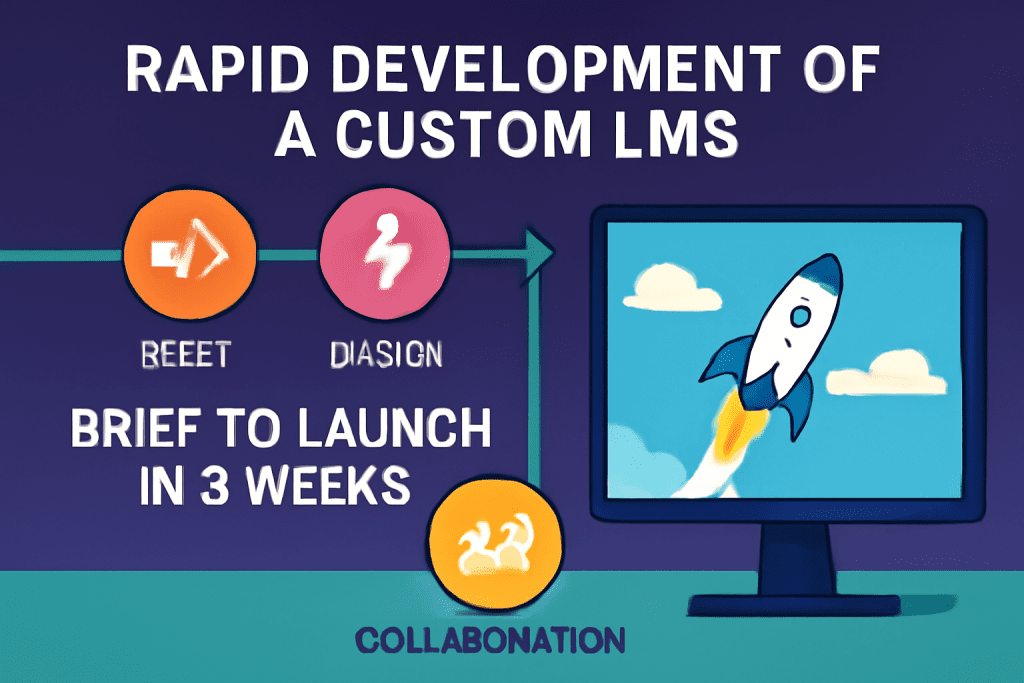
From Brief to Launch: Building a Custom LMS in 3 Weeks

Introduction In today’s fast-paced digital landscape, the ability to rapidly deliver innovative learning experiences is a game-changer. While custom learning management systems (LMS) are often thought to require months of planning and development, it’s possible—with the right approach—to go from a concept brief to a fully functioning LMS in just three weeks. Here’s how we did it, step by step. Why Build a Custom LMS? Tailored to your audience: Meet the precise needs of your learners and organization. Feature control: Implement only what you need—nothing more, nothing less. Branding and UX: Ensure a seamless, branded user experience that off-the-shelf products can’t provide. Week-by-Week Roadmap to a Custom LMS Week 1: Discovery & Setup Kickoff & Brief Define clear goals: Who is this LMS for? What’s the must-have feature set? Gather requirements from stakeholders. Platform Planning Choose the technology stack (e.g., React, Node.js, Python, cloud services). Define user roles (Admin, Instructor, Learner). Initial Design Rapid wireframing: Map out LMS navigation, key screens, and user flows. Start UI/UX prototyping with input from stakeholders. Foundational Build Set up project structure, repositories, and development environments. Integrate boilerplate code for basic authentication and user management. Week 2: Development Sprint Core Feature Development Build and connect these modules: User registration and login Course creation and content upload (text, video, presentations) Enrollment and progress tracking Assessments or quizzes Content Population Collaborate with content creators or use AI to generate sample lessons, quizzes, and tutorials. Continuous Testing Integrate basic testing and QA into every coding session to eliminate blockers fast. Stakeholder Check-in Demo first builds to get rapid feedback and reprioritize features as needed. Week 3: Launch Prep & Refinement Polish UX/UI Iterate based on feedback, improving navigation and accessibility. Add finishing touches: branding, dashboards, notifications. Robust Testing Conduct full end-to-end testing: enroll users, complete modules, submit assessments. Final Data Import Upload real course and user data. Confirm everything works at scale. Deployment & Rollout Launch on chosen cloud or server. Provide a quick-start guide for admins and faculty. Collect instant feedback from first users for rapid fixes. Table: Your 3-Week Custom LMS Plan Week Focus Areas Deliverables Week 1 Discovery, setup, prototyping Wireframes, project setup, MVP roadmap Week 2 Core feature development User, course, and assessment modules Week 3 Testing, refinement, launch Fully functional, deployed LMS Tips for Success Plan ruthlessly, prioritize features: Focus on must-haves; postpone the “nice-to-have” until after launch. Leverage templates & AI: Use code services, design libraries, or AI content helpers to accelerate development. Collaborate closely: Daily check-ins with stakeholders prevent costly rework. Iterate rapidly: Expect feedback and be ready to refine features in real time. Don’t skip testing: Early and frequent testing ensures you avoid launch-day disasters. Frequently Asked Questions (FAQ) Is building a custom LMS in 3 weeks realistic for most teams? It’s possible with sharp focus, rapid feedback, and a lean MVP mindset—but complex features or extensive integrations may require more time. What’s the best tech stack for a rapid LMS build? Popular choices include React for front-end, Node.js or Python for backend, and cloud hosting for instant scalability. Can you use no-code or low-code platforms? Absolutely. No-code tools can speed up some aspects, especially MVPs, but custom coding gives the greatest flexibility. What features should a first version include? User management, course delivery, content upload, enrollment, progress tracking, and basic reporting are the essentials. Conclusion Delivering a custom LMS in three weeks is ambitious but entirely possible with focused planning, the right tools, and a commitment to iterative improvement. The result? A bespoke, branded learning hub that’s ready to delight users from launch day—and adapt as your educational goals evolve.

Scroll to Top