digital learning

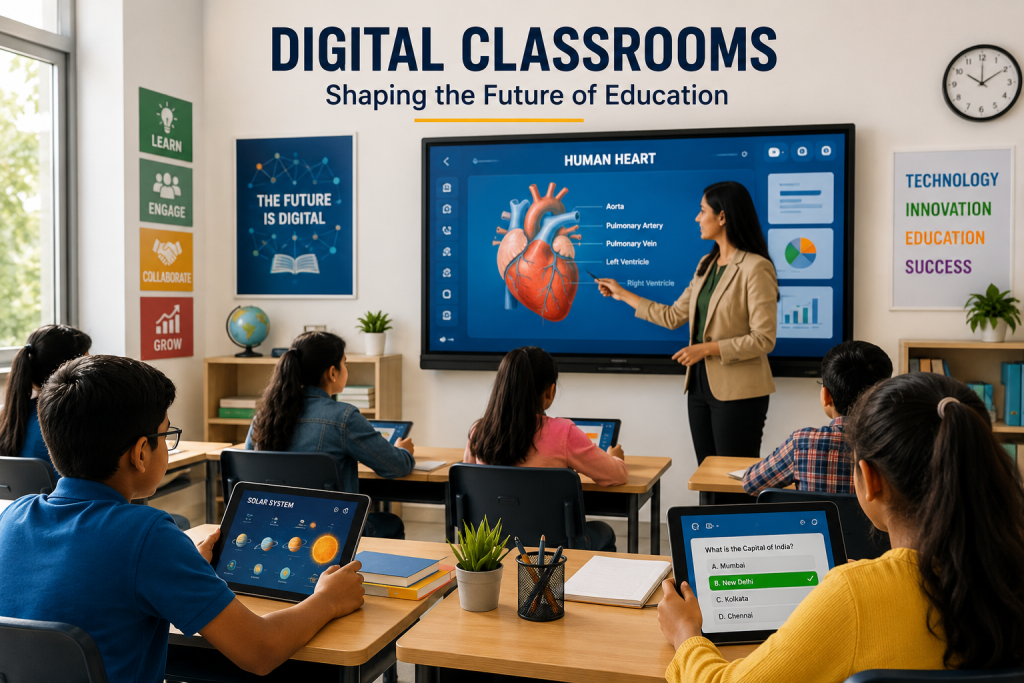
Students learning in a modern digital classroom using interactive technology
Education

How Digital Classrooms Are Changing Modern Education

Introduction Digital classrooms are changing the way students and teachers interact with educational content. By combining digital devices, online platforms, interactive tools, and multimedia resources, modern classrooms can create more flexible and engaging learning experiences. Digital classrooms allow students to access lessons, assignments, videos, presentations, and learning materials more easily. Teachers can also use technology to encourage collaboration, provide feedback, and adapt learning activities to different student needs. As educational technology continues to develop, digital classrooms are becoming an important part of modern education. When used effectively, they can support interactive learning, improve access to educational resources, and prepare students for an increasingly digital world. What Are Digital Classrooms? Digital classrooms are learning environments that use technology to support teaching, communication, collaboration, and access to educational resources. They may include computers, tablets, interactive displays, learning management systems, online platforms, and digital content. Digital Learning Tools Digital classrooms use a variety of learning tools to make educational content more accessible and interactive. These tools can include presentation software, educational applications, online quizzes, videos, simulations, and digital assignments. Interactive Classroom Technology Interactive technologies can help students participate more actively in lessons. Smart boards, shared digital displays, polls, quizzes, and collaborative platforms can make classroom activities more engaging and encourage greater student involvement. Access to Online Learning Resources Digital classrooms can provide students with easier access to online educational resources. Learners may be able to review lessons, download study materials, watch educational videos, and access assignments from different locations. By combining traditional teaching methods with digital tools, classrooms can become more flexible and responsive to the learning needs of modern students. How Digital Classrooms Improve Learning Digital classrooms can improve learning by making educational content more interactive, accessible, and flexible. Technology allows students to explore information through different formats while giving teachers additional ways to explain concepts and support learning. 1. Interactive Learning Experiences Digital tools can make lessons more interactive through videos, quizzes, simulations, presentations, and collaborative activities. Instead of only listening to lectures, students can actively participate and engage with educational content. 2. Personalized Learning Support Digital platforms can provide students with learning materials and activities based on their progress and individual needs. Teachers can also use digital tools to provide additional resources and support for students who require more practice. 3. Improved Collaboration Online collaboration tools can help students work together on assignments, projects, and discussions. Shared documents and digital platforms allow learners to communicate and contribute even when they are not sitting in the same physical location. 4. Easy Access to Learning Resources Digital classrooms can give students access to educational resources beyond traditional textbooks. Videos, articles, online libraries, presentations, and interactive activities can be available whenever students need additional support. Benefits of Digital Classrooms in Modern Education Digital classrooms can provide several benefits for students and teachers by making education more flexible, interactive, and accessible. When technology is used effectively, it can support both classroom learning and independent study. Greater Flexibility in Learning Digital learning tools allow students to access educational materials and complete certain learning activities from different locations. Recorded lessons and online resources can also help learners review important concepts at their own pace. Better Student Engagement Interactive tools such as quizzes, videos, simulations, and digital activities can encourage students to participate actively in lessons. Different content formats can also make learning more interesting and engaging. Faster Communication and Feedback Digital platforms can make it easier for teachers and students to communicate, share assignments, and provide feedback. Students may receive updates and guidance more quickly, helping them understand what they need to improve. Support for Personalized Learning Technology can provide students with additional resources and activities based on their learning needs. Learners who need extra practice can access supporting materials, while others can explore more advanced content. Preparation for a Digital Future Using digital tools in education can help students develop important technology and communication skills. These skills can prepare learners for future academic opportunities and workplaces where digital systems are increasingly common. Challenges of Digital Classrooms Although digital classrooms offer many advantages, their implementation can also create challenges. Schools and educators need to consider access to technology, internet connectivity, teacher training, digital distractions, and the effective use of online learning tools. Digital Access and Inequality Not every student has equal access to reliable internet connections, computers, tablets, or other digital devices. Limited access can create unequal learning opportunities and make it difficult for some students to participate fully in digital education. Teacher Training and Digital Skills Teachers need appropriate training and confidence to use digital tools effectively. Technology can support learning best when educators understand how to connect digital resources with clear teaching objectives. Digital Distractions Digital devices can provide access to useful educational resources, but they can also create distractions. Students may need guidance and effective learning routines to stay focused while using technology. Technical Problems Internet issues, software errors, device problems, and compatibility challenges can interrupt digital learning activities. Schools need reliable technical support and suitable infrastructure to reduce these difficulties. Balancing Digital and Traditional Learning Technology should support education rather than completely replace effective teaching methods. Digital classrooms work best when technology is combined with teacher guidance, discussions, reading, practical activities, and meaningful human interaction. The Future of Digital Classrooms The role of digital classrooms is likely to continue growing as educational technology becomes more advanced and accessible. Future classrooms may combine digital tools, artificial intelligence, interactive content, and online platforms to create more flexible and personalized learning experiences. Technologies such as AI, virtual reality, augmented reality, and adaptive learning platforms may become more integrated into modern classrooms. These tools could help teachers provide interactive lessons while giving students more opportunities to explore content in different ways. Smarter and More Personalized Learning Future digital classrooms may use technology to better understand student progress and learning needs. Digital platforms could provide personalized resources, adaptive activities, and additional support based on individual performance. Greater Collaboration and Connectivity Digital technology can make it easier
Technology improving student learning and engagement
Education

How Technology Is Improving Student Learning and Engagement

Introduction Technology has become an important part of modern education, changing how students access information, communicate with teachers, and participate in learning activities. Digital classrooms, educational applications, online resources, and interactive tools are making learning more accessible and engaging. Today, students can learn through videos, simulations, virtual classrooms, digital assignments, and collaborative platforms. These technologies can support different learning styles and give students more opportunities to explore subjects beyond the traditional classroom. However, technology is most effective when it is used with a clear educational purpose. The goal should not simply be to add more devices or applications, but to use technology to improve understanding, participation, collaboration, and overall learning outcomes. What Is Technology-Enhanced Learning? Technology-enhanced learning refers to the use of digital tools and technologies to support and improve the learning process. It can include online learning platforms, educational applications, digital textbooks, interactive simulations, virtual classrooms, multimedia resources, and collaboration tools. These technologies can give students access to educational content from different locations and allow them to learn through multiple formats. Instead of relying only on printed materials and traditional lectures, students can combine videos, interactive activities, digital resources, and practical exercises to develop a deeper understanding of different subjects. Examples of Technology in Learning Common examples include learning management systems, online courses, educational videos, virtual laboratories, digital quizzes, collaborative documents, and interactive learning applications. The right combination of these tools can make lessons more engaging while supporting different learning needs. How Technology Improves Student Learning Technology can improve student learning by making educational content easier to access, more interactive, and better suited to different learning needs. Digital tools can help students explore concepts through visual demonstrations, practical activities, simulations, and immediate feedback. 1. Easy Access to Learning Resources Students can access digital textbooks, videos, research materials, online courses, and educational websites from different locations. This gives learners more opportunities to review lessons, explore additional resources, and study outside traditional classroom hours. 2. Interactive Learning Experiences Interactive applications, simulations, quizzes, and multimedia content can make lessons more engaging. Instead of only reading or listening, students can interact with concepts and receive feedback while learning. 3. Personalized Learning Support Digital learning platforms can provide resources based on student progress, interests, and learning needs. Personalized recommendations can help students spend more time on difficult topics and move forward when they are ready. 4. Instant Feedback Online quizzes and digital assessment tools can provide immediate feedback on student performance. Quick feedback helps learners identify mistakes, review difficult concepts, and understand where they need additional practice. How Technology Improves Student Engagement Student engagement is an important part of effective learning. Technology can make lessons more interactive by giving students opportunities to participate, explore ideas, solve problems, and receive immediate responses to their activities. Interactive and Multimedia Content Videos, animations, presentations, simulations, and interactive graphics can present information in different ways. These formats can help students visualize complex concepts and maintain interest during lessons. Gamification in Learning Educational games, challenges, points, badges, and progress systems can introduce game-like elements into learning activities. When used appropriately, gamification can encourage participation and make practice activities more engaging. Collaborative Learning Digital collaboration tools allow students to work together on projects, share ideas, communicate with classmates, and create content. These activities can help develop teamwork, communication, and problem-solving skills. Learning Beyond the Classroom Technology allows students to continue learning outside traditional classroom hours. Online courses, educational videos, digital libraries, and learning applications can provide additional opportunities for exploration and practice. Benefits of Technology in Education When used effectively, technology can provide several benefits for students, teachers, and educational institutions. It can make learning more flexible, accessible, interactive, and connected while giving educators additional tools to support student progress. Greater Accessibility Digital resources can make educational content available to students who may not always be able to attend traditional classroom sessions. Online materials can also support learners in different locations and with different learning requirements. Flexible Learning Technology allows students to access lessons and resources according to their schedules and learning pace. Recorded lectures, online courses, and digital materials give learners greater flexibility in deciding when and how they study. Improved Collaboration Digital communication and collaboration platforms make it easier for students and teachers to share information and work together. Students can collaborate on projects even when they are not physically in the same classroom. Development of Digital Skills Regular use of technology can help students develop digital literacy, communication, research, collaboration, and problem-solving skills. These skills can be valuable for higher education and future workplaces. Support for Teachers Technology can help teachers organize learning materials, create assessments, communicate with students, and track progress. These tools can reduce repetitive work and give educators more time to focus on teaching and student support. Challenges of Using Technology in Education Although technology can improve learning and engagement, its use in education also creates certain challenges. Schools and educational institutions need to consider access, privacy, security, screen time, costs, and teacher training when introducing digital tools. Digital Divide Not every student has equal access to reliable internet, computers, smartphones, or other digital devices. Differences in access can create unequal learning opportunities, particularly when important educational resources are available mainly online. Privacy and Security Educational platforms may collect student information and learning data. Schools and technology providers need appropriate privacy and security practices to protect this information and ensure that digital resources are used responsibly. Excessive Screen Time Excessive use of digital devices can affect concentration and reduce opportunities for physical activity and face-to-face interaction. Technology should be balanced with discussions, practical activities, reading, and other forms of learning. Technology Costs Implementing digital learning systems may require investment in devices, software, internet infrastructure, maintenance, and training. Educational institutions need to consider these costs when planning technology adoption. Teacher Training Teachers need appropriate training to use educational technologies effectively. Without sufficient support, even useful digital tools may not deliver their intended educational benefits. The Future of Technology in Education The role of technology

Student comparing different learning apps on a laptop and phone to choose the best one for study goals, usability, and features.
App Development, Education & Learning

How to Choose the Right Learning App

Introduction Choosing the right learning app starts with understanding your goal. Whether you want to improve grades, learn a new skill, practice a language, or stay organized, the best app is the one that matches your needs, learning style, and daily routine. A learning app should not just give you content; it should help you learn in a way that feels simple, useful, and easy to maintain over time. When the app fits your purpose, studying becomes less stressful and more effective. With so many learning apps available today, it is easy to feel overwhelmed by choices. Some apps focus on video lessons, others on flashcards, quizzes, note-taking, progress tracking, or AI-based personalization, so the right one depends on what you want to learn and how you learn best. This is why it is important to look beyond popularity and focus on actual value. An app that works well for one person may not be the right choice for someone else, especially if their learning goals are different. A good learning app should do more than look attractive. It should support your actual learning goals, offer a simple interface, provide useful feedback, and make it easier to stay consistent over time. The best apps save time instead of wasting it, help you stay focused, and make difficult topics easier to understand. Features like reminders, progress reports, offline access, and interactive practice can make a big difference in how effective your study sessions are. Before choosing an app, think about your purpose. Are you preparing for exams, learning a language, building a professional skill, or helping a child learn? Different goals call for different features, such as offline access, curriculum alignment, accessibility, or adaptive practice. It also helps to test apps before committing. Free trials, demo versions, and small pilot use can reveal whether an app is easy to use, engaging, safe, and worth the cost. In the end, the right learning app is the one that helps you stay motivated and make real progress. It should fit into your routine naturally, support the way you learn, and give you confidence that your time is being used well. When chosen carefully, a learning app can become more than just a tool it can become a smart partner in your learning journey. How to Choose Match the app to your goal, such as exam prep, language learning, or subject practice. Check usability, because a clean and simple interface makes learning easier. Look for feedback features like quizzes, progress reports, and spaced repetition. Consider privacy and data security, especially for children or school use. Test the app on your device and compare free and paid versions before deciding. Conclusion The right learning app should make studying simpler, not more confusing. When an app fits your goals, learning style, and schedule, it becomes a helpful tool instead of a distraction. The best choice is usually the one that is easy to use, safe, engaging, and actually helps you make progress. A little testing upfront can save a lot of frustration later. FAQ What is the most important thing to look for in a learning app? The most important thing is alignment with your learning goal, because an app only helps if it supports what you are trying to achieve.digitallearninginstitute+1 Should I choose a free or paid learning app? Start with a free version or trial if possible, then upgrade only if the app offers features you truly need. How do I know if a learning app is effective? An effective app gives clear feedback, keeps you engaged, tracks progress, and helps you retain information better over time. Is privacy important when choosing a learning app? Yes, especially for children and school use, because apps may collect personal or learning data. Can one learning app work for everyone? Not usually, because learners have different goals, ages, and styles, so the best app depends on the user. What should I test before choosing an app? Test ease of use, content quality, feedback tools, device compatibility, and whether the app keeps you motivated.

Student using an online education app on a laptop to study smarter with flashcards, quizzes, and digital learning tools
Education & Learning, Uncategorized

How to Study Smarter, Not Harder, Using Online Education Apps

Introduction Studying smarter, not harder, is all about using your time, energy, and attention in the most effective way possible. Instead of spending long hours rereading notes or cramming the night before an exam, you can use online education apps to make learning more organized, interactive, and efficient. These apps help you stay focused, track progress, revise faster, and understand concepts in a way that feels less stressful and more productive. The biggest advantage of online education apps is flexibility. You can study anytime, anywhere, whether you are at home, on the bus, or taking a short break between classes. Many apps offer flashcards, quizzes, video lessons, reminders, progress tracking, and AI-based learning support. This means you can turn even a few spare minutes into useful study time. Instead of relying only on traditional methods, you get access to tools that adapt to your learning style and help you concentrate on what matters most. Another important benefit is better retention. When you study through apps that use repetition, testing, and interactive practice, your brain remembers information more effectively. For example, flashcards help with quick recall, practice tests show weak areas, and structured learning plans keep you consistent. This makes studying feel less overwhelming because you are not trying to memorize everything at once. You are breaking lessons into smaller, manageable parts that are easier to understand and remember. Online education apps also reduce distraction when used properly. Many students struggle because their study process is unstructured, but digital tools can help create a routine. You can set study goals, follow daily reminders, and use timers or focus modes to stay on track. Some apps even personalize learning by recommending topics based on your progress. This gives you a smarter system instead of random effort, which is exactly what studying smarter is meant to be. The best part is that these apps are useful for different kinds of learners. Whether you prefer videos, notes, quizzes, or visual learning, there is usually an app that fits your style. A student preparing for exams, a professional learning a new skill, or a beginner trying to understand a subject can all benefit from the same approach: study with intention, use the right tools, and avoid wasting time on methods that do not work. When you combine smart habits with online education apps, learning becomes faster, easier, and far more effective. Conclusion Studying smarter means using your time wisely, staying organized, and choosing tools that improve learning efficiency. Online education apps make this possible by offering structure, practice, personalization, and convenience. When you use the right apps consistently, studying becomes less stressful and more effective. You do not need to study longer than everyone else—you just need to study in a better way. FAQ What does it mean to study smarter, not harder? It means using efficient learning methods and tools so you can understand and remember more in less time. How do online education apps help with studying? They offer flashcards, quizzes, lessons, reminders, progress tracking, and personalized learning support. Which apps are useful for smarter studying? Flashcard apps, note-taking apps, focus timers, quiz apps, and video learning platforms are all helpful. Can these apps improve exam performance? Yes, because they help you revise regularly, identify weak areas, and practice more effectively. Are online education apps good for beginners? Yes, they are easy to use and can help beginners build a simple and consistent study routine. How many hours should I study with apps? There is no fixed number, but short focused sessions are often more effective than long unfocused ones.

Technology & Business, Uncategorized

From Brief to Launch: Building a Custom LMS in 3 Weeks

Introduction In today’s fast-paced digital landscape, the ability to rapidly deliver innovative learning experiences is a game-changer. While custom learning management systems (LMS) are often thought to require months of planning and development, it’s possible—with the right approach—to go from a concept brief to a fully functioning LMS in just three weeks. Here’s how we did it, step by step. Why Build a Custom LMS? Tailored to your audience: Meet the precise needs of your learners and organization. Feature control: Implement only what you need—nothing more, nothing less. Branding and UX: Ensure a seamless, branded user experience that off-the-shelf products can’t provide. Week-by-Week Roadmap to a Custom LMS Week 1: Discovery & Setup Kickoff & Brief Define clear goals: Who is this LMS for? What’s the must-have feature set? Gather requirements from stakeholders. Platform Planning Choose the technology stack (e.g., React, Node.js, Python, cloud services). Define user roles (Admin, Instructor, Learner). Initial Design Rapid wireframing: Map out LMS navigation, key screens, and user flows. Start UI/UX prototyping with input from stakeholders. Foundational Build Set up project structure, repositories, and development environments. Integrate boilerplate code for basic authentication and user management. Week 2: Development Sprint Core Feature Development Build and connect these modules: User registration and login Course creation and content upload (text, video, presentations) Enrollment and progress tracking Assessments or quizzes Content Population Collaborate with content creators or use AI to generate sample lessons, quizzes, and tutorials. Continuous Testing Integrate basic testing and QA into every coding session to eliminate blockers fast. Stakeholder Check-in Demo first builds to get rapid feedback and reprioritize features as needed. Week 3: Launch Prep & Refinement Polish UX/UI Iterate based on feedback, improving navigation and accessibility. Add finishing touches: branding, dashboards, notifications. Robust Testing Conduct full end-to-end testing: enroll users, complete modules, submit assessments. Final Data Import Upload real course and user data. Confirm everything works at scale. Deployment & Rollout Launch on chosen cloud or server. Provide a quick-start guide for admins and faculty. Collect instant feedback from first users for rapid fixes. Table: Your 3-Week Custom LMS Plan Week Focus Areas Deliverables Week 1 Discovery, setup, prototyping Wireframes, project setup, MVP roadmap Week 2 Core feature development User, course, and assessment modules Week 3 Testing, refinement, launch Fully functional, deployed LMS Tips for Success Plan ruthlessly, prioritize features: Focus on must-haves; postpone the “nice-to-have” until after launch. Leverage templates & AI: Use code services, design libraries, or AI content helpers to accelerate development. Collaborate closely: Daily check-ins with stakeholders prevent costly rework. Iterate rapidly: Expect feedback and be ready to refine features in real time. Don’t skip testing: Early and frequent testing ensures you avoid launch-day disasters. Frequently Asked Questions (FAQ) Is building a custom LMS in 3 weeks realistic for most teams? It’s possible with sharp focus, rapid feedback, and a lean MVP mindset—but complex features or extensive integrations may require more time. What’s the best tech stack for a rapid LMS build? Popular choices include React for front-end, Node.js or Python for backend, and cloud hosting for instant scalability. Can you use no-code or low-code platforms? Absolutely. No-code tools can speed up some aspects, especially MVPs, but custom coding gives the greatest flexibility. What features should a first version include? User management, course delivery, content upload, enrollment, progress tracking, and basic reporting are the essentials. Conclusion Delivering a custom LMS in three weeks is ambitious but entirely possible with focused planning, the right tools, and a commitment to iterative improvement. The result? A bespoke, branded learning hub that’s ready to delight users from launch day—and adapt as your educational goals evolve.

Scroll to Top