customer experience

enterprise

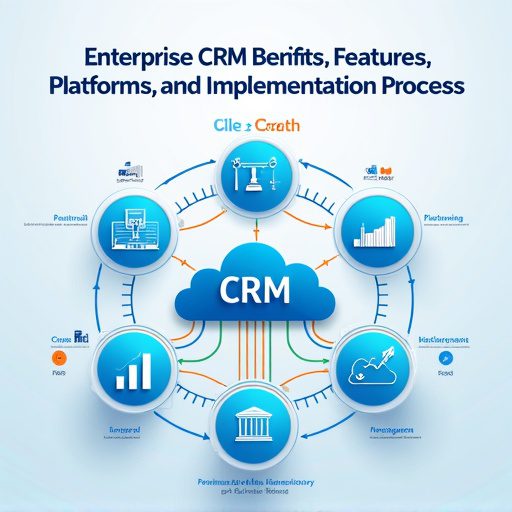
Enterprise CRM Benifits, Features, Platforms, And Implementation Process

Introduction Enterprise CRM (Customer Relationship Management) platforms are powerful tools that transform how large organizations manage customer data, improve engagement, and drive business growth. Below is a detailed blog-style guide, covering benefits, features, leading platforms, and the implementation process, with strategic backlinks to your TechOTD resources. In today’s hyper-competitive marketplace, Enterprise CRM is not merely a software—it’s an integrated approach that centralizes data, automates workflows, and fuels personalized customer journeys at scale. When implemented with advanced technologies like AI and predictive analytics, CRM becomes a strategic driver of efficiency, compliance, and business agility. Discover how AI and tech consulting can elevate CRM on TechOTD’s AI solutions page. Key Benefits of Enterprise CRM 360° View of Customers Enterprise CRM consolidates all customer data—interactions, preferences, support tickets—into a unified dashboard, providing a 360-degree customer profile. This empowers sales, marketing, and support teams to deliver informed, personalized service and anticipate customer needs. Learn how holistic data fuels AI-driven insights on TechOTD’s privacy and AI page. Improved Team Collaboration CRM platforms break down silos, enabling seamless information sharing across sales, marketing, and customer support departments. This unified communication boosts efficiency and ensures everyone works towards common goals. Data-Driven Decision Making Advanced analytics and reporting tools enable data-driven strategies, empowering management to spot trends, forecast sales, and make informed decisions. For a deeper dive into data analytics, visit TechOTD’s predictive analytics feature. Streamlined Sales and Marketing Processes Automation of repetitive tasks—lead tracking, appointment scheduling, follow-ups—lets teams focus on strategic initiatives, shortens sales cycles, and improves productivity. Enhanced Customer Experience CRM software personalizes every touchpoint—recommendations, promotional offers, and support—leading to higher customer satisfaction and loyalty. Explore more on TechOTD’s blog about seamless customer journeys. Compliance and Risk Management Modern platforms are designed to help businesses adhere to data privacy regulations and industry standards, crucial for finance, healthcare, and other regulated sectors. For more insights, read TechOTD’s how we work page. Essential Features of Enterprise CRM Holistic Customer View Provides a consolidated, real-time profile of each customer, tracking every email, call, transaction, and support request. Advanced Automation and AI Automation tools drive efficiency in sales, marketing, and workflows. AI features offer predictive analytics, intelligent recommendations, and chatbots—see TechOTD’s blog on LLMs and AI in customer journeys. Customizable Dashboards and Analytics Enterprises require deep analytics, granular segmentation, and real-time reporting to identify opportunities and mitigate risks. Multichannel Communication Integrated email, chat, phone, and social media support ensure consistent, timely engagement with customers wherever they interact. Security and Compliance Enterprise-grade CRMs offer robust security features: role-based access, encryption, audit trails, and compliance tools for GDPR, HIPAA, and more. Integration and Extensibility APIs and integrations connect CRM with ERP, marketing automation, e-commerce, and legacy systems for seamless data flow across the organization. Top Enterprise CRM Platforms Platform Best For Key Distinction Pricing/Notes [More Info] Salesforce Customization, large-scale deployments Deep modularity, AI, ecosystem From $165/user/mo, AI extra Leading Gartner MQ SAP CRM Integrated ERP-CRM for SAP users Native SAP integration, global Quote-based Oracle CX Large, complex organizations Flexibility, analytics, CX tools Quote-based Microsoft Dynamics 365 Microsoft-centric organizations ERP links, hybrid cloud options Flexible tiers HubSpot Enterprise Quick setup, remote teams User-friendly, marketing-heavy Competitive pricing Zoho CRM Growing enterprises, customization Automated workflows, scalability Lower overall TCO Zendesk Sell Sales and support integration Suited for Zendesk users Per-seat pricing Freshsales AI-driven engagement Fast, contextual interactions Modern UI, flexibility Discover more platforms and business app tips at TechOTD’s industry blogs. The Enterprise CRM Implementation Process 1. Define Strategy and Objectives Start by mapping out business objectives, key performance indicators, and a data strategy. Use TechOTD’s consulting framework to establish clear priorities. 2. Data Migration and Integration Cleanse existing data, de-duplicate records, and plan integrations with core systems (ERP, e-commerce, etc.). Blockchain integration—see blockchain in Dubai business—can add transparency to data migration. 3. Platform Selection and Customization Choose a CRM platform based on scale, industry, compliance, and integration requirements. Custom-build modules as needed, adjusting workflows, triggers, and dashboards for your enterprise’s unique processes. 4. User Adoption and Training Invest in staff training, change management, and cross-departmental workshops. Encourage power users and stakeholders to champion the CRM for maximum adoption. 5. Launch and Ongoing Support Roll out in phases—start with pilot departments, gather feedback, iterate, and expand. Leverage continuous analytics and support for long-term ROI. For best practices in tech project launches, visit TechOTD’s mobile services page. 6. Advanced Optimization Integrate AI-driven analytics, marketing automation, and predictive customer scoring. Review and refine workflows to drive ongoing efficiency. Explore predictive analytics solutions on TechOTD’s featured blog page. Real-World Use Cases Sales Acceleration: Automated lead scoring and next-best actions reduce time-to-close and increase sales. Customer Service Excellence: Omnichannel ticketing and AI-powered chatbots resolve issues faster, improving CSAT. Marketing ROI: Segmentation, journey mapping, and attribution modeling optimize spend and boost conversion rates. Risk & Compliance: Audit trails, consent management, and data protection features mitigate regulatory risk—critical for finance and healthcare. Mobile CRM: Field sales and service reps use mobile apps to access/updating customer data on the go; see TechOTD’s mobile frameworks guide. Conclusion Adopting an enterprise CRM is transformative for large organizations—it centralizes operations, unleashes team potential, personalizes every customer interaction, and future-proofs against changing regulations. For ongoing trends, strategies, and CRM case studies, explore: AI-Powered Enterprise Solutions TechOTD Blogs on Business Technology Customer Journey Mapping with AI Blockchain for Data Integrity How We Work at TechOTD Predictive Analytics for CRM Mobile Solutions and CRM Industry Insights & Platforms


Uncategorized

Building Your Own AI Chatbot App in 2025: Cost & Key Considerations

Introduction AI chatbots have become essential in providing seamless customer service, automating business operations, and elevating user experiences. In 2025, evolving technology and rising user expectations make building a chatbot more promising—and more complex—than ever. Here’s a complete guide to what it takes to launch your own AI chatbot app this year, what it will likely cost, and which decisions matter most. The Real Cost of Building an AI Chatbot App in 2025 Development costs can vary dramatically based on features, scale, and level of intelligence. Solution Type Typical 2025 Cost (USD) Example Features Simple FAQ or Rule-Based Bot $3,000 – $15,000 Basic text, single platform, simple responses NLP-Driven Chatbot (Custom) $15,000 – $40,000 Natural language understanding, basic integrations Advanced AI/ML Chatbot $40,000 – $150,000+ Context, personalization, voice, integrations, analytics Enterprise-Scale, Multi-Channel $100,000 – $250,000+ Omnichannel, API/Webhook, compliance, advanced security Ongoing expenses: Maintenance: 15–25% of the original build per year Third-party APIs (OpenAI, cloud hosting): $500–$10,000/month or more Support and updates Major Factors Affecting Chatbot Development Cost Complexity & Features: The more powerful the bot (NLP, voice, personalization), the higher the investment. Integrations: Connecting with CRMs, ERPs, payment gateways, or third-party APIs adds to both initial and ongoing costs. Platform: Costs are higher for multi-channel (web, mobile, social media) and voice-enabled experiences. Design: Rich, branded UX/UI design and accessibility increase price. Compliance: Security, privacy, and adherence to regulations like GDPR or HIPAA add cost but are mandatory for many sectors. Training Data & AI Model: Custom model training or using advanced generative models leads to higher costs. Developer Location: Rates range from $25–$200/hr depending on geographic location and expertise. Essential Steps to Build Your AI Chatbot App in 2025 Define Clear Goals Identify your target users and the primary problems your bot should solve. Specify success metrics up front. Choose the Right Platform & Stack Options include Dialogflow, Rasa, Microsoft Bot Framework, proprietary platforms, or low-code builders. Decide on text, voice, or multimodal (image, video) support. Design Natural, Inclusive Conversations Map user journeys, intents, entities, and tone for the best user experience. Prioritize clarity and human-like responses; plan for fallback and escalation to human agents. Development & Training Build backend infrastructure for NLP, user management, integrations, and analytics. Train the chatbot using realistic, diverse data for robust performance. Testing and Quality Assurance Test for edge cases, security, UX, and multi-platform consistency. Deployment and Monitoring Integrate with target platforms and use built-in analytics for ongoing improvement. Compliance & Maintenance Plan for regular updates, privacy, and monitoring to address user feedback and security patches. 2025 Trends Shaping AI Chatbot Apps Advanced NLP: Chatbots are now far more conversational, handling multiple languages and dialects, sentiment detection, and context awareness. Voice Bots & Multimodal Inputs: Users expect voice, image, and text input/output for seamless interaction. Personalization at Scale: AI adapts recommendations, tone, and responses based on user profiles. No-Code/Low-Code Builders: Smaller businesses leverage visual bot builders to create, test, and launch without deep coding. Deep Integrations: Chatbots work alongside CRMs, ERPs, and other core systems, powering sales, support, healthcare, and more. Focus on Privacy and Ethics: Compliance and transparent AI are expected by users and required by law. Pro Tips for Success Prioritize must-haves over nice-to-haves to control cost and time-to-launch. Start with a defined MVP—iterate with real-world data and upgrade features as adoption grows. Budget for long-term support—cutting corners on security or UX leads to bigger costs later. Involve users early—their input shapes user-friendly flows and higher satisfaction. Frequently Asked Questions (FAQ) Q: How fast can I launch my own AI chatbot app in 2025? A: Simple bots: 2–8 weeks; advanced, custom AI chatbots: 2–6 months, with ongoing improvements. Q: Are ongoing costs a big deal? A: Yes, annual maintenance, third-party APIs, and scaling often run 15–25% of the original build each year. Q: Can I use no-code platforms to save money? A: Absolutely—great for basic chatbots, but limited in customization and advanced integrations. Q: Should I develop in-house or outsource? A: In-house offers more control but often costs more; outsourcing (especially to experienced AI teams abroad) can cut budget but requires careful management. Q: What are the hidden costs? A: Training data curation, server hosting, compliance work, and regular feature updates are easy to underestimate. Conclusion Building an AI chatbot app in 2025 is an exciting but multifaceted endeavor. Whether you target customer service, sales, or bold new ideas, balancing vision, technology, and budget is key. Invest upfront in planning, clear goals, and user-centric design—and your chatbot will be ready for tomorrow’s intelligent, always-on digital world.

Technology & Innovation

Why Agentic AI Is the Game-Changer for Australian Enterprises in 2025

Introduction Agentic AI—AI empowered with autonomy, goal-driven reasoning, and the ability to take initiative—has quickly moved from a futuristic concept to a transformative force for Australian enterprises. In 2025, Agentic AI stands as a critical enabler of productivity, innovation, and resilience, propelling businesses beyond traditional automation and into an era of intelligent, adaptive decision-making. What Makes Agentic AI Different? Autonomy: Unlike previous AI, Agentic AI acts on its own initiative, proactively identifying opportunities, setting sub-goals, and making context-aware decisions without constant human prompting. Complex Task Handling: Rather than solving isolated tasks, it orchestrates complex, multi-step processes and adapts dynamically as situations evolve. Continuous Learning: Agentic AI systems learn from ongoing feedback, optimizing performance and response over time. Strategic Collaboration: They serve as true digital team members, augmenting staff and freeing humans for creativity, strategy, and high-value work. Why 2025 Is a Tipping Point in Australia Nearly 97% of Australian enterprises are expanding their AI agent use in 2025; 91% see Agentic AI as essential for competitiveness. Productivity Superpower: Australian businesses see Agentic AI as a solution to persistent productivity plateaus and talent shortages. Experience-Driven Adoption: Previous investments in generative AI have laid the groundwork, giving enterprises the confidence and skillsets required for full agentic adoption. Core Benefits for Australian Enterprises 1. Enhanced Operational Efficiency Automated data entry, report generation, and administrative workflows reduce manual errors and speed up core business processes. Employees are liberated to focus on strategic tasks, boosting organizational performance, and morale. 2. Seamless Data Integration and Insights Agentic AI breaks down data silos, rapidly synthesizing information across departments and platforms for real-time, actionable insights. Instant access to integrated data enables informed, agile decisions. 3. Personalized Customer Experiences Delivers tailored interactions—product recommendations, bespoke support, and targeted marketing—scaling personalization with unprecedented efficiency. 4. Robust Cybersecurity and Compliance Proactive monitoring detects anomalies and threats in real time, minimizing downtime and data breach risk. Designed to meet Australian privacy laws and GDPR standards, with end-to-end encryption and auditability. 5. Scalable Growth Scales through cloud-native APIs and microservices; easily integrates with legacy systems, allowing rapid adaptation as needs evolve without disrupting existing infrastructure. 6. Multisector Transformation Sector Example Use Cases Expected Outcomes Healthcare Patient data integration, workflow automation Faster care, improved outcomes Retail Personalized recommendations, dynamic pricing, inventory optimization Better customer loyalty, reduced costs Finance Autonomous fraud detection, compliance management Stronger risk mitigation, efficiency Supply Chain Real-time logistics, predictive inventory management Lower delay, cost optimization Government Streamlined case handling, real-time citizen services Reduced bureaucracy, faster service Real-World Momentum Market Growth: The Australian enterprise Agentic AI market is forecast to jump from $36.9M in 2024 to over $435M by 2030. Leadership Support: 81% of business leaders in Australia are planning for agentic AI-driven digital team members in the next 12–18 months. Industry Example: Leading healthcare providers and financial institutions are already seeing significant improvements in operational agility through Agentic AI-powered automation. Overcoming Key Challenges Legacy Systems: Agentic AI’s modular architectures allow it to coexist with (and modernize) legacy environments. Data Fragmentation: Smarter integration dissolves silos, empowering better cross-team collaboration and decision-making. Expertise Shortage: Agentic AI augments specialized talent, helping enterprises tackle complex challenges even with limited human resources. Best Practices for Implementation Start with targeted, high-impact agent-driven projects and scale as the organization’s AI maturity grows. Invest in training for both technical teams and business users to ensure smooth adoption and alignment. Prioritize robust security and compliance measures from day one, leveraging Agentic AI’s innate monitoring and audit features. Frequently Asked Questions (FAQ) How is Agentic AI different from traditional automation or chatbots? It not only automates tasks but also autonomously sets goals, adapts to dynamic environments, and makes decisions based on reasoning and learning—acting more like a human collaborator than a programmed tool. Are Australian privacy and compliance requirements addressed? Agentic AI is designed with compliance in mind—offering end-to-end encryption, audit trails, and proactive data privacy management to ensure alignment with laws such as the Australian Privacy Act and GDPR. Which industries in Australia benefit most from Agentic AI? Healthcare, retail, finance, logistics, and government see the most immediate gains, but most sectors can leverage benefits in efficiency, decision-making, and security. What are the main hurdles for Australian enterprises? Common challenges include integrating with legacy technology, addressing skills gaps, and managing AI bias and data privacy—but these are being overcome with strategic planning and ongoing investment. Conclusion Agentic AI is not just a buzzword; it’s a paradigm shift that empowers Australian enterprises to solve old problems in new ways—transforming efficiency, security, and customer engagement. As 2025 unfolds, businesses that seize the agentic advantage will pull ahead, setting the pace for the future of work, service, and innovation in Australia.

Business Process

How We Onboard New Clients Without Overwhelm

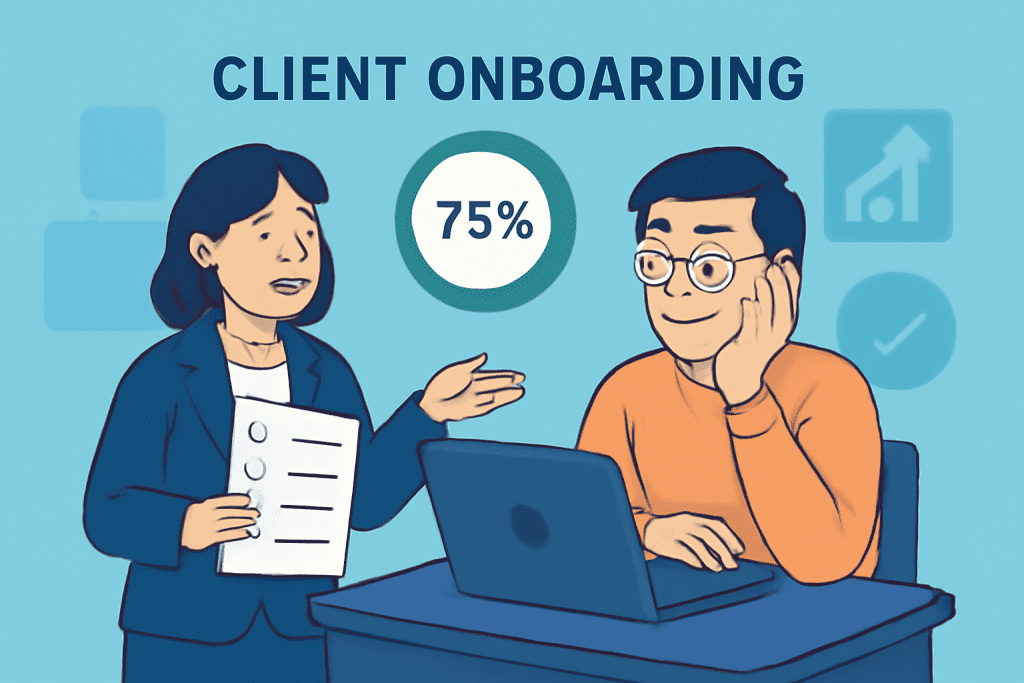
Introduction Bringing new clients on board is a pivotal moment for any business. The right onboarding approach sets the tone for a strong relationship, but without structure, it can quickly become overwhelming for both your team and your client. Here’s an inside look at our step-by-step process for onboarding new clients seamlessly—without stress or confusion. Our Onboarding Philosophy Clarity Over Complexity: Every step is simplified, focused, and intentional. Personalized Touch: We tailor onboarding to each client’s goals, background, and priorities. Transparent Communication: Clients always know what’s next and never feel left in the dark. Our Step-by-Step Onboarding Process 1. Warm Welcome & Roadmap Personalized Welcome Email: Every client receives a warm, friendly email introducing our team and outlining what to expect. Clear Contact Information: We share important contacts up front so clients know who to reach for questions. 2. Detailed Introduction Call Kickoff Meeting: We schedule a kickoff video or call to clarify goals, deliverables, timelines, and answer initial questions. Process Walkthrough: We walk through our onboarding checklist so clients see every major milestone in advance. 3. Onboarding Questionnaire Client Needs Survey: We send a concise questionnaire to gather essential information about the client’s objectives, desired outcomes, and any pain points. No Information Overload: We collect only what’s necessary at the start, minimizing lengthy forms. 4. Welcome Package Resource Bundle: Each client receives a digital welcome package containing a step-by-step guide, FAQs, how-to videos, and a summary of our collaboration flow. Optional Touches: We sometimes include a small branded gift or handwritten note to make them feel valued. 5. Project Setup & Internal Alignment CRM and Project Management Setup: Their details go straight into our system so nothing falls through the cracks. Internal Team Brief: Our team reviews all client info to ensure everyone is aligned before work begins. 6. Consistent Check-Ins and Progress Markers Regular Updates: We provide clear, timely progress reports and keep communication open via email or our client portal. Checklists & Progress Bars: Each onboarding task is tracked visually so clients always know where they are in the process and what’s next. 7. Quick Wins and Early Success Early Deliverables: We aim to provide a “quick win” within the first week—something tangible that demonstrates our commitment and sets the tone for the partnership. Celebrate Milestones: Milestone achievements are acknowledged, making the experience positive and motivating. 8. Feedback & Ongoing Support Collect Feedback: We ask for honest input during and after onboarding to constantly improve the process for future clients. Clear Next Steps: Every onboarding finishes with a summary of what’s next, ensuring clients feel confident and cared for. Table: Our Client Onboarding Process Overview Step Purpose Client Experience Welcome Email Establish friendly tone & point of contact Feels valued and informed Kickoff Meeting Clarify goals, process, and timelines Confidence and clarity Onboarding Questionnaire Gather key info without overloading Easy, relevant input only Welcome Package Guide, resources, and FAQ for fast answers Empowered from day one Team & Project Setup Internal alignment, CRM and PM system update No repetition or miscommunication Check-Ins & Progress Tracking Frequent, visual updates, checklist for each stage Never lost or uncertain Early Success Deliverable Provide tangible value immediately Immediate trust and satisfaction Feedback & Next Steps Gather input, ensure seamless handoff to delivery Clear on what’s coming next Tips for a Frictionless Onboarding Experience Start with Essentials Only: Avoid overwhelming the client with too much information or paperwork upfront—more can be added as the relationship progresses. Use Checklists & Visual Progress Tools: These prevent confusion and help clients (and your team) track exactly where they are in the journey. Communicate Frequently: Proactive and transparent updates create confidence and prevent misunderstandings. Tailor Every Interaction: Personalization demonstrates attention, care, and respect for the client’s unique needs. Celebrate Every Milestone: Recognition creates positive associations and keeps your clients engaged. Conclusion Onboarding new clients doesn’t need to be overwhelming. By breaking the process down into clear, manageable steps—prioritizing communication, transparency, and personal touches—you ensure your clients feel confident and excited from day one. This approach turns onboarding from a hurdle into an opportunity to build lasting, mutually successful relationships. Related Tags/Keywords: client onboarding, customer experience, onboarding process, business relationships, project management, client retention, welcome package, kickoff meeting, feedback loop

Scroll to Top